
Getting started with Dungeonbound
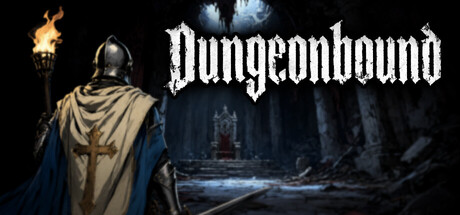
Use your first solo climb to build one reliable source of damage and enough defense to keep it running. Read what your starting gear does, then spend your first Gold on pieces you can fit and use right away.
Start a run
Section titled “Start a run”- Pick a hero and read the starting tooltips. Decide which effect you want to build around and check when it fires.
- Check the shape before you buy. Make sure the piece fits on the grid beside anything it needs. After you move a piece, reread any effects that depend on its position. See how to arrange gear.
- Choose the next stop on the map. Open Map beside the battle-speed control. Look for a shop when you want a new piece, or a forge or shrine when you have a piece you want to improve. In PvE,
 Jerry appears on rival tiles. See how to read the route and what to expect from encounters.
Decide when to forge
Section titled “Decide when to forge”Put two pieces into the fusion preview and read what will come out before committing. In 1.0.18, the preview shows the result’s types and grown stats. Socketing a gem also shows what it added. After fusing, make sure the new piece fits your board and still meets the effects’ placement requirements. Look up specific gear effects and forge and shrine outcomes.
If you lose health before your damage can build up, spend the next shop visit on survival. If your defense holds but fights drag on, look for a piece that adds to your existing effects.
Follow the Climb walkthrough from Act 1 to the Act 5 boss. For a Poison build, use the 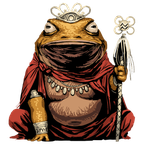 Albus demo build guide for setup choices and video times, then follow its floor-by-floor walkthrough to floor 8.
If you’re continuing an earlier dungeon or inviting friends, see Game modes and co-op. To start from a random hero and draft four pieces, try Draft Arena.
Sources
Steam store, 1.0.12 gear changes, 1.0.14 map controls and 1.0.18 changes. Cover image from the official Steam store page.
- Dungeonbound on Steam — Documentation · accessed-2026-11-25
- Dungeonbound Steam cover — Documentation · accessed-2026-11-25
- Dungeonbound developer announcements — Documentation · accessed-2026-11-25
- New game mode: Draft Arena v1.0.18 — Documentation · 1.0.18
- Dungeonbound v1.0.14 patch notes — Documentation · 1.0.14
- Dungeonbound v1.0.12 patch notes — Documentation · 1.0.12
- I Beat Dungeonbound Roguelite by MoistCr1TiKaL Gaming — Observed in-game · posted-2026-11-25
- 折笔日记's Dungeonbound demo run on Bilibili — Observed in-game · posted-2026-11-10

Independent fan wiki. Dungeonbound belongs to louidev.
Comments & feedback
Share a tip or suggest a correction. Comments are public. Guest names are unverified; verified accounts show their public name. All language pages share this discussion. Please keep personal information private.