
GAMEWIKISTATION · Latest wiki updates
Latest wiki updates
What changed in each wiki, newest first: new guides, tables and tools, and what each change means for your game.
GameWikiStation accounts: follow, save, comment and contribute

Order of the Sinking Star wiki is now live
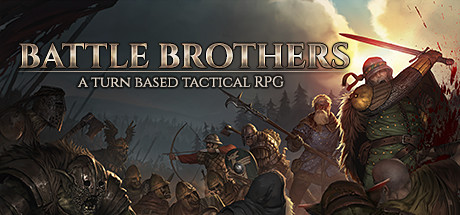
Weapon build guides for every weapon family
17 weapon-family guides with complete perk orders, Student routes, equipment choices and source links, in English and Chinese.
Make Pure Water using rat feces

Story and all three ending routes explained
Compare the Leave, Rest and Live outcomes, follow Drew’s 25-Memento route to the Live furnace choice, and read an evidence-based interpretation of the story.
Aquafarming guide and unified item database
Start Aquaculture, compare six fish species and tank requirements, and find fish, feed and harvest products in the main database with simpler type filters.
Real-Time Shop: setup, customer patience and safe save rollback

Interactive map: search, zoom and location details
Interactive map: game icons, details on the map and every path shown
Markers use the game's own map icons, and the legend switches each kind on or off. A marker's details open beside it, one click on a numbered circle lists everything at that spot, and paths the in-game map leaves blank, such as the ferry and the cable car, are outlined in pink.
Legendary fights: every enemy, what to bring and the reward's stats
Nine legendary location pages now list each enemy with its health, armor and key ability, what to prepare, and the stats of the reward.
Console support guidance clarified
Jack is now marked Consoles; the guide separates PC 1.010 from console 1.009.1, adds Xbox/PlayStation workarounds and keeps the old Switch notice as history.
Public mod versions and sponsor previews distinguished
The mod directory separates public Perks 1.3.5 / Survival 0.2.0 from sponsor previews 1.3.6 second test / 0.2.1, with preview-fix and save cautions.
Tutorial checklist: from the opening fight to a completed contract
Follow the tutorial origin stage by stage, with a table of what to check when the contract stops advancing.
Porter destinations and Quarry delivery preparation
How to read the porter table, a step-by-step Quarry delivery, and what to check when a delivery stalls.
Worked examples for module layouts and customer practice
The module assembler has two worked layouts with the numbers to expect, and customer practice has six fixed cases you can repeat.
Opening motel lead and payphone save checklist
A checklist for the opening: the dossier in your trunk, the motel ledger entry to look for, and how to save at a payphone.
Steam update 1.010: what changed and what the support page still lists
Update 1.010 changes Belt Master gears and population-based order slots. Where tinyBuild’s support page and the patch notes differ, the page shows both.
Update history and current launch-issue guidance refreshed
The update history and the launch issues page are current as of October 13.
Module Assembler: locked crates and unsaved hotkey edits explained
Modules in a locked crate show in the mod’s planner but cannot be used until you decrypt the crate, and hotkey edits have to be applied in the mod panel.
Mod conflict and Exchange reminder guidance updated
The mods pages add the author’s explanation of Exchange Preview reminders and notes on mods that can conflict.
New Mods section: choose content, enhancements and installation help
The mods guide is now three pages: new content, enhancements to the base game, and installation with troubleshooting.
Find module planning and customer practice from the wiki home
The wiki home now opens the module planner and the customer identification practice directly.
Cat Collar prerequisites and premature item display explained
The Cat Collar can show up before you are able to get it. The page gives the prerequisites the developers have stated.
Smaller downloads for maps and item icons
The interactive map opens without downloading a duplicate preview. Map artwork uses smaller files, and item icons download at the size needed for the reference grid.
October 9 hotfix added to the game update history
Hotfix 1 adds a DirectX 11 launch option for performance problems, fixes several softlocks and stops enemies blocking the Union Apartments elevator.
On-map controls and a return-to-start button added
The interactive map has its controls on the map itself and a button that returns to the starting view.
Weapon and armor grids add Quality filtering
Browse picture grids and filter Standard, Named and Legendary equipment.
Support guidance refreshed from the October 10 status check
The launch issues page lists the save notices for each platform separately from the game’s patch history, as of October 10.
Community mod sources and download notes refreshed
The mods guide has each author’s latest notes, file labels and compatibility cautions as of October 11.
Interactive map and story walkthrough launched
The Silver Pines wiki opens with an interactive map, item and enemy references, locked routes and a full walkthrough with the branching endings.
Item reference table refreshed
The reference tables were rebuilt from game version 1.009: order quantities and rewards, merchant trade-happiness caps, battle rewards and study entries. The Items table lists 480 items, each with where it comes from or what uses it.
Launch issues by platform: Steam 1.009 and the console save fix
Steam has update 1.009. tinyBuild marks the PS5 and Xbox save exception fixed and asks players to update. Nintendo Switch, Switch 2 and PS4 are still waiting for the 1.007 fixes, so check your platform before applying a PC patch note to a console.
Mod notes: a bottle report and the Wage’s Perks version
A mod author has acknowledged a player report of perfume and wine bottles being consumed, with no fix yet. The Wage’s Perks entry separates the author’s October 5 v1.3.4 changelog from the version shown on the download.
Mod install guide published
Choose between speed changes, combat automation and larger overhauls, see which framework each mod needs, and back up your save before a modded run.
New tool: identification practice and quiz
Study the game’s inspection panels and test yourself on items that can be genuine or fake.
New: identification & appraisal guides
How to tell a genuine item from a fake, and what each inspection clue means.
New tool: build and price a module bay
Arrange modules in a machine’s bay and see output, power use and quality before you build it in the game.
Item pages now list rolled module stats and values
Each module’s item page shows the stats it can roll and what they are worth.
The community mods guide is now translated
The mods guide is available in every language of the wiki.