
 Probably Stolen
Real-Time Shop: player guide
Esta página aún no está disponible en tu idioma.
Run your shop against the clock, serve customers before they lose patience, and choose when to turn in for the night. This guide first appeared October 19, 2026 and was updated October 22 for the Nexus 1.0.1 compatibility release.
Use Real-Time Shop 1.0.1 with the Windows Steam Demo only: app 4349200, exact builds 26017150 / 050rev5-L or 25382790 / 049-Rev5-L. It requires MelonLoader 0.7.3 and .NET 6. The mod checks the exact GameAssembly and disables itself on unknown builds. The full game, other builds, platforms, loaders and mod combinations are unsupported or unverified.
The 1.0.1 update adds exact-build support. The author reports focused isolated native checks on build 26017150 for new-game opt-in, matched save/restore, pause, idle trade timeout, closing, evening time, 03:00 sleep and morning reload. The older build’s 1.0.0 and RC.25 results remain tied to their historical files. Timing and consent behavior are unchanged: Real-time mode is still an explicit new-game choice and defaults off; existing vanilla saves are not converted.
1. Install the mod
Section titled “1. Install the mod”- Close the game and make a matched backup. Copy the whole save folder, normally
%USERPROFILE%\AppData\LocalLow\Questing Goose Studio\Probably Stolen, including all.es3saves and both.realtime-shop.jsonand.realtime-choice.jsonsidecars. Also back up the old mod DLL andUserData\MelonPreferences.cfg. Keep each native save and both sidecars from the same backup together. - Set up MelonLoader 0.7.3 and its runtime prerequisites separately. Launch the supported demo once, then close it.
- From the Nexus Files tab, download the main file Real-Time Shop 1.0.1 - Windows Demo 050rev5-L (uploaded October 20, 2026). Install
Mods\ProbablyStolen.RealTimeShop.dllinto Mods, keeping only one copy of this mod. - Launch normally. Check: the loader identifies Real-Time Shop 1.0.1 without a mod initialization error. Install the author-labeled Nexus player file, not a source/rebuild archive.
2. Turn on real-time mode
Section titled “2. Turn on real-time mode”-
Start a new game and choose your usual starting options.
-
Tick Real-time mode, just above Start Game. It starts unchecked.
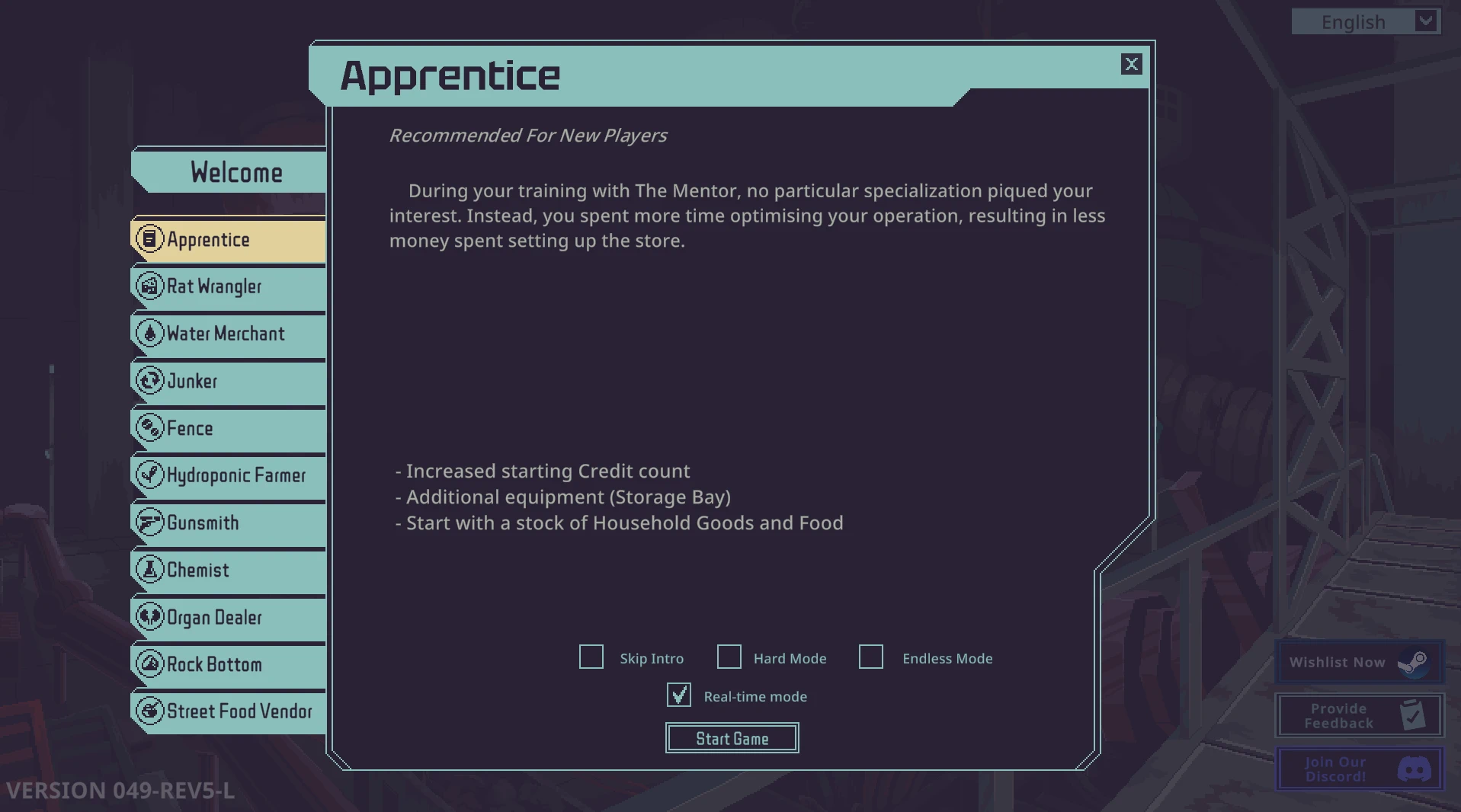
Select Real-time mode above Start Game, then click Start Game. Historical setup image retained from the 0.2.0 draft.
-
Click Start Game. Check: your shop calendar shows a clock.
This checkbox opts this new run into real-time timing. Leave it unchecked for ordinary timing. Installing the DLL does not convert existing vanilla saves. Keep the run’s saves and both sidecars together so its choice and clock can be restored later.
3. Watch the calendar and pause when needed
Section titled “3. Watch the calendar and pause when needed”- Look at the calendar in the upper left of the shop. A default full day runs from 08:00 to 20:00 in 30 active minutes. Time also moves while the shutters are closed.
- Use the game’s normal pause menu when you need a break. Check: the clock holds, then continues when you resume. Native dialogue, focus loss and the morning report also hold time.
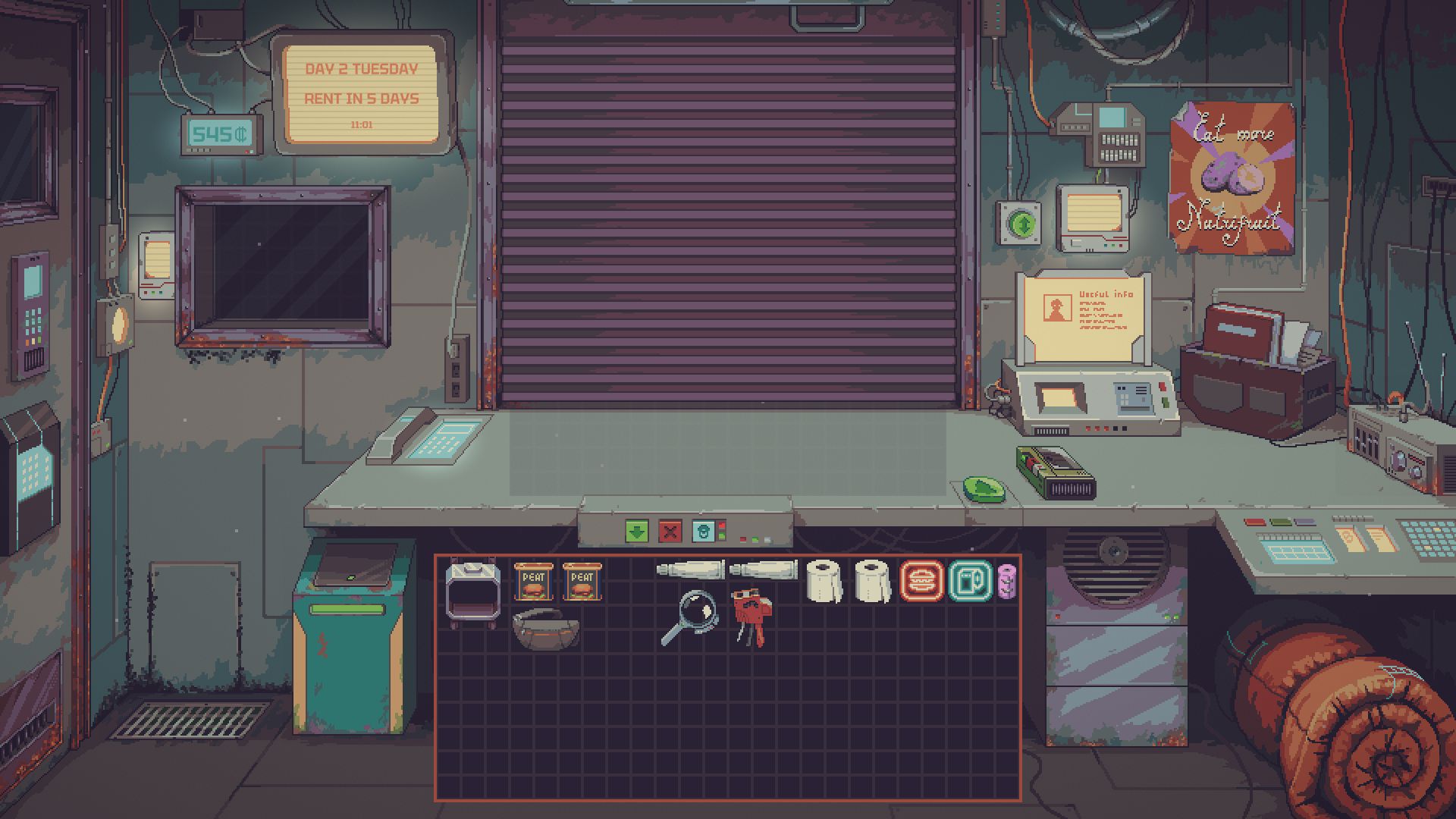
Exact 1.0.0 capture after loading a save: the calendar shows Day 2, 11:01. This illustrates the clock’s location, not a new run’s starting time.
4. Serve customers before patience runs out
Section titled “4. Serve customers before patience runs out”- Review the offer or bargaining panel as usual. Ordinary customers have 120 seconds of patience by default; leaving an idle trade panel open does not stop the countdown.
- Finish the deal or cancel it yourself. At timeout or closing, an eligible ordinary customer can cancel the idle panel and leave. Confirmations, active trade commits, dragging and protected interactions can defer departure.
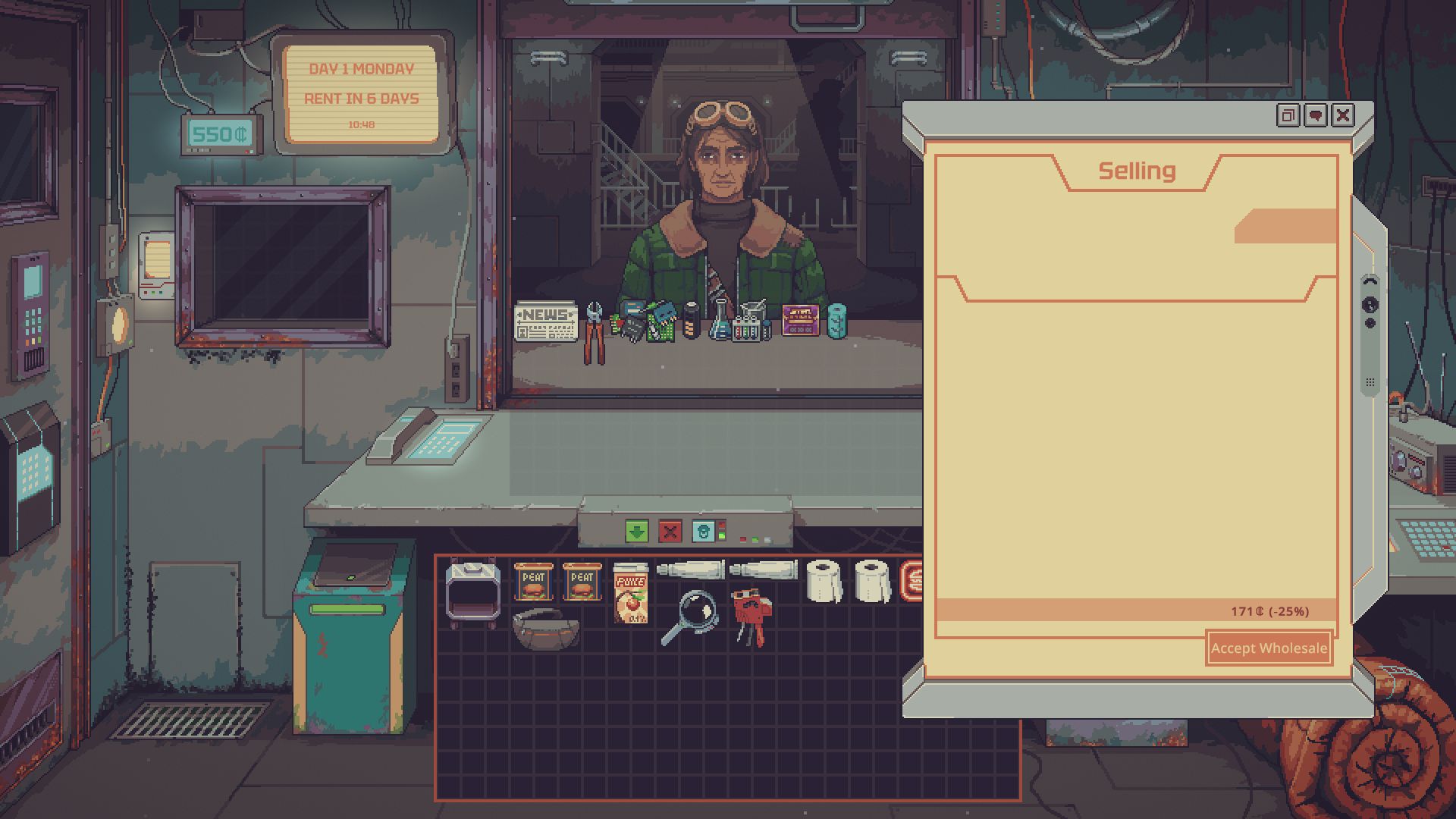
Genuine RC.25 test capture showing the idle Selling panel. The test used faster timing than the player defaults.
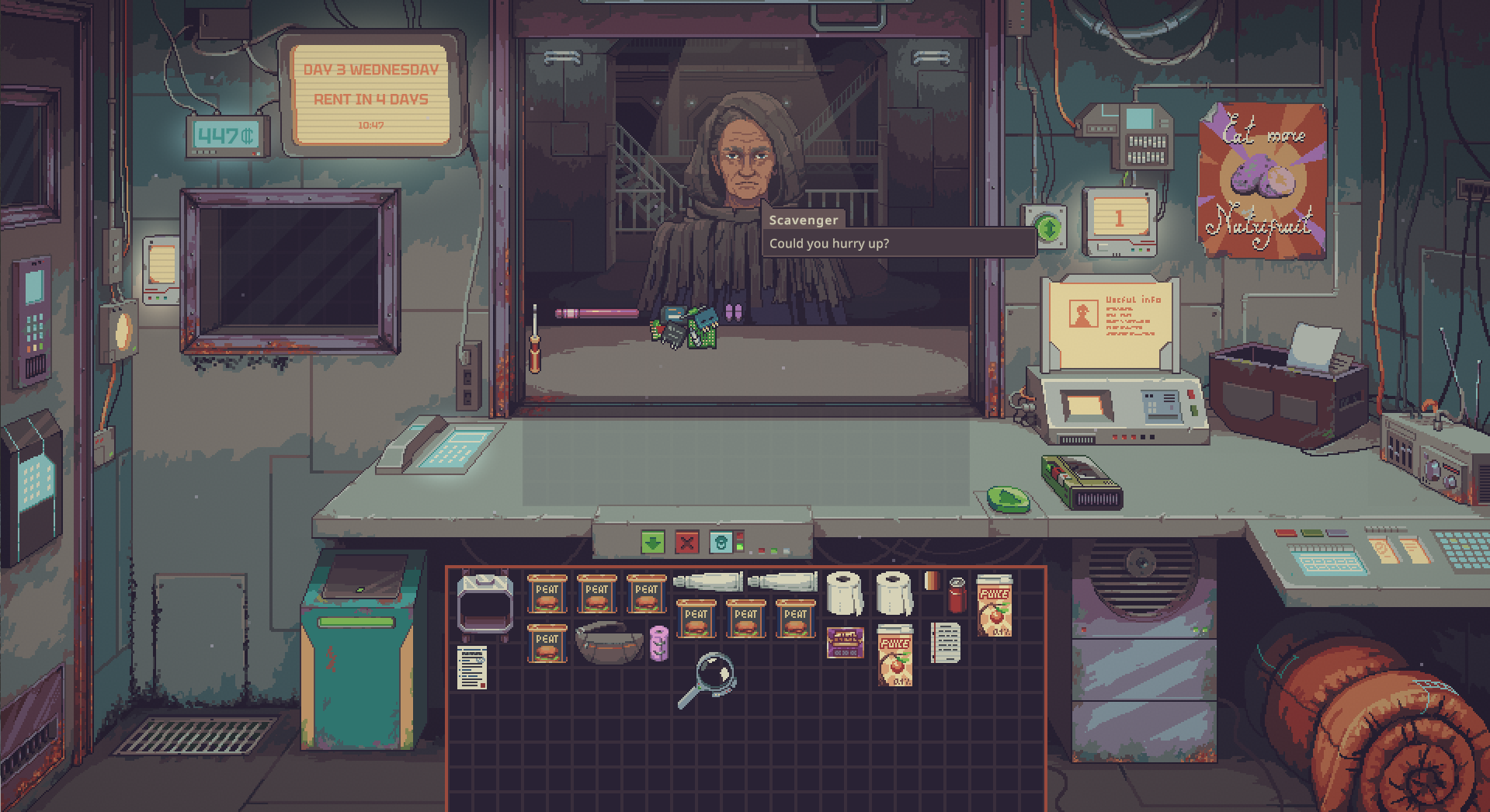
Customer-patience cue: “Could you hurry up?” Player-supplied capture; mod version and elapsed wait are unverified.
5. Close up and go to bed
Section titled “5. Close up and go to bed”- Close the shop normally when you are done. You can close early; the clock continues afterward.
- Select the bedroll at the lower right to open End of Day. Review the native service costs, then choose End the Day when the button is available. Check: the normal overnight sequence runs and you reach the next morning.
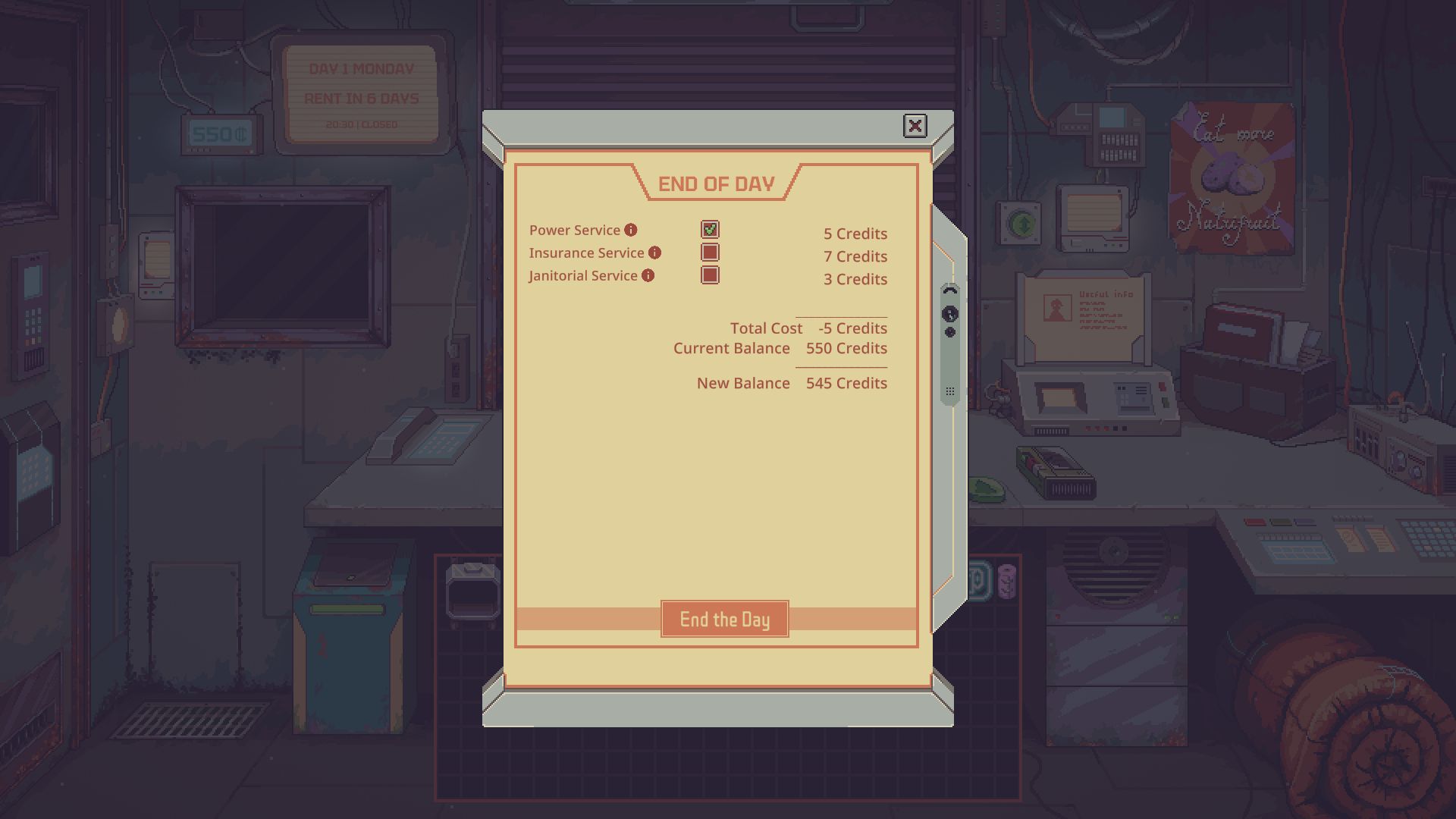
Genuine RC.25 test capture: the native End of Day screen is open and the calendar reads 20:30 | Closed. Test timing was accelerated.
Time keeps moving while this screen is open. A 02:00 reminder warns you about the late hour. At 03:00, the mod requests sleep when native conditions allow; it waits for unsafe or protected interactions and never bypasses a disabled sleep button.
Late sleep delays the next opening: 01:00 → 09:00, 03:00 → 11:00. Closing stays 20:00, leaving less trading time. Native costs and events still apply. Nights marked by the game’s outing flag keep an 08:00 opening.
Change timing or stop using the mod
Section titled “Change timing or stop using the mod”Change timing: close the game, edit [RealTimeShop] in UserData\MelonPreferences.cfg, then restart. Defaults are DayMinutes = 30, PatienceSeconds = 120, ClosingGraceSeconds = 60. Keep Diagnostics = false for normal play. Merge your changes into this section; do not replace other mods’ settings. A loaded day keeps its saved timing; new days use your changes.
Stop using it: for a new vanilla run, leave Real-time mode unchecked. To remove the mod, close the game and move its DLL out of Mods. Keep saves, both sidecars and backups.
Roll back: restore the old DLL and preferences. If restoring progress, restore the native save and both matching sidecars from the same backup. Removing the DLL does not undo progress; saves changed while the mod is absent may not match their former sidecars. Never edit sidecar hashes or overwrite your only backup.
If something does not look right
Section titled “If something does not look right”| Problem | Try this |
|---|---|
| No clock | Check the loader’s version message and use a new run with Real-time mode selected. |
| Clock has stopped | Close dialogue or the morning report, exit the pause menu and return focus to the game. |
| Customer will not leave, or sleep is waiting | Complete the native confirmation/protected interaction safely; return from any outing. |
| Saved clock will not restore | Preserve the files first, then restore a matched native-save/sidecar backup. Do not mix files from different backups. |
For a bug report, include the mod/game/loader versions and relevant error lines. Remove personal information from logs before sharing them.
Sources and screenshot notes
Section titled “Sources and screenshot notes”Nexus description · Files and upload dates · 1.0.1 README · 1.0.1 release notes · 1.0.1 validation record. Nexus lists the 1.0.1 file as uploaded October 20, 2026 and the original 1.0.0 file as October 19. The author reports focused native checks for 1.0.1 on build 26017150; earlier 1.0.0 and RC.25 results belong to their historical files and builds. These are author records, not tests performed by this wiki. Original mod code is MIT licensed. Screenshots remain genuine historical captures, with versions and uncertainty labelled.
Wiki de fans no oficial, no afiliada a Questing Goose Studio ni a tinyBuild. El contenido del juego pertenece a sus propietarios.
Medición del tráfico
Los recuentos anónimos de páginas y herramientas ayudan a mejorar esta wiki. La medición de visitas recurrentes es opcional. Do Not Track y Global Privacy Control desactivan la medición.
Comentarios y sugerencias
Comparte un consejo o sugiere una corrección. Los comentarios son públicos. Los nombres de invitado no están verificados; las cuentas verificadas muestran su nombre de usuario. Todas las páginas de idiomas comparten esta discusión. Mantén privada la información personal.