
Getting started with KORRIDOR
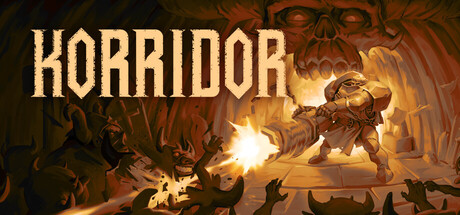
Start with the tutorial, then aim to survive the waves in Anagni Dungeon. Use A and D or the arrow keys to move across the corridor. Line up shots and give yourself room to change lanes when enemies get close. Green gems heal you and increase your regeneration.
Choose your first gates
Section titled “Choose your first gates”- In the options, turn on display rune effects. Upgrades come up about every 15 seconds, so read the effect before you move through a gate.
- If your ordinary shots take too long to bring a target down, look for damage. If enemies stack up behind one another, try
 Pierce so shots can pass through them. Click the dice icon or press R to spend a die and refresh a rune gate. Press Tab to check your inventory.
- Press E or right-click to activate your holy spell. For
 Holy Bullet, line up a dangerous target before spending the shot. See combat and rune builds for more ways to handle a wave.
Use the break between fights
Section titled “Use the break between fights”Check the shops for an upgrade that helps with the next fight. If enemies are reaching you before you can thin the wave, look for a way to hold them off or recover health. If you stay healthy but take too long to finish tougher targets, improve your damage instead.
Look around the room before taking an exit. The Catacombs connect fights with shops and hidden interactions. Between runs, open the Book to see which level runes you have unlocked. The walkthrough starts in Anagni Dungeon and links to the later combat areas.
Sources
KORRIDOR Windows build 26888432, official Steam listing, and TinyToad’s gate options, combat controls and Book update. Steam capsule artwork © Martin Jacob.
- KORRIDOR Windows game files, Steam build 26888432 — Extracted data · 26888432
- KORRIDOR on Steam — Documentation · accessed-2026-11-28
- Descent Mode developer announcement — Documentation · 26825353
- D+6 balance patch — Documentation · 26888432
- November 22 developer update — Documentation · 26847574
Independent fan wiki. KORRIDOR and its artwork belong to their rights holders.
Comments & feedback
Share a tip or suggest a correction. Comments are public. Guest names are unverified; verified accounts show their public name. All language pages share this discussion. Please keep personal information private.