
Combat, health and spell effects
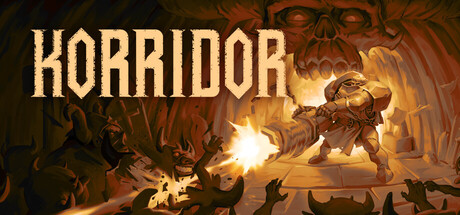
Move across the corridor to put enemies in front of your gun. Keep enough room to change lanes as a wave closes in. Melee trades some of your health for damage, so use the space you have to shoot.
Keep your health up
Section titled “Keep your health up”- Armor reduces the damage you take. The loading screen warns that Armor is less effective against bosses, so leave room to dodge their attacks.
- Green gems heal you and increase regeneration. The green part of your health bar shows how much health you regenerate every three seconds.
- Seals each add 10 maximum health.
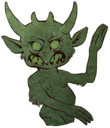 Lead Imps drop them. You can also use Seals in some Catacombs shops.
Check enemy types before entering a new area. For gem effects, use the gem list.
Time Holy and Blood effects
Section titled “Time Holy and Blood effects”With a Holy rune equipped, press E or right-click to activate it when it is ready. Press T to turn on automatic Holy activation (LB on a controller). If your spell depends on lining up an enemy, manual activation lets you choose when to cast. A Holy Cooldown Gem also recharges Holy effects when you pick it up.
Blood effects trigger when you kill an enemy at close range. If you’re using a Blood rune, aim at a nearby enemy that you can finish before it reaches you. Triggering a Holy or Blood effect makes you fire immediately.
Use Armor with 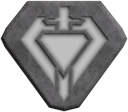 Damocles
Section titled “Use Armor with Damocles”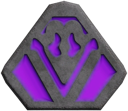 Revenge returns part of the damage that reaches your health to one enemy with high health.
 Avenge sends part of that damage back to nearby enemies.
- Damocles stores part of the damage your Armor blocks on enemies with high health. The stored damage can strike when you approach the target or when it builds up enough to bring the target below your Armor value.
Use rune builds to choose effects that suit how you fight. Look up individual runes when comparing gates.
Sources
KORRIDOR Windows build 26888432, including tutorial, loading tips and rune tooltips. TinyToad’s November 22 update confirms right-click Holy activation. Steam store capsule artwork © Martin Jacob.
- KORRIDOR Windows game files, Steam build 26888432 — Extracted data · 26888432
- KORRIDOR on Steam — Documentation · accessed-2026-11-28
- November 22 developer update — Documentation · 26847574
Independent fan wiki. KORRIDOR and its artwork belong to their rights holders.
Comments & feedback
Share a tip or suggest a correction. Comments are public. Guest names are unverified; verified accounts show their public name. All language pages share this discussion. Please keep personal information private.