 GameWikiStation
 Silver Pines
Locked routes: plan a return
Plan a return without guessing the gate
Section titled “Plan a return without guessing the gate”The supplied help text confirms that the map can switch floors and the camera can pin a photo to its location. Use the interactive map to filter by floor or region and inspect recorded gates and pickup markers. These connections come from the supplied file snapshot; they are not live-verified routes. Several item descriptions also name a destination; those are description-identified pairings, not a tested route or acquisition walkthrough. Examples:
| Item | Description identifies |
|---|---|
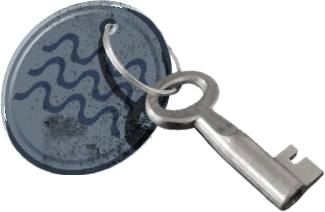 Poolside Key / 池畔钥匙 Poolside Key / 池畔钥匙 |
Poolside gate at the Crimson Bear Motel |
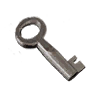 Fuse Box Key / 保险丝盒钥匙 Fuse Box Key / 保险丝盒钥匙 |
Main breaker panel at the Crimson Bear Motel |
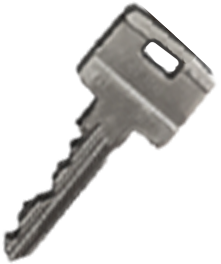 Armory Key / 军械库钥匙 Armory Key / 军械库钥匙 |
Armory at the sheriff’s department |
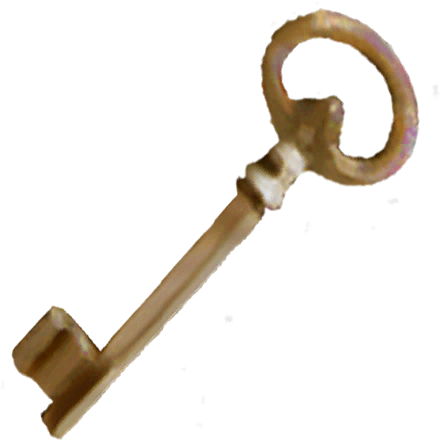 North Wing Key / 北翼钥匙 North Wing Key / 北翼钥匙 |
North wing at the sheriff’s department |
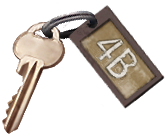 Apartment 4B Key / 公寓 4B 钥匙 Apartment 4B Key / 公寓 4B 钥匙 |
One fourth-floor Union building apartment |
Use this loop when you meet a locked route:
- Open the map and switch to the floor shown by the room or route. Add a camera marker or a written note for the door, landmark and visible prompt.
- Record the exact wording and appearance of the lock. A named key, keyring entry, broken object, climb point and mechanism are different leads; do not assume that similar names mean the same use.
- Check the inventory and item catalog for a matching named key, tool or usable object. The catalog describes extracted definitions and grid-cell size; it does not claim where an entry is acquired or what it opens.
- Keep the item if no explicit match appears. Use the shared storage box only for supplies you do not expect to need before your next return; an item left in one box can be retrieved from another.
- When a route opens, note the exact interaction and game build. That observation can turn an unknown into a useful correction.
These examples come from item descriptions. They do not establish how or where a key is acquired, whether the live lock currently accepts it, or the order of the routes. For general resource planning see survival; for the connected plot, chapter goals and ending evidence see the story walkthrough.
Review pending · Inspected Windows file snapshot, 2026-10-11; Steam build ID unverified
Sources and credits
Map connections, gates and recorded pickup markers: world-data snapshot. 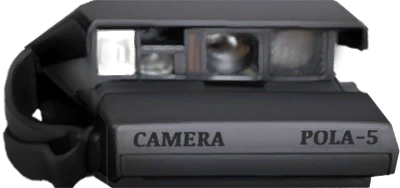 Camera, map and keyring help and linked item definitions: inspected Windows file snapshot.
Topic art: native Silver Pines comic panel, credited to Wych Elm / Team17. Source records and asset hashes; reuse permission for the underlying artwork has not been established.
- Inspected Windows file snapshot — Extracted data · files-2026-10-11
- Silver Pines supplied Windows world and gate data — Extracted data · world-files-2026-10-11
- Silver Pines topic artwork and source-art compositions — Extracted data · page-art-files-2026-10-11
Unofficial fan wiki, not affiliated with Wych Elm / Team17. Game content belongs to its owners.
Comments & feedback
Share a tip or suggest a correction. Comments appear publicly right away; display names are unverified. All language pages share this discussion. Please keep personal information private.