

Controls
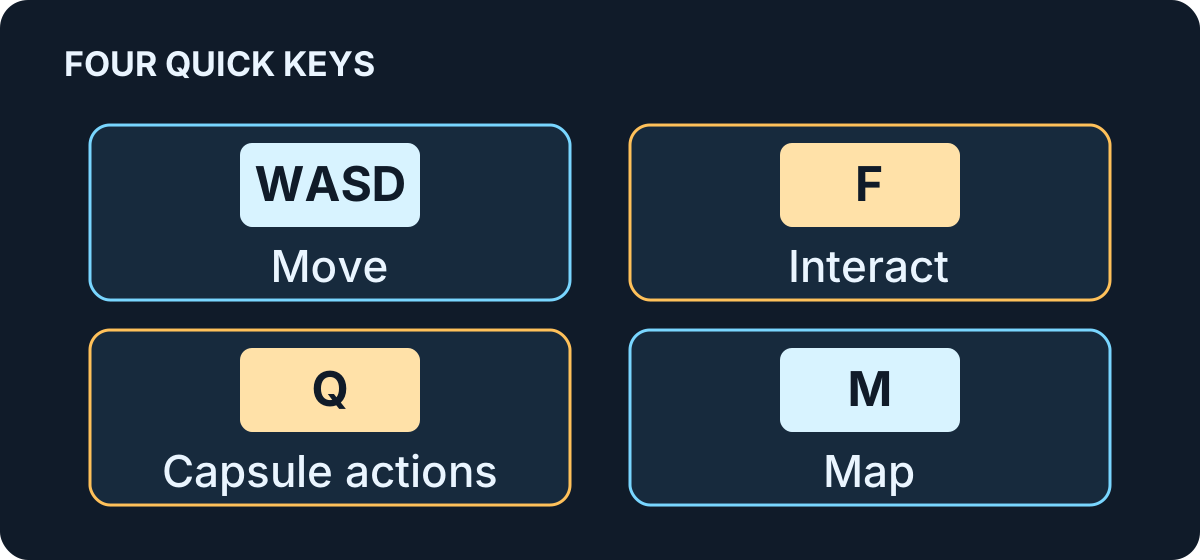
These are the default keyboard and mouse controls. Controller layouts can be changed through Steam Input.
Quick reminder: WASD moves, F interacts, Q packs, drops or throws a capsule, and M opens the map.
On foot
Section titled “On foot”| Input | Action |
|---|---|
| W / A / S / D | Move |
| Space | Jump; jump again in the air to use the jetpack |
| Mouse | Look |
| Left mouse button | Use the equipped cleaning tool |
| Mouse wheel | Switch tools |
| E | Collect or pick up |
| F | Interact |
| Q | Pack, drop or throw a capsule |
| G | Region scanner |
| M | Map |
| N | Helmet lamp / night vision |
| Tab | Scoreboard |
See Your first shift for the first-shift basics.
Vehicles
Section titled “Vehicles”| Input | Action |
|---|---|
| W | Drive |
| S | Brake / reverse |
| A / D | Steer |
| Shift | Boost |
| F | Exit vehicle |
| T | Load / unload capsules |
| Left mouse button | Vehicle-specific action, such as scanning, lifting, servicing, recharging, autopilot or cleaning |
The left-mouse action varies by vehicle.
Building
Section titled “Building”With the 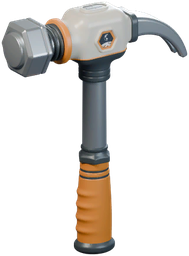 building tool equipped, right-click opens the build menu. Press R to enter move mode; press R again or Esc to exit it. Press X to switch to remove mode. While moving a piece, right-click returns it to its original position. See Automation for building guidance.
Xbox One controller
Section titled “Xbox One controller”The same button can do different things on foot, while building and while driving.
| Xbox One input | Labeled action |
|---|---|
| A | Jump / Confirm / Boost |
| B | Capsule / Back / Cargo |
| X | Use object / Drive / Remove mode |
| Y | Interact / Collect / Build menu |
| Left stick | Move / Steer / Select |
| Left stick click | Back to base (hold) / Fine steps |
| Right stick | Look / Pan |
| Right stick click | Camera view / Matrix overview |
| Left trigger | Build menu / Brush lock / Brake |
| Right trigger | Use tool / Place / Drive |
| D-pad Up | Map / Helmet lamp (hold) / Lights / Raise |
| D-pad Down | Region scanner / Lower |
| D-pad Left | Undo / Previous marker |
| D-pad Right | Vehicles (hold) / Free place / Next marker |
| Left bumper | Previous tool / Turn / Previous page |
| Right bumper | Next tool / Turn / Next page |
| Menu | Pause menu |
| View | Scoreboard (hold) |
Sources
In-game input bindings (build 1.0.5). Xbox labels come from the Xbox One Steam Input layout. Keyboard bindings cross-checked against the 1.0.5 move-mode notes, the 1.0.4 map notes and Wikily’s controls reference. Diagram: GameWikiStation. Equipment icons: DragDrop Games.
- Supplied Windows build — Steam Input action manifest and Xbox One mapping — Extracted data · 1.0.5
- Supplied Windows build — named tools, vehicles and automation sprites — Extracted data · 1.0.5
- Wikily Moon Sweepers controls reference — Documentation · accessed-2026-11-07
- Moon Sweepers patch 1.0.4 — Documentation · 1.0.4
- Moon Sweepers patch 1.0.5 — Documentation · 1.0.5
Unofficial fan wiki, not affiliated with DragDrop Games. Game content belongs to its owners.
Comments & feedback
Share a tip or suggest a correction. Comments are public. Guest names are unverified; verified accounts show their public name. All language pages share this discussion. Please keep personal information private.