

Your first shift
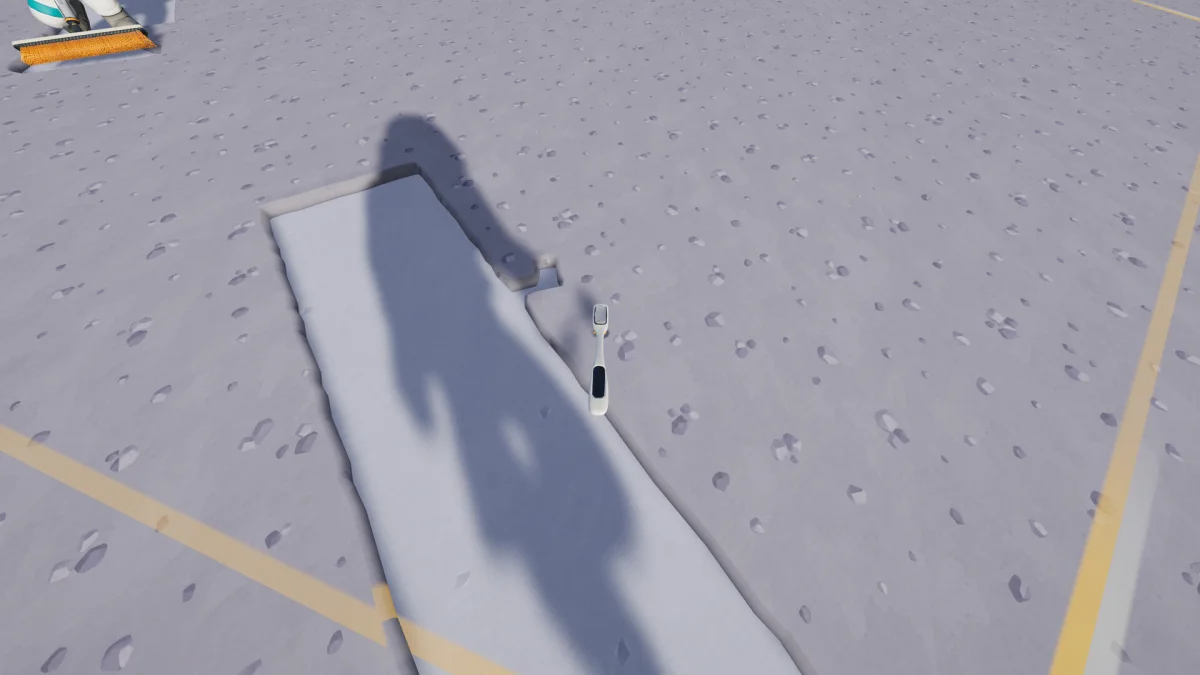
Your first goal is to get paid for a load of dust. Work near the starting station so you can learn the delivery route before buying anything.
- Equip the toothbrush. Open the supply wall at the Collector and put the toothbrush in a quick slot on your belt. Buying a tool puts it in storage; select a slot and equip it before heading out.
- Clean a patch by the station. Hold the tool input (left mouse button by default) and sweep dusty ground. Use the sector scanner to find the edges of your hex and see how much dust remains. Clearing the whole sector pays a bonus.
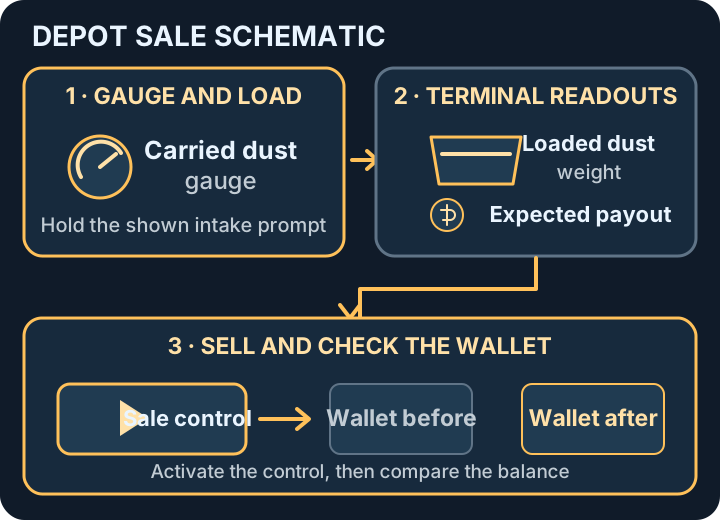
- Unload and sell. At a station’s deposit intake, follow the displayed prompt to fill the tray, then press the intake’s sale button. Carrying dust, depositing it and sending a shipment are separate steps. If the station is full and waiting to launch, let it clear before loading more. See Read the depot terminal for the states to check.
- Spend where you lose time. If you fill up quickly, add container capacity. If you spend most of your time brushing the same patch, look for a tool with a wider cleaning path. Compare the tools and vehicles.
Read the depot terminal
Section titled “Read the depot terminal”Check the carried-dust gauge before loading the tray. Review its loaded weight and the expected payout, then activate the sale control and compare your wallet before and after.
Read the Moon map
Section titled “Read the Moon map”The station console shows the Moon map: orange sectors are untouched, blue sectors are partly cleaned and green sectors are complete. Use waypoints to mark your next patch or send your crew to the same place. Right-click the map for waypoint, focus and teleport options. The teleport panel lists stations you have visited. The 1.0.4 update improved the map with right-click actions and a panel for teleporting to stations you have visited.
Raise flags and survey lunar sites to earn bonuses. Hold the displayed interaction to untangle and raise a flag. The Moon map tracks your finds.
When hauling starts to take most of your time, try a short belt from a 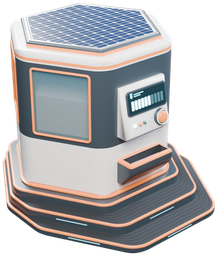 Packager to a station intake. Once that route pays out, you can connect a garage or robot dock to it.
Sources
Steam game overview; in-game Field Manual and first-shift prompts (build 1.0.5). Optional developer trailer: Moon Sweepers official trailer. Screenshot: DragDrop Games via Steam. Equipment icons: DragDrop Games. Depot sale diagram by GameWikiStation.
- Official Steam product listing — Moon Sweepers — Documentation · accessed-2026-11-07
- Supplied Windows build — English and Simplified Chinese manual and catalog text — Extracted data · 1.0.5
- Supplied Windows build — Steam Input action manifest and Xbox One mapping — Extracted data · 1.0.5
- Moon Sweepers patch 1.0.4 — Documentation · 1.0.4
- Moon Sweepers official trailer — Wishlist on Steam Now — Documentation · accessed-2026-11-07
- Supplied Windows build — named tools, vehicles and automation sprites — Extracted data · 1.0.5
Unofficial fan wiki, not affiliated with DragDrop Games. Game content belongs to its owners.
Comments & feedback
Share a tip or suggest a correction. Comments are public. Guest names are unverified; verified accounts show their public name. All language pages share this discussion. Please keep personal information private.