
Start your first run
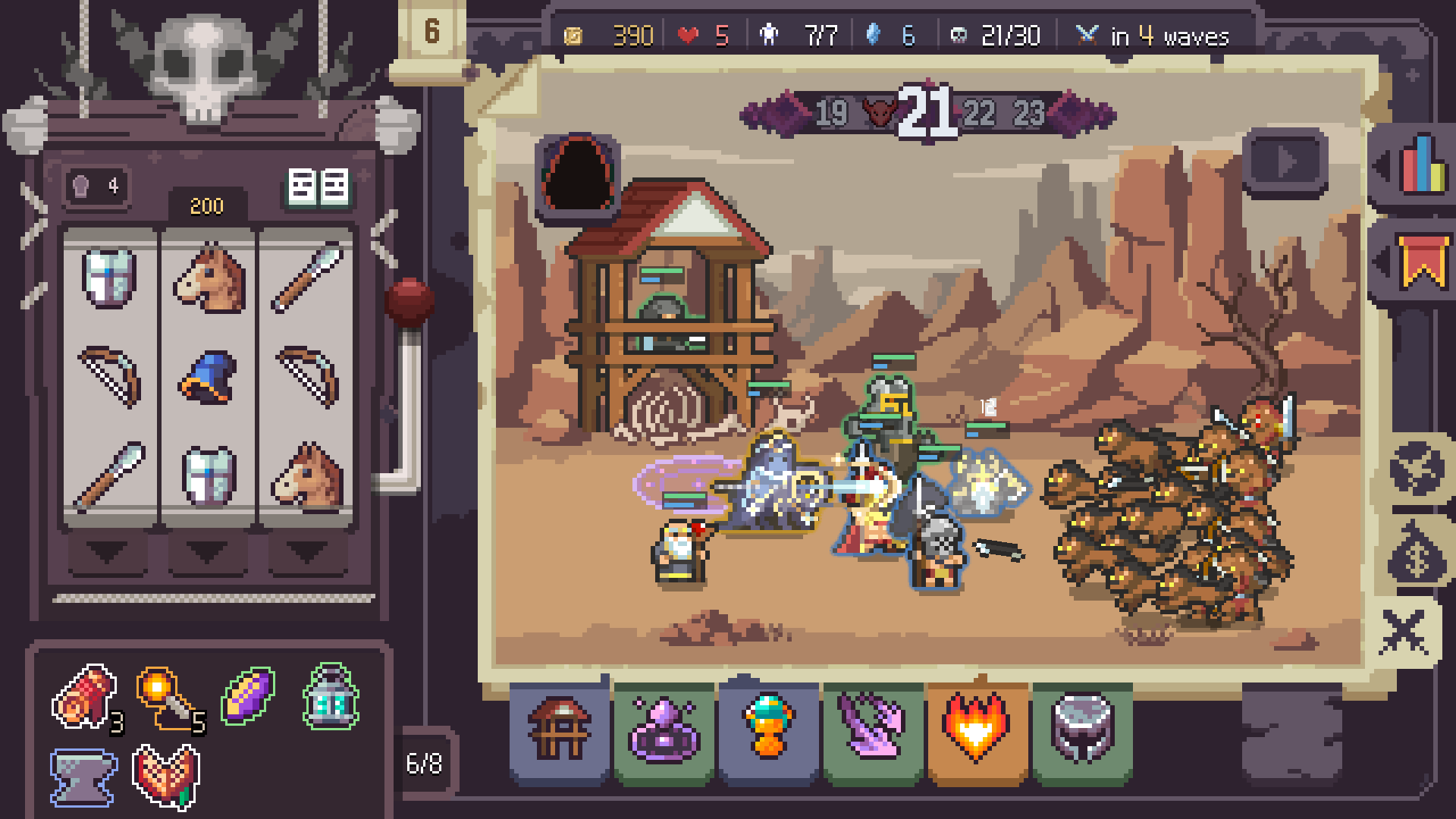
Choose Play → Campaign → Open Forest → Easy and accept the tutorial prompt. You start with 450 Gold, five lives and room to deploy five units. Follow the Open Forest walkthrough to prepare for the wave 5 Judgment and the wave 10 boss.
On macOS, update to 1.0.4 or later if the tutorial stalls at the right-click prompt.
Set up the first fight
Section titled “Set up the first fight”- Pull the lever to summon units. Your first three spins cost 100, 150 and 200 Gold before discounts.
- Put a melee unit on the right, where enemies enter. Keep your ranged units behind it, farther left.
- When the formation is ready, press Enter or select the bottom-right battle button. Your army fights on its own. The next wave refreshes your spin allowance.
Read each result
Section titled “Read each result”- Matching symbols on a line summon a unit. A new unit also rolls random stats, so compare its actual strengths and Imprint with the units you already have. A class name alone does not tell you how well two units will work together.
- Check the Item and Core choices for effects that help your army or improve your next spin. See how spins work and army building.
- Open the odds book to check the jackpot condition. Match the same symbol in all nine slots to guarantee a Prism unit. Jokers count toward the match.
Grow the units you want to keep
Section titled “Grow the units you want to keep”Absorbing sacrifices a weaker unit to strengthen another. The stronger unit can advance through branching class choices, so build around the units and effects you want to preserve instead of trying to keep every summon.
In v1.0.3, Hold to Absorb takes the lowest-rarity units first. Check your army before using it, especially when you are relying on a lower-rarity unit’s effect. For the absorption rules and promotions, see army building.
Prepare between waves
Section titled “Prepare between waves”
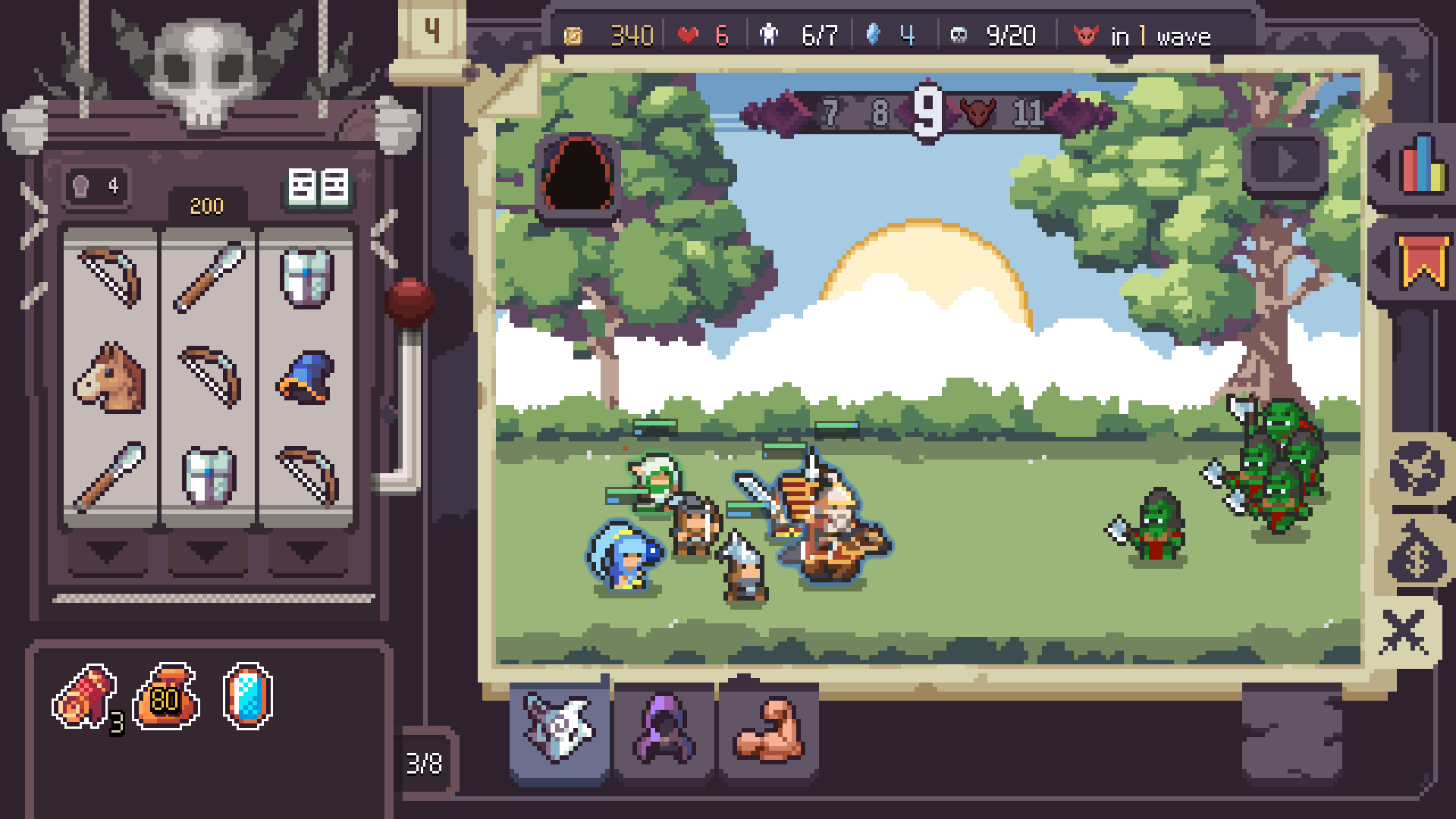
Read the wave counter and the next fight icon at the top. In the example, the horned icon shows a boss one wave away. Check the army before starting and review the Items beneath the battlefield. From left to right, the equipped Items here are Hunting Mask, Escape Cloak and Sturdy Fist.
The tray beneath the reels holds your Cores. Here it has Merc Contract, Coin Sack and Echo Mirror, filling three of its eight slots.
If a frontline unit is taking heavy hits, open Damage Taken in the battle stats panel and hover over its row. In 1.0.3 you can see how much Health it lost and how much damage its shields absorbed. Shield Sources shows how much each unit, Awakening, Item or synergy blocked.
The progression guide explains the upgrades that carry into later runs.
The Collection opens from its tab on the battlefield. In v1.0.3, press the flag button beside the page arrows to filter units by faction. See how to unlock and fill the Collection if you’re looking for a missing entry. For keyboard shortcuts, see the controls reference. It lists the Fate Stone, Shop Reroll and Nudge shortcuts added in v1.0.1. Enable Show Shortcut Keys in Settings → Controls to display bindings on the on-screen buttons.
To end a run, select Give Up on the Pause screen. It pays out the Originite you earned so far. Using it during a battle counts as losing that wave. Since v1.0.0 (9), losing a run also awards some Originite for the waves you won. Check your upgrades before starting again.
Sources
The Steam store page describes the core loop and unit choices. The developer’s v1.0.3 update, v1.0.2 update, v1.0.1 update and v1.0.0 (9) update document the current rules and controls. The official 55-second trailer on Steam shows the game’s presentation.
Starting resources and placement come from the Slotbound.net fresh-save tutorial. Optima Arch supplied the battlefield screenshot.
- Slotbound on Steam — Documentation · accessed-2026-11-22
- Slotbound on Steam (Simplified Chinese) — Documentation · accessed-2026-11-22
- Slotbound 1.0.3 update — Documentation · accessed-2026-11-22
- Slotbound 1.0.2 update — Documentation · accessed-2026-11-22
- Slotbound 1.0.1 update — Documentation · accessed-2026-11-22
- Slotbound 1.0.0 (9) update — Documentation · accessed-2026-11-22
- Slotbound.net fresh-save tutorial — Documentation · guide-updated-2026-11-23
- Optima Arch’s Slotbound press kit — Documentation · accessed-2026-11-23
- Slotbound 1.0.4 update — Documentation · accessed-2026-11-24
Unofficial fan wiki, independent of Optima Arch. Game content belongs to its owners.
Comments & feedback
Share a tip or suggest a correction. Comments are public. Guest names are unverified; verified accounts show their public name. All language pages share this discussion. Please keep personal information private.