
Build and manage your army
Slotbound’s 3×3 reels summon units when their symbols make winning lines. Your army fights automatically, so use preparation time to decide which units to keep, which ones to strengthen, and which Items, Cores, Imprints, and faction synergies support your plan.
Grow a unit by absorbing others
Section titled “Grow a unit by absorbing others”- During preparation, enter Absorb Mode with A, LB, or the control at the upper left of the field.
- Drag the unit you want to give up onto the one you want to strengthen. Check the level gain and Imprint preview.
- Confirm the gain or choose a replacement or conversion if the recipient’s slots are full.
Through level 30, each level adds 1.5% Health, 1% Attack and 0.5% Attack Speed based on the unit’s base stats. Growth per level halves after level 30. Beyond level 200, the Attack Speed growth multiplier drops to one tenth.
Protect units from Hold to Absorb
Section titled “Protect units from Hold to Absorb”Right-click a unit you want to keep and click the lock in its panel. On macOS, Right-Click Pins Unit Info in Controls determines whether a right-click pins the panel open.
When the unit you are growing has full Imprint slots and there are multiple eligible donors, Hold to Absorb converts them into levels one at a time. It draws from unlocked units across classes, starting with the lowest rarity in 1.0.3. Check the count on the button, then release it as soon as you have the level gain you want. With full slots and only one eligible donor, use Convert to turn that donor’s Imprint into levels.
You can start a battle with a roster over the Command Limit. To resume normal spins, absorb units until you reach the limit. Check your faction thresholds to make sure the units you keep still qualify for the bonus you need.
Choose a promotion
Section titled “Choose a promotion”Open the Units database and expand your current form to see its next promotion level and choices. If an absorb takes you past the required level, you keep the extra levels. The two-star choice sets the unit’s subclass and its final three-star form.
On a promotion card, the numbers show the unit’s current stats. Read the green and red arrows to see which stats the new form raises or lowers. Inspect the faction badge and trait icon before choosing. After you buy Growth Branch, the final promotion offers three trait choices for the same three-star form.
Promoting keeps the unit’s level, existing Imprints and traits. The Imprint slot count stays tied to rarity. MAX means the unit has reached its final promotion. Keep absorbing units to reach the levels for Awakening.
Look up units during a run
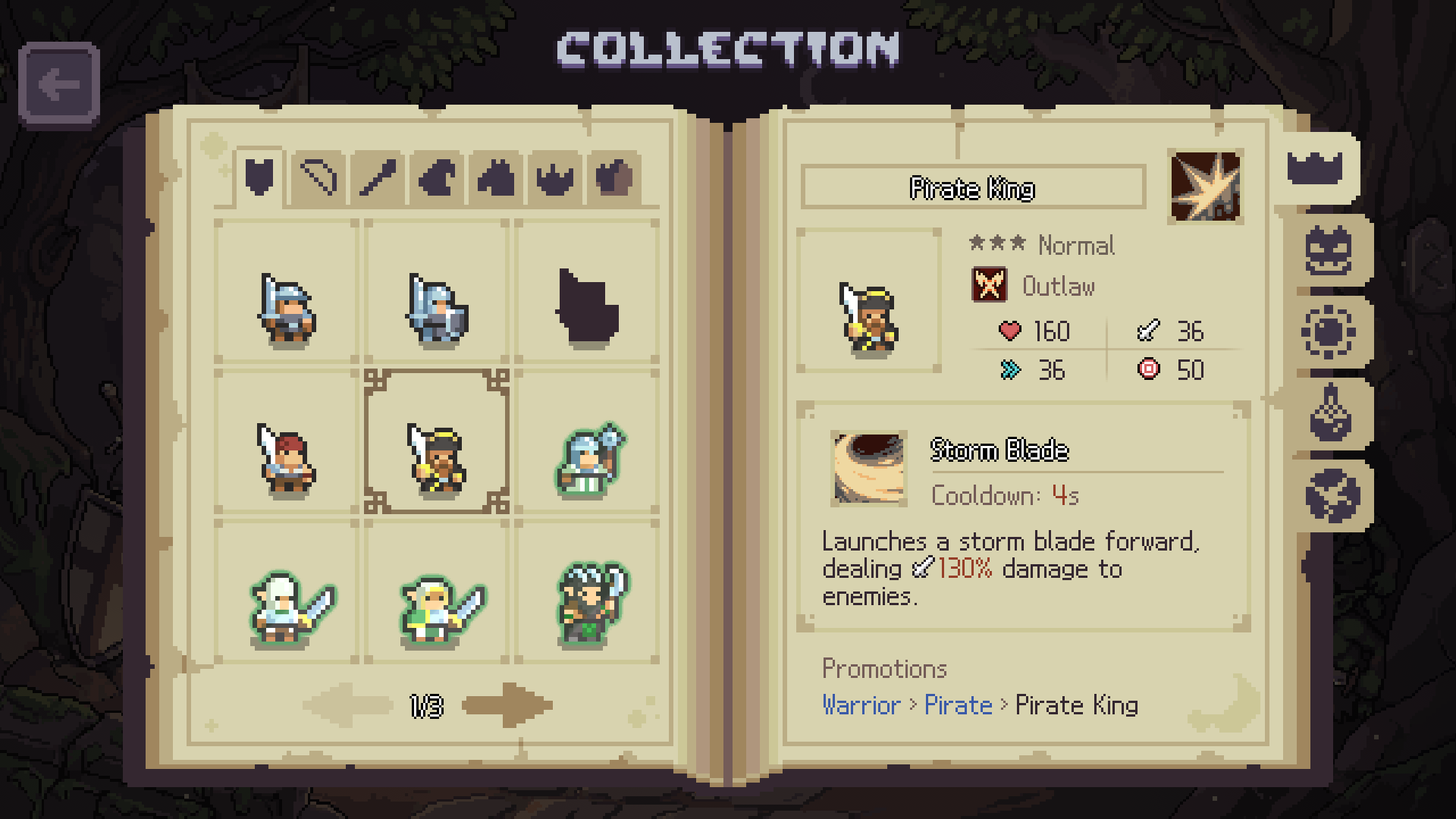
Section titled “Look up units during a run”Open the Collection from its tab on the battlefield, including while choosing a promotion. Use the flag to the left of the page arrows to narrow the units by faction. In 1.0.3 the Pause screen uses the former Collection slot for Give Up.
Compare skills and promotion routes in the Units database before absorbing a unit. For shortcuts to the Collection and other menus, see Controls. For a first run, start with the beginner guide and how spins summon units.
Sources
Slotbound on Steam and the 1.0.3 and 1.0.1 update notes.
Slotbound.net absorption and promotion play reports.
- Slotbound on Steam — Documentation · accessed-2026-11-22
- Slotbound on Steam (Simplified Chinese) — Documentation · accessed-2026-11-22
- Slotbound 1.0.3 update — Documentation · accessed-2026-11-22
- Slotbound 1.0.1 update — Documentation · accessed-2026-11-22
- Optima Arch’s Slotbound press kit — Documentation · accessed-2026-11-23
- Slotbound.net Absorb play reports — Documentation · 1.0.3-data-2026-11-23
- Slotbound.net promotion levels — Documentation · 1.0.3-data-2026-11-23
- Slotbound 1.0.0 (8) update — Documentation · accessed-2026-11-22
Unofficial fan wiki, independent of Optima Arch. Game content belongs to its owners.
Comments & feedback
Share a tip or suggest a correction. Comments are public. Guest names are unverified; verified accounts show their public name. All language pages share this discussion. Please keep personal information private.