

Defend the camp in Horde Mode

Your goal is to keep the horde away from the trader’s truck and clear each wave. At the start of a run, find the four gaps in the camp wall; the game says the horde will pour through them toward the truck in the middle.
During each preparation interval
Section titled “During each preparation interval”- Check the wave timer. Use the time shown in the session; the first preparation period and the longer breaks after every five waves are different.
- Buy equipment from the trader. After a cleared wave, collect the airdropped supplies and use them during the run. Horde items are not carried into another run.
- Recover nearby loot before the final minute. The developer’s 1.0.13 notes say monster corpses and loose items near the camp rot away during the last 60 seconds of each preparation phase. Player corpses, weapons, valuables and unopened supply packs are kept; weapons and valuables carried by a monster corpse drop where it lay. Retrieve anything you want to keep before that final minute.
- Heal before the next attack. The doctor is available during preparation. Sleeping is disabled in Horde Mode.
- Barricade the wall gaps. Close all four openings to make enemies attack the wall instead of walking straight to the truck. Do not treat a sealed perimeter as permanent protection: in 1.0.14, elite and special infected seek the weakest wall, and Boomers explode at the breach.
- Coordinate the start. Teammates can vote to skip preparation and start the next wave. Every required player must agree; a decline or timeout cancels the vote, and skipping may be unavailable. If the vote does not pass, use the remaining preparation time.
The host can also clear ground items and corpses manually from the pause menu. Collect anything you still want before using that separate cleanup action.
During an eligible preparation phase, check the 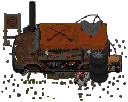 trader’s armored truck prompt and displayed cash price if repair is offered. When the option is offered in 1.0.14, its price is calculated from the upcoming wave: 400 cash for wave 1, 500 for wave 2, and 100 more for each later wave. Always use the price shown in your prompt. A successful paid repair restores up to 25% of the truck’s maximum health, capped at full, once per preparation. This repairs the truck, not the camp wall or barricades. In co-op, the request may be rejected if the phase or camp state changes; check the result.
When the wave begins
Section titled “When the wave begins”Watch for the on-screen wave and enemy warnings. Cataclysm-class enemies have a displayed kill timer; defeat each before it expires to prevent the cataclysm from striking. If the game reports that a wave is not cleared, remaining enemies are still roaming, so keep searching instead of assuming the break has started.
In Horde Mode in version 1.0.14, if a Cataclysm-class target times out, killing a later living target before its timer expires may cancel one boost associated with the earlier timeout, if that boost is still active. A cancellation is not guaranteed.
If you die during a run, follow the current prompt; for Horde respawn guidance, see Death and respawn.
After wave five and each fifth wave after it, use the longer rest to reset your supplies and treatment. Standard Horde wins after 20 cleared waves; choose Endless if you want the run to continue. Horde supports up to four players and has separate solo and team leaderboards.
For all rules and progression details, see Horde Mode and world saves.
Sources
Developer’s 1.0 announcement · 1.0.13 patch notes · Developer’s 1.0.14 patch notes. The 1.0.13 notes describe the last-minute Horde cleanup and the host’s separate manual clear option. Windows / Steam 1.0.14 Horde Cataclysm boost-debt path; the reduction depends on an earlier timeout and a remaining matching boost. The pinned camp-repair trace records the eligible preparation-phase price, wave dependence, once-per-preparation repair cap and host rejection branch; it does not prove availability or a successful result in a live run. Cover artwork: Steam store. Developer launch trailer: watch on YouTube.
- ZED ZONE 1.0.14 local game text — Extracted data · 1.0.14
- ZED ZONE Horde early-start vote text and runtime evidence — Extracted data · 1.0.14
- ZED ZONE Horde camp truck repair runtime evidence — Extracted data · 1.0.14
- ZED ZONE Horde Cataclysm boost debt and cancellation evidence — Extracted data · 1.0.14
- Developer patch notes: 1.0.13 — Documentation · 1.0.13
- Developer announcement: ZED ZONE 1.0 — Documentation · 1.0
- Developer patch notes: 1.0.14 — Documentation · 1.0.14
- Official Steam cover artwork — Documentation · 2026-11-11

Unofficial fan wiki, not affiliated with Leven Liu / INDIECN. Game content belongs to its owners.
Comments & feedback
Share a tip or suggest a correction. Comments are public. Guest names are unverified; verified accounts show their public name. All language pages share this discussion. Please keep personal information private.