

World objects and structures
This reference lists named world objects and structures from game version 1.0.14. Variation numbers are wiki labels for same-named objects and do not identify an in-game subtype. “Listed materials” are materials attached to an object in the game data; they do not by themselves show that it can be built. A list may belong to construction, repair or another interaction, and whether an object is available can depend on the game and your progress. Container cards show some possible finds, not guaranteed or exhaustive contents; actual spawns, access and contents vary. The  Oil Tank card lists liquids it may contain; a tank can be empty. Ore-node cards link possible material finds from the configured ore list; this does not guarantee a yield, location, or access. Powered devices include a listed demand in watts; this is a reference value, not a promise of constant real draw. A blank description means no English or Chinese description was found. When only one language has a description, the other explicitly identifies that text as a fallback.
Bush and Tree cards show possible hit-based resources.  Ramie lists a separate possible
 Plant Fibre interaction source; neither guarantees a yield or pickup. See Gather materials and make early tools for collection steps.
 Camp Fire links list possible barbecue choices; availability, a cooking result, duration and food safety are not guaranteed. See Food and farming for cooking steps.
Select a picture to open its details, and again to close them.
Other objects
 bush
- Possible vegetation resources
- Wood · Twig · Plant Fibre
 tree
 fence (variant 1)
 fence(side)
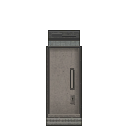 door (variant 1)
 door(inside) (variant 1)
 wall (variant 1)
 wall (variant 2)
 wall (variant 3)
 wall (variant 4)
 wall (variant 5)
 wall (variant 6)
 door(inside) (variant 2)
 wardrobe
- Possible pool items
Show all 311 entries
Rock · Iron Ore · Copper Ore · Saltpeter · Charcoal · Iron Tube · Copper Tube · Iron Wire · Copper Wire · Rope · CNC Component · Cloth · Small Gunpowder Bag · Big Gunpowder Bag · Matches · Sulfur Ore · Lock Picker · Screwdriver · Firearm Repair Kit · Leatherman · Vehicle Repair Kit · Item Repair Kit · Grindstone · Tire · Light Bulb · Pressure Tank · String Kit · Needle · Iron Dagger · Copper Dagger · Glue · Tire Sealant · Spray Paint · Advanced Spray Paint · AAA Battery · AA Battery · C Battery · 9V Battery · Integrated Battery · Vehicle Battery · High-Power Battery Module · C Battery Flashlight · 9V Battery Flashlight · Wide-Angle Flashlight · Lighting Stick (AA Battery) · 12 Gauge · 9x19mm · 5.56x45mm NATO · .22LR · 7.62x39mm · 300 Magnum · .50 BMG · .45 ACP · 40mm Grenade · 25mm Signal Flare · Coco-Cola · Fenda · Sqrite · Sugar · SPUM · Canned Fruit · Lager · Joyful Gingerbread · Angry Gingerbread · Bandage · First Aid Kit · Painkiller · Blood Bag · Melatonin · Fever Reducer · Sunflower Seeds · Stamina Potion · Health Potion · Strength Potion · Antitoxic Potion · Sprint Potion · Enhancement Serum · Crowbar · Stone Axe · Stone Hammer · Stone Pickaxe · Iron Axe · Iron Hammer · Iron Pickaxe · Iron Machete · Wrench · Tool Hammer · Fire Axe · Baseball Bat · Mace Bat · Golf Club · Machete · Pan · Rubber Baton · A Strange Rubber Baton · Starlight Wand · Enormous Sparkler · Multi Axe · Repair Hammer · Katana - 'Breeze' · Katana - 'Red' · Katana - 'JI' · Wooden Spear · Metal Spear · Long Spear · Wooden Fishing Rod · Fishing Rod · Crude Shovel · Remington 870 Shotgun · Uzi Submachine Gun · MP5-K · AR-15 Assault Rifle · ARX100 Assault Rifle · Glock 19 · S&W 929 Revolver · Ruger 10/22 · KRISS Vector · Colt M1911-9mm · Pathfinder .22 Revolver · Ruger GP100 .22 · Ruger MK IV · 2011 Combat Master · Glock 18 (Full-Auto) · VSS · B&T MP9 · American 180 · MAC-11/9 · Colt M1911 · Tavor SAR · M249 Machine Gun · Glock 21C (Full-Auto) · M3 Submachine Gun · Thompson Submachine Gun · AK 47 · Ruger M77 · MK 47 · RPK Machine Gun · De Lisle Carbine · Ruger American · Winchester Model 70 · GM6 Lynx Anti-Material Rifle · .50 BMG Wrist Breaker · 25mm Signal Gun · Compound Bow · Iron Crossbow · Mechanical Crossbow · Compound Crossbow · Double-Barreled Shotgun · Survival Shotgun · Triple-Barreled Shotgun · Wrist Breaker · Striker Shotgun · M2 Flamethrower · Pressure Water Gun · China Lake Pump-Action Grenade Launcher · Milkom Rotary Multi-Shot Grenade Launcher · Heavy Full-Auto Grenade Launcher · Airbow · .25 PCP Pistol · .25 Cal Air Rifle · Ataman M2R Air Rifle · .50 Dragon Claw Air Rifle · .50 Cal Air Rifle · .25 Cal Break Barrel Rifle · .50 PCP Air Pistol · Small Backpack · Trekking Backpack · Hiking Backpack · Outdoor Backpack · School Bag · Lightweight Drawstring Backpack · Cycling Backpack · Postal Backpack · Roll-top Backpack · Tactical Patrol Backpack · External-frame Expedition Backpack · Shell Collector · Christmas Limited Shell Collector · Combination Lock Box · Suitcase · Ammunition Case · 9mm Magazine (30 Rounds) · 9mm Drum · 9mm Magazine (40 Rounds) · 5.56 Magazine (30 Rounds) · 5.56 Magazine (25 Rounds) · 9mm Magazine (17 Rounds) · .22LR Magazine (10 Rounds) · .22LR Magazine (20 Rounds) · .22LR Magazine (30 Rounds) · .22LR Drum · .22 Magazine (12 Rounds) · .22LR Drum (110rd) · .45 ACP Magazine · .45 ACP Extended Magazine · .45 ACP 26rd Magazine · .45 ACP Drum (50 Rounds) · 5.56 Drum (60 Rounds) · 5.56 Belt (200 Rounds) · 7.62 Magazine · 7.62 Extended Magazine · 7.62 Drum · .300 Magnum Rifle Magazine (5 Rounds) · .50 BMG Magazine (5 Rounds) · Melee Combustion Component · Melee Electrify Component · Melee Puncture Component · Portable Mini Fridge · Portable Induction Stove · Electric Kettle · Portable Charger Box · Solar Charger Box · Electric Tire Inflator · Hand Warmer · Broken Phone · 9V Decoder · Walkie-Talkie · Laptop · Sewing Kit · Night Vision Goggles (Green) · Night Vision Goggles (Blue) · Harmonic Drive · Handheld Fan · Gold Nugget · Ruby · Water Bottle · Small Canteen · Large Canteen · Big Water Bottle · Small Fuel Container · Large Fuel Container · Plastic Bucket · Tin Can · Glass Bottle · Cooking Pot · Metal Barrel · Metal Water Bottle · Camouflage Cape · High-Quality Cape · Stitched Cape · Scavenger Cape · Head Decoration (variant 5) · Head Decoration (variant 6) · Head Decoration (variant 7) · Head Decoration (variant 8) · Head Decoration (variant 9) · Head Decoration (variant 10) · Head Decoration (variant 11) · Head Decoration (variant 12) · Head Decoration (variant 13) · Fire Department Helmet · Plague Doctor Mask · Year of Horse Mask · Military Helmet (variant 1) · Military Helmet (variant 2) · Cat Ear Headband · Bunny Ear Headband · Ribbon Bow Headband · Polka-dot Hair Ribbon · Flower Crown · Maid Headdress · Gold Beetle Larva · Plastic Lure · Colored Plastic Lure · Spinner Metal Lure · Crab Lure · Tuna Lure · Corn Seeds · Radish Seeds · Mushroom Spawn · Seed Potato · Tomato Seeds · Chili Seeds · Cotton Seeds · Prunella Seeds · Wheat Seeds · Blueberry Seeds · Cranberry Seeds · Leather Collar · Bell Collar · Tactical Collar · Canned Dog Food · Jerky Treat · Cloth Dog Vest · Ballistic Dog Vest · Dog Saddlebag · Casual Wear · Casual Wear (Dark) · Imitation Military Uniform · Riot Suit · Thick Casual Wear · Down Jacket Outfit · Kevlar Suit · Military Kevlar Vest · Level 1 Armor · Casual Wear (Charcoal) · Police Uniform · Tracksuit (Red) · Tracksuit (Blue) · Tracksuit (Grey) · Utility Vest Outfit (Olive) · Utility Vest Outfit (Brown) · Utility Vest Outfit (Black) · Work Outfit (Brown) · Work Outfit (Blue) · Work Outfit (Green) · Military Rig · Heavy Firefighter Suit · Industrial Heat Suit · Heavy Chemical Suit · Heavy Ballistic Suit
 fan
 tv
- Gun parts
- Gun settings affect their selection
- Possible pool items
Show all 177 entries
12 Gauge · 9x19mm · 5.56x45mm NATO · .22LR · 7.62x39mm · 300 Magnum · .50 BMG · .45 ACP · 40mm Grenade · 25mm Signal Flare · Coco-Cola · Fenda · Sqrite · Sugar · SPUM · Canned Fruit · Lager · Joyful Gingerbread · Angry Gingerbread · Bandage · First Aid Kit · Painkiller · Blood Bag · Melatonin · Fever Reducer · Sunflower Seeds · Stamina Potion · Health Potion · Strength Potion · Antitoxic Potion · Sprint Potion · Enhancement Serum · Crowbar · Stone Axe · Stone Hammer · Stone Pickaxe · Iron Axe · Iron Hammer · Iron Pickaxe · Iron Machete · Wrench · Tool Hammer · Fire Axe · Baseball Bat · Mace Bat · Golf Club · Machete · Pan · Rubber Baton · A Strange Rubber Baton · Starlight Wand · Enormous Sparkler · Multi Axe · Repair Hammer · Katana - 'Breeze' · Katana - 'Red' · Katana - 'JI' · Wooden Spear · Metal Spear · Long Spear · Wooden Fishing Rod · Fishing Rod · Crude Shovel · Small Backpack · Trekking Backpack · Hiking Backpack · Outdoor Backpack · School Bag · Lightweight Drawstring Backpack · Cycling Backpack · Postal Backpack · Roll-top Backpack · Tactical Patrol Backpack · External-frame Expedition Backpack · Shell Collector · Christmas Limited Shell Collector · Combination Lock Box · Suitcase · Ammunition Case · Frag Grenade · Molotov Cocktail · Healing Smoke Bomb · Shotgun Short Barrel · Benelli Muzzle Suppressor · Suppressed Shotgun Barrel · GMTECH Muffler · Omega Muzzle Suppressor · 9mm Long Barrel · 9mm Short Barrel · GMTECH 5.56 Suppressor · Rifle Extended Barrel · LUNAR Muzzle Suppressor · Red Dot Sight · Holographic Sight · .22 Suppressor · 2X Red Dot · 4X Red Dot · 2X Holographic Sight · 4X Holographic Sight · PA 6X Optical Sight · Hunter 8X Optical Sight · Laser Sight - Green · Universal Lightweight Stock · Short Handle Butt (Shotgun) · Lightweight Portable Gun Stock · CTR Tactical Short Stock · CTR Extended Stock · Wooden Stock · GMTECH Portable Stock · Integrated Noise Reduction Stock · GMTECH 7.62 Rifle Silencer · LUNAR 7.62mm Rifle Suppressor · .300 Suppressor · .45 ACP Suppressor · .45 ACP Long Barrel · Pressurized Gas Tank · Electric Air Pump · Air Gun Throttle Valve · Air Gun Overboost Throttle Valve · Air Gun Suppress Throttle Valve · Laser Sight - Red · Laser Sight - Blue · Wide Angle Thermal Sight · High-Magnification Thermal Sight · Wide Angle Night Vision Scope · High-Magnification Night Vision Scope · Portable Mini Fridge · Electric Kettle · Portable Charger Box · Solar Charger Box · Water Bottle · Small Canteen · Large Canteen · Big Water Bottle · Small Fuel Container · Large Fuel Container · Plastic Bucket · Tin Can · Glass Bottle · Cooking Pot · Metal Barrel · Metal Water Bottle · N95 Mask · Gas Mask · Cheap Mask · Camouflage Cape · High-Quality Cape · Stitched Cape · Scavenger Cape · Canned Dog Food · Jerky Treat · Tennis Ball · Casual Wear · Casual Wear (Dark) · Imitation Military Uniform · Riot Suit · Thick Casual Wear · Down Jacket Outfit · Kevlar Suit · Military Kevlar Vest · Level 1 Armor · Casual Wear (Charcoal) · Police Uniform · Tracksuit (Red) · Tracksuit (Blue) · Tracksuit (Grey) · Utility Vest Outfit (Olive) · Utility Vest Outfit (Brown) · Utility Vest Outfit (Black) · Work Outfit (Brown) · Work Outfit (Blue) · Work Outfit (Green) · Military Rig · Heavy Firefighter Suit · Industrial Heat Suit · Heavy Chemical Suit · Heavy Ballistic Suit
 Unidentified object
 parterre
- ramie
Use its interaction prompt to pick it; collection can fail.
- Possible vegetation resources
- Plant Fibre
 cranberry
 blue berry
 prunella
 garbage can
- Possible pool items
Show all 144 entries
Rock · Iron Ore · Copper Ore · Saltpeter · Charcoal · Iron Tube · Copper Tube · Iron Wire · Copper Wire · Rope · CNC Component · Cloth · Small Gunpowder Bag · Big Gunpowder Bag · Matches · Sulfur Ore · Lock Picker · Screwdriver · Firearm Repair Kit · Leatherman · Vehicle Repair Kit · Item Repair Kit · Grindstone · Tire · Light Bulb · Pressure Tank · String Kit · Needle · Iron Dagger · Copper Dagger · Glue · Tire Sealant · Spray Paint · Advanced Spray Paint · AAA Battery · AA Battery · C Battery · 9V Battery · Integrated Battery · Vehicle Battery · High-Power Battery Module · C Battery Flashlight · 9V Battery Flashlight · Wide-Angle Flashlight · Lighting Stick (AA Battery) · 12 Gauge · 9x19mm · 5.56x45mm NATO · .22LR · 7.62x39mm · 300 Magnum · .50 BMG · .45 ACP · 40mm Grenade · 25mm Signal Flare · Frag Grenade · Molotov Cocktail · Healing Smoke Bomb · Melee Combustion Component · Melee Electrify Component · Melee Puncture Component · Portable Induction Stove · Electric Tire Inflator · Hand Warmer · Broken Phone · 9V Decoder · Walkie-Talkie · Laptop · Sewing Kit · Night Vision Goggles (Green) · Night Vision Goggles (Blue) · Harmonic Drive · Handheld Fan · Gold Nugget · Ruby · Head Decoration (variant 5) · Head Decoration (variant 6) · Head Decoration (variant 7) · Head Decoration (variant 8) · Head Decoration (variant 9) · Head Decoration (variant 10) · Head Decoration (variant 11) · Head Decoration (variant 12) · Head Decoration (variant 13) · Fire Department Helmet · Plague Doctor Mask · Year of Horse Mask · Military Helmet (variant 1) · Military Helmet (variant 2) · Cat Ear Headband · Bunny Ear Headband · Ribbon Bow Headband · Polka-dot Hair Ribbon · Flower Crown · Maid Headdress · Gold Beetle Larva · Plastic Lure · Colored Plastic Lure · Spinner Metal Lure · Crab Lure · Tuna Lure · Corn Seeds · Radish Seeds · Mushroom Spawn · Seed Potato · Tomato Seeds · Chili Seeds · Cotton Seeds · Prunella Seeds · Wheat Seeds · Blueberry Seeds · Cranberry Seeds · Leather Collar · Bell Collar · Tactical Collar · Tennis Ball · Cloth Dog Vest · Ballistic Dog Vest · Dog Saddlebag · Casual Wear · Casual Wear (Dark) · Imitation Military Uniform · Riot Suit · Thick Casual Wear · Down Jacket Outfit · Kevlar Suit · Military Kevlar Vest · Level 1 Armor · Casual Wear (Charcoal) · Police Uniform · Tracksuit (Red) · Tracksuit (Blue) · Tracksuit (Grey) · Utility Vest Outfit (Olive) · Utility Vest Outfit (Brown) · Utility Vest Outfit (Black) · Work Outfit (Brown) · Work Outfit (Blue) · Work Outfit (Green) · Military Rig · Heavy Firefighter Suit · Industrial Heat Suit · Heavy Chemical Suit · Heavy Ballistic Suit
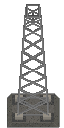 signal tower
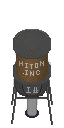 water tower
 sofa
 coffee table
 desk
 sink
 cupboard
- Possible pool items
Show all 37 entries
Coco-Cola · Fenda · Sqrite · Sugar · SPUM · Canned Fruit · Lager · Joyful Gingerbread · Angry Gingerbread · Bandage · First Aid Kit · Painkiller · Blood Bag · Melatonin · Fever Reducer · Sunflower Seeds · Stamina Potion · Health Potion · Strength Potion · Antitoxic Potion · Sprint Potion · Enhancement Serum · Electric Kettle · Water Bottle · Small Canteen · Large Canteen · Big Water Bottle · Small Fuel Container · Large Fuel Container · Plastic Bucket · Tin Can · Glass Bottle · Cooking Pot · Metal Barrel · Metal Water Bottle · Canned Dog Food · Jerky Treat
 kitchen table
 toilet
 cloth hanger
 shower
 bathtub
 gun rack
- Gun parts
- Gun settings affect their selection
- Possible pool items
Show all 132 entries
Crowbar · Stone Axe · Stone Hammer · Stone Pickaxe · Iron Axe · Iron Hammer · Iron Pickaxe · Iron Machete · Wrench · Tool Hammer · Fire Axe · Baseball Bat · Mace Bat · Golf Club · Machete · Pan · Rubber Baton · A Strange Rubber Baton · Starlight Wand · Enormous Sparkler · Multi Axe · Repair Hammer · Katana - 'Breeze' · Katana - 'Red' · Katana - 'JI' · Wooden Spear · Metal Spear · Long Spear · Wooden Fishing Rod · Fishing Rod · Crude Shovel · Remington 870 Shotgun · Uzi Submachine Gun · MP5-K · AR-15 Assault Rifle · ARX100 Assault Rifle · Glock 19 · S&W 929 Revolver · Ruger 10/22 · KRISS Vector · Colt M1911-9mm · Pathfinder .22 Revolver · Ruger GP100 .22 · Ruger MK IV · 2011 Combat Master · Glock 18 (Full-Auto) · VSS · B&T MP9 · American 180 · MAC-11/9 · Colt M1911 · Tavor SAR · M249 Machine Gun · Glock 21C (Full-Auto) · M3 Submachine Gun · Thompson Submachine Gun · AK 47 · Ruger M77 · MK 47 · RPK Machine Gun · De Lisle Carbine · Ruger American · Winchester Model 70 · GM6 Lynx Anti-Material Rifle · .50 BMG Wrist Breaker · 25mm Signal Gun · Compound Bow · Iron Crossbow · Mechanical Crossbow · Compound Crossbow · Double-Barreled Shotgun · Survival Shotgun · Triple-Barreled Shotgun · Wrist Breaker · Striker Shotgun · M2 Flamethrower · Pressure Water Gun · China Lake Pump-Action Grenade Launcher · Milkom Rotary Multi-Shot Grenade Launcher · Heavy Full-Auto Grenade Launcher · Airbow · .25 PCP Pistol · .25 Cal Air Rifle · Ataman M2R Air Rifle · .50 Dragon Claw Air Rifle · .50 Cal Air Rifle · .25 Cal Break Barrel Rifle · .50 PCP Air Pistol · Shotgun Short Barrel · Benelli Muzzle Suppressor · Suppressed Shotgun Barrel · GMTECH Muffler · Omega Muzzle Suppressor · 9mm Long Barrel · 9mm Short Barrel · GMTECH 5.56 Suppressor · Rifle Extended Barrel · LUNAR Muzzle Suppressor · Red Dot Sight · Holographic Sight · .22 Suppressor · 2X Red Dot · 4X Red Dot · 2X Holographic Sight · 4X Holographic Sight · PA 6X Optical Sight · Hunter 8X Optical Sight · Laser Sight - Green · Universal Lightweight Stock · Short Handle Butt (Shotgun) · Lightweight Portable Gun Stock · CTR Tactical Short Stock · CTR Extended Stock · Wooden Stock · GMTECH Portable Stock · Integrated Noise Reduction Stock · GMTECH 7.62 Rifle Silencer · LUNAR 7.62mm Rifle Suppressor · .300 Suppressor · .45 ACP Suppressor · .45 ACP Long Barrel · Pressurized Gas Tank · Electric Air Pump · Air Gun Throttle Valve · Air Gun Overboost Throttle Valve · Air Gun Suppress Throttle Valve · Laser Sight - Red · Laser Sight - Blue · Wide Angle Thermal Sight · High-Magnification Thermal Sight · Wide Angle Night Vision Scope · High-Magnification Night Vision Scope
 shelf
- Pool selection
- One category is chosen per generation
- Gun parts
- Gun settings affect their selection
- Possible pool items
Show all 358 entries
Rock · Iron Ore · Copper Ore · Saltpeter · Charcoal · Iron Tube · Copper Tube · Iron Wire · Copper Wire · Rope · CNC Component · Cloth · Small Gunpowder Bag · Big Gunpowder Bag · Matches · Sulfur Ore · Lock Picker · Screwdriver · Firearm Repair Kit · Leatherman · Vehicle Repair Kit · Item Repair Kit · Grindstone · Tire · Light Bulb · Pressure Tank · String Kit · Needle · Iron Dagger · Copper Dagger · Glue · Tire Sealant · Spray Paint · Advanced Spray Paint · AAA Battery · AA Battery · C Battery · 9V Battery · Integrated Battery · Vehicle Battery · High-Power Battery Module · C Battery Flashlight · 9V Battery Flashlight · Wide-Angle Flashlight · Lighting Stick (AA Battery) · 12 Gauge · 9x19mm · 5.56x45mm NATO · .22LR · 7.62x39mm · 300 Magnum · .50 BMG · .45 ACP · 40mm Grenade · 25mm Signal Flare · Wooden Arrow · Metal Arrow · Explosive Arrow · Coco-Cola · Fenda · Sqrite · Sugar · SPUM · Canned Fruit · Lager · Joyful Gingerbread · Angry Gingerbread · Bandage · First Aid Kit · Painkiller · Blood Bag · Melatonin · Fever Reducer · Sunflower Seeds · Stamina Potion · Health Potion · Strength Potion · Antitoxic Potion · Sprint Potion · Enhancement Serum · Crowbar · Stone Axe · Stone Hammer · Stone Pickaxe · Iron Axe · Iron Hammer · Iron Pickaxe · Iron Machete · Wrench · Tool Hammer · Fire Axe · Baseball Bat · Mace Bat · Golf Club · Machete · Pan · Rubber Baton · A Strange Rubber Baton · Starlight Wand · Enormous Sparkler · Multi Axe · Repair Hammer · Katana - 'Breeze' · Katana - 'Red' · Katana - 'JI' · Wooden Spear · Metal Spear · Long Spear · Wooden Fishing Rod · Fishing Rod · Crude Shovel · Remington 870 Shotgun · Uzi Submachine Gun · MP5-K · AR-15 Assault Rifle · ARX100 Assault Rifle · Glock 19 · S&W 929 Revolver · Ruger 10/22 · KRISS Vector · Colt M1911-9mm · Pathfinder .22 Revolver · Ruger GP100 .22 · Ruger MK IV · 2011 Combat Master · Glock 18 (Full-Auto) · VSS · B&T MP9 · American 180 · MAC-11/9 · Colt M1911 · Tavor SAR · M249 Machine Gun · Glock 21C (Full-Auto) · M3 Submachine Gun · Thompson Submachine Gun · AK 47 · Ruger M77 · MK 47 · RPK Machine Gun · De Lisle Carbine · Ruger American · Winchester Model 70 · GM6 Lynx Anti-Material Rifle · .50 BMG Wrist Breaker · 25mm Signal Gun · Compound Bow · Iron Crossbow · Mechanical Crossbow · Compound Crossbow · Double-Barreled Shotgun · Survival Shotgun · Triple-Barreled Shotgun · Wrist Breaker · Striker Shotgun · M2 Flamethrower · Pressure Water Gun · China Lake Pump-Action Grenade Launcher · Milkom Rotary Multi-Shot Grenade Launcher · Heavy Full-Auto Grenade Launcher · Airbow · .25 PCP Pistol · .25 Cal Air Rifle · Ataman M2R Air Rifle · .50 Dragon Claw Air Rifle · .50 Cal Air Rifle · .25 Cal Break Barrel Rifle · .50 PCP Air Pistol · Small Backpack · Trekking Backpack · Hiking Backpack · Outdoor Backpack · School Bag · Lightweight Drawstring Backpack · Cycling Backpack · Postal Backpack · Roll-top Backpack · Tactical Patrol Backpack · External-frame Expedition Backpack · Shell Collector · Christmas Limited Shell Collector · Combination Lock Box · Suitcase · Ammunition Case · 9mm Magazine (30 Rounds) · 9mm Drum · 9mm Magazine (40 Rounds) · 5.56 Magazine (30 Rounds) · 5.56 Magazine (25 Rounds) · 9mm Magazine (17 Rounds) · .22LR Magazine (10 Rounds) · .22LR Magazine (20 Rounds) · .22LR Magazine (30 Rounds) · .22LR Drum · .22 Magazine (12 Rounds) · .22LR Drum (110rd) · .45 ACP Magazine · .45 ACP Extended Magazine · .45 ACP 26rd Magazine · .45 ACP Drum (50 Rounds) · 5.56 Drum (60 Rounds) · 5.56 Belt (200 Rounds) · 7.62 Magazine · 7.62 Extended Magazine · 7.62 Drum · .300 Magnum Rifle Magazine (5 Rounds) · .50 BMG Magazine (5 Rounds) · Shotgun Short Barrel · Benelli Muzzle Suppressor · Suppressed Shotgun Barrel · GMTECH Muffler · Omega Muzzle Suppressor · 9mm Long Barrel · 9mm Short Barrel · GMTECH 5.56 Suppressor · Rifle Extended Barrel · LUNAR Muzzle Suppressor · Red Dot Sight · Holographic Sight · .22 Suppressor · 2X Red Dot · 4X Red Dot · 2X Holographic Sight · 4X Holographic Sight · PA 6X Optical Sight · Hunter 8X Optical Sight · Laser Sight - Green · Universal Lightweight Stock · Short Handle Butt (Shotgun) · Lightweight Portable Gun Stock · CTR Tactical Short Stock · CTR Extended Stock · Wooden Stock · GMTECH Portable Stock · Integrated Noise Reduction Stock · GMTECH 7.62 Rifle Silencer · LUNAR 7.62mm Rifle Suppressor · .300 Suppressor · .45 ACP Suppressor · .45 ACP Long Barrel · Pressurized Gas Tank · Electric Air Pump · Air Gun Throttle Valve · Air Gun Overboost Throttle Valve · Air Gun Suppress Throttle Valve · Laser Sight - Red · Laser Sight - Blue · Wide Angle Thermal Sight · High-Magnification Thermal Sight · Wide Angle Night Vision Scope · High-Magnification Night Vision Scope · Melee Combustion Component · Melee Electrify Component · Melee Puncture Component · Portable Mini Fridge · Portable Induction Stove · Electric Kettle · Portable Charger Box · Solar Charger Box · Electric Tire Inflator · Hand Warmer · Broken Phone · 9V Decoder · Walkie-Talkie · Laptop · Sewing Kit · Night Vision Goggles (Green) · Night Vision Goggles (Blue) · Harmonic Drive · Handheld Fan · Gold Nugget · Ruby · Water Bottle · Small Canteen · Large Canteen · Big Water Bottle · Small Fuel Container · Large Fuel Container · Plastic Bucket · Tin Can · Glass Bottle · Cooking Pot · Metal Barrel · Metal Water Bottle · Camouflage Cape · High-Quality Cape · Stitched Cape · Scavenger Cape · Head Decoration (variant 5) · Head Decoration (variant 6) · Head Decoration (variant 7) · Head Decoration (variant 8) · Head Decoration (variant 9) · Head Decoration (variant 10) · Head Decoration (variant 11) · Head Decoration (variant 12) · Head Decoration (variant 13) · Fire Department Helmet · Plague Doctor Mask · Year of Horse Mask · Military Helmet (variant 1) · Military Helmet (variant 2) · Cat Ear Headband · Bunny Ear Headband · Ribbon Bow Headband · Polka-dot Hair Ribbon · Flower Crown · Maid Headdress · Gold Beetle Larva · Plastic Lure · Colored Plastic Lure · Spinner Metal Lure · Crab Lure · Tuna Lure · Corn Seeds · Radish Seeds · Mushroom Spawn · Seed Potato · Tomato Seeds · Chili Seeds · Cotton Seeds · Prunella Seeds · Wheat Seeds · Blueberry Seeds · Cranberry Seeds · Leather Collar · Bell Collar · Tactical Collar · Canned Dog Food · Jerky Treat · Cloth Dog Vest · Ballistic Dog Vest · Dog Saddlebag · Casual Wear · Casual Wear (Dark) · Imitation Military Uniform · Riot Suit · Thick Casual Wear · Down Jacket Outfit · Kevlar Suit · Military Kevlar Vest · Level 1 Armor · Casual Wear (Charcoal) · Police Uniform · Tracksuit (Red) · Tracksuit (Blue) · Tracksuit (Grey) · Utility Vest Outfit (Olive) · Utility Vest Outfit (Brown) · Utility Vest Outfit (Black) · Work Outfit (Brown) · Work Outfit (Blue) · Work Outfit (Green) · Military Rig · Heavy Firefighter Suit · Industrial Heat Suit · Heavy Chemical Suit · Heavy Ballistic Suit
 tent (variant 1)
 crate (variant 1)
- Gun parts
- Gun settings affect their selection
- Possible pool items
Show all 322 entries
Rock · Iron Ore · Copper Ore · Saltpeter · Charcoal · Iron Tube · Copper Tube · Iron Wire · Copper Wire · Rope · CNC Component · Cloth · Small Gunpowder Bag · Big Gunpowder Bag · Matches · Sulfur Ore · Lock Picker · Screwdriver · Firearm Repair Kit · Leatherman · Vehicle Repair Kit · Item Repair Kit · Grindstone · Tire · Light Bulb · Pressure Tank · String Kit · Needle · Iron Dagger · Copper Dagger · Glue · Tire Sealant · Spray Paint · Advanced Spray Paint · AAA Battery · AA Battery · C Battery · 9V Battery · Integrated Battery · Vehicle Battery · High-Power Battery Module · C Battery Flashlight · 9V Battery Flashlight · Wide-Angle Flashlight · Lighting Stick (AA Battery) · 12 Gauge · 9x19mm · 5.56x45mm NATO · .22LR · 7.62x39mm · 300 Magnum · .50 BMG · .45 ACP · 40mm Grenade · 25mm Signal Flare · Crowbar · Stone Axe · Stone Hammer · Stone Pickaxe · Iron Axe · Iron Hammer · Iron Pickaxe · Iron Machete · Wrench · Tool Hammer · Fire Axe · Baseball Bat · Mace Bat · Golf Club · Machete · Pan · Rubber Baton · A Strange Rubber Baton · Starlight Wand · Enormous Sparkler · Multi Axe · Repair Hammer · Katana - 'Breeze' · Katana - 'Red' · Katana - 'JI' · Wooden Spear · Metal Spear · Long Spear · Wooden Fishing Rod · Fishing Rod · Crude Shovel · Remington 870 Shotgun · Uzi Submachine Gun · MP5-K · AR-15 Assault Rifle · ARX100 Assault Rifle · Glock 19 · S&W 929 Revolver · Ruger 10/22 · KRISS Vector · Colt M1911-9mm · Pathfinder .22 Revolver · Ruger GP100 .22 · Ruger MK IV · 2011 Combat Master · Glock 18 (Full-Auto) · VSS · B&T MP9 · American 180 · MAC-11/9 · Colt M1911 · Tavor SAR · M249 Machine Gun · Glock 21C (Full-Auto) · M3 Submachine Gun · Thompson Submachine Gun · AK 47 · Ruger M77 · MK 47 · RPK Machine Gun · De Lisle Carbine · Ruger American · Winchester Model 70 · GM6 Lynx Anti-Material Rifle · .50 BMG Wrist Breaker · 25mm Signal Gun · Compound Bow · Iron Crossbow · Mechanical Crossbow · Compound Crossbow · Double-Barreled Shotgun · Survival Shotgun · Triple-Barreled Shotgun · Wrist Breaker · Striker Shotgun · M2 Flamethrower · Pressure Water Gun · China Lake Pump-Action Grenade Launcher · Milkom Rotary Multi-Shot Grenade Launcher · Heavy Full-Auto Grenade Launcher · Airbow · .25 PCP Pistol · .25 Cal Air Rifle · Ataman M2R Air Rifle · .50 Dragon Claw Air Rifle · .50 Cal Air Rifle · .25 Cal Break Barrel Rifle · .50 PCP Air Pistol · Small Backpack · Trekking Backpack · Hiking Backpack · Outdoor Backpack · School Bag · Lightweight Drawstring Backpack · Cycling Backpack · Postal Backpack · Roll-top Backpack · Tactical Patrol Backpack · External-frame Expedition Backpack · Shell Collector · Christmas Limited Shell Collector · Combination Lock Box · Suitcase · Ammunition Case · Frag Grenade · Molotov Cocktail · Healing Smoke Bomb · 9mm Magazine (30 Rounds) · 9mm Drum · 9mm Magazine (40 Rounds) · 5.56 Magazine (30 Rounds) · 5.56 Magazine (25 Rounds) · 9mm Magazine (17 Rounds) · .22LR Magazine (10 Rounds) · .22LR Magazine (20 Rounds) · .22LR Magazine (30 Rounds) · .22LR Drum · .22 Magazine (12 Rounds) · .22LR Drum (110rd) · .45 ACP Magazine · .45 ACP Extended Magazine · .45 ACP 26rd Magazine · .45 ACP Drum (50 Rounds) · 5.56 Drum (60 Rounds) · 5.56 Belt (200 Rounds) · 7.62 Magazine · 7.62 Extended Magazine · 7.62 Drum · .300 Magnum Rifle Magazine (5 Rounds) · .50 BMG Magazine (5 Rounds) · Shotgun Short Barrel · Benelli Muzzle Suppressor · Suppressed Shotgun Barrel · GMTECH Muffler · Omega Muzzle Suppressor · 9mm Long Barrel · 9mm Short Barrel · GMTECH 5.56 Suppressor · Rifle Extended Barrel · LUNAR Muzzle Suppressor · Red Dot Sight · Holographic Sight · .22 Suppressor · 2X Red Dot · 4X Red Dot · 2X Holographic Sight · 4X Holographic Sight · PA 6X Optical Sight · Hunter 8X Optical Sight · Laser Sight - Green · Universal Lightweight Stock · Short Handle Butt (Shotgun) · Lightweight Portable Gun Stock · CTR Tactical Short Stock · CTR Extended Stock · Wooden Stock · GMTECH Portable Stock · Integrated Noise Reduction Stock · GMTECH 7.62 Rifle Silencer · LUNAR 7.62mm Rifle Suppressor · .300 Suppressor · .45 ACP Suppressor · .45 ACP Long Barrel · Pressurized Gas Tank · Electric Air Pump · Air Gun Throttle Valve · Air Gun Overboost Throttle Valve · Air Gun Suppress Throttle Valve · Laser Sight - Red · Laser Sight - Blue · Wide Angle Thermal Sight · High-Magnification Thermal Sight · Wide Angle Night Vision Scope · High-Magnification Night Vision Scope · Melee Combustion Component · Melee Electrify Component · Melee Puncture Component · Portable Mini Fridge · Portable Induction Stove · Portable Charger Box · Solar Charger Box · Electric Tire Inflator · Hand Warmer · Broken Phone · 9V Decoder · Walkie-Talkie · Laptop · Sewing Kit · Night Vision Goggles (Green) · Night Vision Goggles (Blue) · Harmonic Drive · Handheld Fan · Gold Nugget · Ruby · Camouflage Cape · High-Quality Cape · Stitched Cape · Scavenger Cape · Head Decoration (variant 5) · Head Decoration (variant 6) · Head Decoration (variant 7) · Head Decoration (variant 8) · Head Decoration (variant 9) · Head Decoration (variant 10) · Head Decoration (variant 11) · Head Decoration (variant 12) · Head Decoration (variant 13) · Fire Department Helmet · Plague Doctor Mask · Year of Horse Mask · Military Helmet (variant 1) · Military Helmet (variant 2) · Cat Ear Headband · Bunny Ear Headband · Ribbon Bow Headband · Polka-dot Hair Ribbon · Flower Crown · Maid Headdress · Gold Beetle Larva · Plastic Lure · Colored Plastic Lure · Spinner Metal Lure · Crab Lure · Tuna Lure · Corn Seeds · Radish Seeds · Mushroom Spawn · Seed Potato · Tomato Seeds · Chili Seeds · Cotton Seeds · Prunella Seeds · Wheat Seeds · Blueberry Seeds · Cranberry Seeds · Leather Collar · Bell Collar · Tactical Collar · Tennis Ball · Cloth Dog Vest · Ballistic Dog Vest · Dog Saddlebag · Casual Wear · Casual Wear (Dark) · Imitation Military Uniform · Riot Suit · Thick Casual Wear · Down Jacket Outfit · Kevlar Suit · Military Kevlar Vest · Level 1 Armor · Casual Wear (Charcoal) · Police Uniform · Tracksuit (Red) · Tracksuit (Blue) · Tracksuit (Grey) · Utility Vest Outfit (Olive) · Utility Vest Outfit (Brown) · Utility Vest Outfit (Black) · Work Outfit (Brown) · Work Outfit (Blue) · Work Outfit (Green) · Military Rig · Heavy Firefighter Suit · Industrial Heat Suit · Heavy Chemical Suit · Heavy Ballistic Suit
 sand bag
 rock
- Possible finds
- Rock
 iron ore
 copper ore
- Possible finds
- Rock · Copper Ore
 niter ore
 outside door (variant 1)
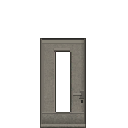 outside door (variant 2)
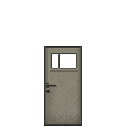 outside door (variant 3)
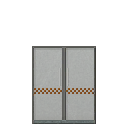 outside door (variant 4)
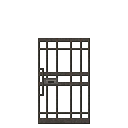 outside door (variant 5)
 garbage dump
 vending machine
- Pool selection
- One category is chosen per generation
- Gun parts
- Gun settings affect their selection
- Possible pool items
Show all 136 entries
12 Gauge · 9x19mm · 5.56x45mm NATO · .22LR · 7.62x39mm · 300 Magnum · .50 BMG · .45 ACP · 40mm Grenade · 25mm Signal Flare · Coco-Cola · Fenda · Sqrite · Sugar · SPUM · Canned Fruit · Lager · Joyful Gingerbread · Angry Gingerbread · Bandage · First Aid Kit · Painkiller · Blood Bag · Melatonin · Fever Reducer · Sunflower Seeds · Stamina Potion · Health Potion · Strength Potion · Antitoxic Potion · Sprint Potion · Enhancement Serum · Small Backpack · Trekking Backpack · Hiking Backpack · Outdoor Backpack · School Bag · Lightweight Drawstring Backpack · Cycling Backpack · Postal Backpack · Roll-top Backpack · Tactical Patrol Backpack · External-frame Expedition Backpack · Shell Collector · Christmas Limited Shell Collector · Combination Lock Box · Suitcase · Ammunition Case · 9mm Magazine (30 Rounds) · 9mm Drum · 9mm Magazine (40 Rounds) · 5.56 Magazine (30 Rounds) · 5.56 Magazine (25 Rounds) · 9mm Magazine (17 Rounds) · .22LR Magazine (10 Rounds) · .22LR Magazine (20 Rounds) · .22LR Magazine (30 Rounds) · .22LR Drum · .22 Magazine (12 Rounds) · .22LR Drum (110rd) · .45 ACP Magazine · .45 ACP Extended Magazine · .45 ACP 26rd Magazine · .45 ACP Drum (50 Rounds) · 5.56 Drum (60 Rounds) · 5.56 Belt (200 Rounds) · 7.62 Magazine · 7.62 Extended Magazine · 7.62 Drum · .300 Magnum Rifle Magazine (5 Rounds) · .50 BMG Magazine (5 Rounds) · Shotgun Short Barrel · Benelli Muzzle Suppressor · Suppressed Shotgun Barrel · GMTECH Muffler · Omega Muzzle Suppressor · 9mm Long Barrel · 9mm Short Barrel · GMTECH 5.56 Suppressor · Rifle Extended Barrel · LUNAR Muzzle Suppressor · Red Dot Sight · Holographic Sight · .22 Suppressor · 2X Red Dot · 4X Red Dot · 2X Holographic Sight · 4X Holographic Sight · PA 6X Optical Sight · Hunter 8X Optical Sight · Laser Sight - Green · Universal Lightweight Stock · Short Handle Butt (Shotgun) · Lightweight Portable Gun Stock · CTR Tactical Short Stock · CTR Extended Stock · Wooden Stock · GMTECH Portable Stock · Integrated Noise Reduction Stock · GMTECH 7.62 Rifle Silencer · LUNAR 7.62mm Rifle Suppressor · .300 Suppressor · .45 ACP Suppressor · .45 ACP Long Barrel · Pressurized Gas Tank · Electric Air Pump · Air Gun Throttle Valve · Air Gun Overboost Throttle Valve · Air Gun Suppress Throttle Valve · Laser Sight - Red · Laser Sight - Blue · Wide Angle Thermal Sight · High-Magnification Thermal Sight · Wide Angle Night Vision Scope · High-Magnification Night Vision Scope · Portable Mini Fridge · Electric Kettle · Portable Charger Box · Solar Charger Box · Water Bottle · Small Canteen · Large Canteen · Big Water Bottle · Small Fuel Container · Large Fuel Container · Plastic Bucket · Tin Can · Glass Bottle · Cooking Pot · Metal Barrel · Metal Water Bottle · N95 Mask · Gas Mask · Cheap Mask · Canned Dog Food · Jerky Treat
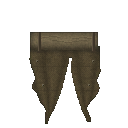 door (variant 2)
 armory gun rack
- Possible contents
- Striker Shotgun · MK 47 · AK 47 · Tavor SAR · AR-15 Assault Rifle
- Possible pool items
Show all 165 entries
12 Gauge · 9x19mm · 5.56x45mm NATO · .22LR · 7.62x39mm · 300 Magnum · .50 BMG · .45 ACP · 40mm Grenade · 25mm Signal Flare · Crowbar · Stone Axe · Stone Hammer · Stone Pickaxe · Iron Axe · Iron Hammer · Iron Pickaxe · Iron Machete · Wrench · Tool Hammer · Fire Axe · Baseball Bat · Mace Bat · Golf Club · Machete · Pan · Rubber Baton · A Strange Rubber Baton · Starlight Wand · Enormous Sparkler · Multi Axe · Repair Hammer · Katana - 'Breeze' · Katana - 'Red' · Katana - 'JI' · Wooden Spear · Metal Spear · Long Spear · Wooden Fishing Rod · Fishing Rod · Crude Shovel · Remington 870 Shotgun · Uzi Submachine Gun · MP5-K · AR-15 Assault Rifle · ARX100 Assault Rifle · Glock 19 · S&W 929 Revolver · Ruger 10/22 · KRISS Vector · Colt M1911-9mm · Pathfinder .22 Revolver · Ruger GP100 .22 · Ruger MK IV · 2011 Combat Master · Glock 18 (Full-Auto) · VSS · B&T MP9 · American 180 · MAC-11/9 · Colt M1911 · Tavor SAR · M249 Machine Gun · Glock 21C (Full-Auto) · M3 Submachine Gun · Thompson Submachine Gun · AK 47 · Ruger M77 · MK 47 · RPK Machine Gun · De Lisle Carbine · Ruger American · Winchester Model 70 · GM6 Lynx Anti-Material Rifle · .50 BMG Wrist Breaker · 25mm Signal Gun · Compound Bow · Iron Crossbow · Mechanical Crossbow · Compound Crossbow · Double-Barreled Shotgun · Survival Shotgun · Triple-Barreled Shotgun · Wrist Breaker · Striker Shotgun · M2 Flamethrower · Pressure Water Gun · China Lake Pump-Action Grenade Launcher · Milkom Rotary Multi-Shot Grenade Launcher · Heavy Full-Auto Grenade Launcher · Airbow · .25 PCP Pistol · .25 Cal Air Rifle · Ataman M2R Air Rifle · .50 Dragon Claw Air Rifle · .50 Cal Air Rifle · .25 Cal Break Barrel Rifle · .50 PCP Air Pistol · 9mm Magazine (30 Rounds) · 9mm Drum · 9mm Magazine (40 Rounds) · 5.56 Magazine (30 Rounds) · 5.56 Magazine (25 Rounds) · 9mm Magazine (17 Rounds) · .22LR Magazine (10 Rounds) · .22LR Magazine (20 Rounds) · .22LR Magazine (30 Rounds) · .22LR Drum · .22 Magazine (12 Rounds) · .22LR Drum (110rd) · .45 ACP Magazine · .45 ACP Extended Magazine · .45 ACP 26rd Magazine · .45 ACP Drum (50 Rounds) · 5.56 Drum (60 Rounds) · 5.56 Belt (200 Rounds) · 7.62 Magazine · 7.62 Extended Magazine · 7.62 Drum · .300 Magnum Rifle Magazine (5 Rounds) · .50 BMG Magazine (5 Rounds) · Shotgun Short Barrel · Benelli Muzzle Suppressor · Suppressed Shotgun Barrel · GMTECH Muffler · Omega Muzzle Suppressor · 9mm Long Barrel · 9mm Short Barrel · GMTECH 5.56 Suppressor · Rifle Extended Barrel · LUNAR Muzzle Suppressor · Red Dot Sight · Holographic Sight · .22 Suppressor · 2X Red Dot · 4X Red Dot · 2X Holographic Sight · 4X Holographic Sight · PA 6X Optical Sight · Hunter 8X Optical Sight · Laser Sight - Green · Universal Lightweight Stock · Short Handle Butt (Shotgun) · Lightweight Portable Gun Stock · CTR Tactical Short Stock · CTR Extended Stock · Wooden Stock · GMTECH Portable Stock · Integrated Noise Reduction Stock · GMTECH 7.62 Rifle Silencer · LUNAR 7.62mm Rifle Suppressor · .300 Suppressor · .45 ACP Suppressor · .45 ACP Long Barrel · Pressurized Gas Tank · Electric Air Pump · Air Gun Throttle Valve · Air Gun Overboost Throttle Valve · Air Gun Suppress Throttle Valve · Laser Sight - Red · Laser Sight - Blue · Wide Angle Thermal Sight · High-Magnification Thermal Sight · Wide Angle Night Vision Scope · High-Magnification Night Vision Scope
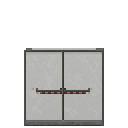 hospital gate
 emergency lights
 storage shelf
- Pool selection
- One category is chosen per generation
- Possible pool items
Show all 303 entries
Rock · Iron Ore · Copper Ore · Saltpeter · Charcoal · Iron Tube · Copper Tube · Iron Wire · Copper Wire · Rope · CNC Component · Cloth · Small Gunpowder Bag · Big Gunpowder Bag · Matches · Sulfur Ore · Lock Picker · Screwdriver · Firearm Repair Kit · Leatherman · Vehicle Repair Kit · Item Repair Kit · Grindstone · Tire · Light Bulb · Pressure Tank · String Kit · Needle · Iron Dagger · Copper Dagger · Glue · Tire Sealant · Spray Paint · Advanced Spray Paint · AAA Battery · AA Battery · C Battery · 9V Battery · Integrated Battery · Vehicle Battery · High-Power Battery Module · C Battery Flashlight · 9V Battery Flashlight · Wide-Angle Flashlight · Lighting Stick (AA Battery) · 12 Gauge · 9x19mm · 5.56x45mm NATO · .22LR · 7.62x39mm · 300 Magnum · .50 BMG · .45 ACP · 40mm Grenade · 25mm Signal Flare · Coco-Cola · Fenda · Sqrite · Sugar · SPUM · Canned Fruit · Lager · Joyful Gingerbread · Angry Gingerbread · Bandage · First Aid Kit · Painkiller · Blood Bag · Melatonin · Fever Reducer · Sunflower Seeds · Stamina Potion · Health Potion · Strength Potion · Antitoxic Potion · Sprint Potion · Enhancement Serum · Crowbar · Stone Axe · Stone Hammer · Stone Pickaxe · Iron Axe · Iron Hammer · Iron Pickaxe · Iron Machete · Wrench · Tool Hammer · Fire Axe · Baseball Bat · Mace Bat · Golf Club · Machete · Pan · Rubber Baton · A Strange Rubber Baton · Starlight Wand · Enormous Sparkler · Multi Axe · Repair Hammer · Katana - 'Breeze' · Katana - 'Red' · Katana - 'JI' · Wooden Spear · Metal Spear · Long Spear · Wooden Fishing Rod · Fishing Rod · Crude Shovel · Remington 870 Shotgun · Uzi Submachine Gun · MP5-K · AR-15 Assault Rifle · ARX100 Assault Rifle · Glock 19 · S&W 929 Revolver · Ruger 10/22 · KRISS Vector · Colt M1911-9mm · Pathfinder .22 Revolver · Ruger GP100 .22 · Ruger MK IV · 2011 Combat Master · Glock 18 (Full-Auto) · VSS · B&T MP9 · American 180 · MAC-11/9 · Colt M1911 · Tavor SAR · M249 Machine Gun · Glock 21C (Full-Auto) · M3 Submachine Gun · Thompson Submachine Gun · AK 47 · Ruger M77 · MK 47 · RPK Machine Gun · De Lisle Carbine · Ruger American · Winchester Model 70 · GM6 Lynx Anti-Material Rifle · .50 BMG Wrist Breaker · 25mm Signal Gun · Compound Bow · Iron Crossbow · Mechanical Crossbow · Compound Crossbow · Double-Barreled Shotgun · Survival Shotgun · Triple-Barreled Shotgun · Wrist Breaker · Striker Shotgun · M2 Flamethrower · Pressure Water Gun · China Lake Pump-Action Grenade Launcher · Milkom Rotary Multi-Shot Grenade Launcher · Heavy Full-Auto Grenade Launcher · Airbow · .25 PCP Pistol · .25 Cal Air Rifle · Ataman M2R Air Rifle · .50 Dragon Claw Air Rifle · .50 Cal Air Rifle · .25 Cal Break Barrel Rifle · .50 PCP Air Pistol · Small Backpack · Trekking Backpack · Hiking Backpack · Outdoor Backpack · School Bag · Lightweight Drawstring Backpack · Cycling Backpack · Postal Backpack · Roll-top Backpack · Tactical Patrol Backpack · External-frame Expedition Backpack · Shell Collector · Christmas Limited Shell Collector · Combination Lock Box · Suitcase · Ammunition Case · Shotgun Short Barrel · Benelli Muzzle Suppressor · Suppressed Shotgun Barrel · GMTECH Muffler · Omega Muzzle Suppressor · 9mm Long Barrel · 9mm Short Barrel · GMTECH 5.56 Suppressor · Rifle Extended Barrel · LUNAR Muzzle Suppressor · Red Dot Sight · Holographic Sight · .22 Suppressor · 2X Red Dot · 4X Red Dot · 2X Holographic Sight · 4X Holographic Sight · PA 6X Optical Sight · Hunter 8X Optical Sight · Laser Sight - Green · Universal Lightweight Stock · Short Handle Butt (Shotgun) · Lightweight Portable Gun Stock · CTR Tactical Short Stock · CTR Extended Stock · Wooden Stock · GMTECH Portable Stock · Integrated Noise Reduction Stock · GMTECH 7.62 Rifle Silencer · LUNAR 7.62mm Rifle Suppressor · .300 Suppressor · .45 ACP Suppressor · .45 ACP Long Barrel · Pressurized Gas Tank · Electric Air Pump · Air Gun Throttle Valve · Air Gun Overboost Throttle Valve · Air Gun Suppress Throttle Valve · Laser Sight - Red · Laser Sight - Blue · Wide Angle Thermal Sight · High-Magnification Thermal Sight · Wide Angle Night Vision Scope · High-Magnification Night Vision Scope · Melee Combustion Component · Melee Electrify Component · Melee Puncture Component · Portable Mini Fridge · Portable Induction Stove · Electric Kettle · Portable Charger Box · Solar Charger Box · Electric Tire Inflator · Hand Warmer · Broken Phone · 9V Decoder · Walkie-Talkie · Laptop · Sewing Kit · Night Vision Goggles (Green) · Night Vision Goggles (Blue) · Harmonic Drive · Handheld Fan · Gold Nugget · Ruby · Water Bottle · Small Canteen · Large Canteen · Big Water Bottle · Small Fuel Container · Large Fuel Container · Plastic Bucket · Tin Can · Glass Bottle · Cooking Pot · Metal Barrel · Metal Water Bottle · Head Decoration (variant 5) · Head Decoration (variant 6) · Head Decoration (variant 7) · Head Decoration (variant 8) · Head Decoration (variant 9) · Head Decoration (variant 10) · Head Decoration (variant 11) · Head Decoration (variant 12) · Head Decoration (variant 13) · Fire Department Helmet · Plague Doctor Mask · Year of Horse Mask · Military Helmet (variant 1) · Military Helmet (variant 2) · Cat Ear Headband · Bunny Ear Headband · Ribbon Bow Headband · Polka-dot Hair Ribbon · Flower Crown · Maid Headdress · Gold Beetle Larva · Plastic Lure · Colored Plastic Lure · Spinner Metal Lure · Crab Lure · Tuna Lure · Corn Seeds · Radish Seeds · Mushroom Spawn · Seed Potato · Tomato Seeds · Chili Seeds · Cotton Seeds · Prunella Seeds · Wheat Seeds · Blueberry Seeds · Cranberry Seeds · Leather Collar · Bell Collar · Tactical Collar · Canned Dog Food · Jerky Treat · Cloth Dog Vest · Ballistic Dog Vest · Dog Saddlebag
 ammo case
- Possible contents
- 5.56x45mm NATO · 7.62x39mm · 12 Gauge · Frag Grenade
- Pool categories
- Ammunition · gun parts · throwables · magazines · ranged weapons
- Gun parts
- Gun settings affect their selection
- Possible pool items
Show all 138 entries
12 Gauge · 9x19mm · 5.56x45mm NATO · .22LR · 7.62x39mm · 300 Magnum · .50 BMG · .45 ACP · 40mm Grenade · 25mm Signal Flare · Remington 870 Shotgun · Uzi Submachine Gun · MP5-K · AR-15 Assault Rifle · ARX100 Assault Rifle · Glock 19 · S&W 929 Revolver · Ruger 10/22 · KRISS Vector · Colt M1911-9mm · Pathfinder .22 Revolver · Ruger GP100 .22 · Ruger MK IV · 2011 Combat Master · Glock 18 (Full-Auto) · VSS · B&T MP9 · American 180 · MAC-11/9 · Colt M1911 · Tavor SAR · M249 Machine Gun · Glock 21C (Full-Auto) · M3 Submachine Gun · Thompson Submachine Gun · AK 47 · Ruger M77 · MK 47 · RPK Machine Gun · De Lisle Carbine · Ruger American · Winchester Model 70 · GM6 Lynx Anti-Material Rifle · .50 BMG Wrist Breaker · 25mm Signal Gun · Compound Bow · Iron Crossbow · Mechanical Crossbow · Compound Crossbow · Double-Barreled Shotgun · Survival Shotgun · Triple-Barreled Shotgun · Wrist Breaker · Striker Shotgun · M2 Flamethrower · Pressure Water Gun · China Lake Pump-Action Grenade Launcher · Milkom Rotary Multi-Shot Grenade Launcher · Heavy Full-Auto Grenade Launcher · Airbow · .25 PCP Pistol · .25 Cal Air Rifle · Ataman M2R Air Rifle · .50 Dragon Claw Air Rifle · .50 Cal Air Rifle · .25 Cal Break Barrel Rifle · .50 PCP Air Pistol · Frag Grenade · Molotov Cocktail · Healing Smoke Bomb · 9mm Magazine (30 Rounds) · 9mm Drum · 9mm Magazine (40 Rounds) · 5.56 Magazine (30 Rounds) · 5.56 Magazine (25 Rounds) · 9mm Magazine (17 Rounds) · .22LR Magazine (10 Rounds) · .22LR Magazine (20 Rounds) · .22LR Magazine (30 Rounds) · .22LR Drum · .22 Magazine (12 Rounds) · .22LR Drum (110rd) · .45 ACP Magazine · .45 ACP Extended Magazine · .45 ACP 26rd Magazine · .45 ACP Drum (50 Rounds) · 5.56 Drum (60 Rounds) · 5.56 Belt (200 Rounds) · 7.62 Magazine · 7.62 Extended Magazine · 7.62 Drum · .300 Magnum Rifle Magazine (5 Rounds) · .50 BMG Magazine (5 Rounds) · Shotgun Short Barrel · Benelli Muzzle Suppressor · Suppressed Shotgun Barrel · GMTECH Muffler · Omega Muzzle Suppressor · 9mm Long Barrel · 9mm Short Barrel · GMTECH 5.56 Suppressor · Rifle Extended Barrel · LUNAR Muzzle Suppressor · Red Dot Sight · Holographic Sight · .22 Suppressor · 2X Red Dot · 4X Red Dot · 2X Holographic Sight · 4X Holographic Sight · PA 6X Optical Sight · Hunter 8X Optical Sight · Laser Sight - Green · Universal Lightweight Stock · Short Handle Butt (Shotgun) · Lightweight Portable Gun Stock · CTR Tactical Short Stock · CTR Extended Stock · Wooden Stock · GMTECH Portable Stock · Integrated Noise Reduction Stock · GMTECH 7.62 Rifle Silencer · LUNAR 7.62mm Rifle Suppressor · .300 Suppressor · .45 ACP Suppressor · .45 ACP Long Barrel · Pressurized Gas Tank · Electric Air Pump · Air Gun Throttle Valve · Air Gun Overboost Throttle Valve · Air Gun Suppress Throttle Valve · Laser Sight - Red · Laser Sight - Blue · Wide Angle Thermal Sight · High-Magnification Thermal Sight · Wide Angle Night Vision Scope · High-Magnification Night Vision Scope · Tennis Ball
 garbage container
- Possible pool items
Show all 170 entries
Rock · Iron Ore · Copper Ore · Saltpeter · Charcoal · Iron Tube · Copper Tube · Iron Wire · Copper Wire · Rope · CNC Component · Cloth · Small Gunpowder Bag · Big Gunpowder Bag · Matches · Sulfur Ore · Lock Picker · Screwdriver · Firearm Repair Kit · Leatherman · Vehicle Repair Kit · Item Repair Kit · Grindstone · Tire · Light Bulb · Pressure Tank · String Kit · Needle · Iron Dagger · Copper Dagger · Glue · Tire Sealant · Spray Paint · Advanced Spray Paint · AAA Battery · AA Battery · C Battery · 9V Battery · Integrated Battery · Vehicle Battery · High-Power Battery Module · C Battery Flashlight · 9V Battery Flashlight · Wide-Angle Flashlight · Lighting Stick (AA Battery) · Small Backpack · Trekking Backpack · Hiking Backpack · Outdoor Backpack · School Bag · Lightweight Drawstring Backpack · Cycling Backpack · Postal Backpack · Roll-top Backpack · Tactical Patrol Backpack · External-frame Expedition Backpack · Shell Collector · Christmas Limited Shell Collector · Combination Lock Box · Suitcase · Ammunition Case · Frag Grenade · Molotov Cocktail · Healing Smoke Bomb · Melee Combustion Component · Melee Electrify Component · Melee Puncture Component · Portable Mini Fridge · Portable Induction Stove · Electric Kettle · Portable Charger Box · Solar Charger Box · Electric Tire Inflator · Hand Warmer · Broken Phone · 9V Decoder · Walkie-Talkie · Laptop · Sewing Kit · Night Vision Goggles (Green) · Night Vision Goggles (Blue) · Harmonic Drive · Handheld Fan · Gold Nugget · Ruby · Water Bottle · Small Canteen · Large Canteen · Big Water Bottle · Small Fuel Container · Large Fuel Container · Plastic Bucket · Tin Can · Glass Bottle · Cooking Pot · Metal Barrel · Metal Water Bottle · Camouflage Cape · High-Quality Cape · Stitched Cape · Scavenger Cape · Head Decoration (variant 5) · Head Decoration (variant 6) · Head Decoration (variant 7) · Head Decoration (variant 8) · Head Decoration (variant 9) · Head Decoration (variant 10) · Head Decoration (variant 11) · Head Decoration (variant 12) · Head Decoration (variant 13) · Fire Department Helmet · Plague Doctor Mask · Year of Horse Mask · Military Helmet (variant 1) · Military Helmet (variant 2) · Cat Ear Headband · Bunny Ear Headband · Ribbon Bow Headband · Polka-dot Hair Ribbon · Flower Crown · Maid Headdress · Gold Beetle Larva · Plastic Lure · Colored Plastic Lure · Spinner Metal Lure · Crab Lure · Tuna Lure · Corn Seeds · Radish Seeds · Mushroom Spawn · Seed Potato · Tomato Seeds · Chili Seeds · Cotton Seeds · Prunella Seeds · Wheat Seeds · Blueberry Seeds · Cranberry Seeds · Leather Collar · Bell Collar · Tactical Collar · Tennis Ball · Cloth Dog Vest · Ballistic Dog Vest · Dog Saddlebag · Casual Wear · Casual Wear (Dark) · Imitation Military Uniform · Riot Suit · Thick Casual Wear · Down Jacket Outfit · Kevlar Suit · Military Kevlar Vest · Level 1 Armor · Casual Wear (Charcoal) · Police Uniform · Tracksuit (Red) · Tracksuit (Blue) · Tracksuit (Grey) · Utility Vest Outfit (Olive) · Utility Vest Outfit (Brown) · Utility Vest Outfit (Black) · Work Outfit (Brown) · Work Outfit (Blue) · Work Outfit (Green) · Military Rig · Heavy Firefighter Suit · Industrial Heat Suit · Heavy Chemical Suit · Heavy Ballistic Suit
 safe
- Possible contents
- Striker Shotgun · Iron Dagger · AA Battery · High-Power Battery Module · Lighting Stick (AA Battery) · 12 Gauge · 9x19mm · 7.62x39mm · Canned Fruit · First Aid Kit · Golf Club · Katana - 'Breeze' · Katana - 'Red' · Remington 870 Shotgun · MP5-K · 2011 Combat Master · B&T MP9 · Ruger M77 · Winchester Model 70 · Triple-Barreled Shotgun · AR-15 Assault Rifle · Outdoor Backpack · M249 Machine Gun · Compound Crossbow · RPK Machine Gun
- Possible pool items
Show all 110 entries
9x19mm · 5.56x45mm NATO · .22LR · 7.62x39mm · 300 Magnum · .50 BMG · .45 ACP · 40mm Grenade · 25mm Signal Flare · Fire Axe · Baseball Bat · Mace Bat · Golf Club · Rubber Baton · A Strange Rubber Baton · Starlight Wand · Enormous Sparkler · Multi Axe · Katana - 'Breeze' · Katana - 'Red' · Katana - 'JI' · Metal Spear · Long Spear · Wooden Fishing Rod · Fishing Rod · Remington 870 Shotgun · Uzi Submachine Gun · MP5-K · AR-15 Assault Rifle · ARX100 Assault Rifle · Glock 19 · S&W 929 Revolver · Ruger 10/22 · KRISS Vector · Colt M1911-9mm · Pathfinder .22 Revolver · Ruger GP100 .22 · Ruger MK IV · 2011 Combat Master · Glock 18 (Full-Auto) · VSS · B&T MP9 · American 180 · MAC-11/9 · Colt M1911 · Tavor SAR · M249 Machine Gun · Glock 21C (Full-Auto) · M3 Submachine Gun · Thompson Submachine Gun · AK 47 · Ruger M77 · MK 47 · RPK Machine Gun · De Lisle Carbine · Ruger American · Winchester Model 70 · GM6 Lynx Anti-Material Rifle · .50 BMG Wrist Breaker · 25mm Signal Gun · Compound Bow · Iron Crossbow · Mechanical Crossbow · Compound Crossbow · Double-Barreled Shotgun · Survival Shotgun · Triple-Barreled Shotgun · Wrist Breaker · Striker Shotgun · M2 Flamethrower · Pressure Water Gun · China Lake Pump-Action Grenade Launcher · Milkom Rotary Multi-Shot Grenade Launcher · Heavy Full-Auto Grenade Launcher · Airbow · .25 PCP Pistol · .25 Cal Air Rifle · Ataman M2R Air Rifle · .50 Dragon Claw Air Rifle · .50 Cal Air Rifle · .25 Cal Break Barrel Rifle · .50 PCP Air Pistol · Small Backpack · Trekking Backpack · Hiking Backpack · Outdoor Backpack · Postal Backpack · Roll-top Backpack · Tactical Patrol Backpack · External-frame Expedition Backpack · Shell Collector · Christmas Limited Shell Collector · Combination Lock Box · Suitcase · Ammunition Case · Frag Grenade · 9mm Drum · 9mm Magazine (40 Rounds) · .22LR Drum · .22LR Drum (110rd) · .45 ACP 26rd Magazine · .45 ACP Drum (50 Rounds) · 5.56 Drum (60 Rounds) · 5.56 Belt (200 Rounds) · 7.62 Drum · .50 BMG Magazine (5 Rounds) · Portable Mini Fridge · Portable Charger Box · Solar Charger Box · Gas Mask
 sunshad
 vine
 yellow line
 road crack
 road gap (variant 1)
 road gap (variant 2)
 coconut tree
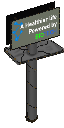 road billboard
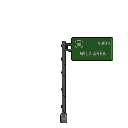 Road Sign
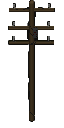 road telegraph pole
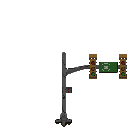 Traffic Light
 portable induction stove
English description is a wiki translation of the game’s Chinese text.
- Description
- A portable induction stove powered by a battery. After deployment, it can be used for cooking. It has no open flame or smoke and uses power only while cooking.
 Basement
 Mine
 mail box
 pot plant
 sign
 air pipe
 IV rack
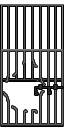 Zombie Cage
 ventilation fan
 paper box
- Possible pool items
Show all 171 entries
Rock · Iron Ore · Copper Ore · Saltpeter · Charcoal · Iron Tube · Copper Tube · Iron Wire · Copper Wire · Rope · CNC Component · Cloth · Small Gunpowder Bag · Big Gunpowder Bag · Matches · Sulfur Ore · Lock Picker · Screwdriver · Firearm Repair Kit · Leatherman · Vehicle Repair Kit · Item Repair Kit · Grindstone · Tire · Light Bulb · Pressure Tank · String Kit · Needle · Iron Dagger · Copper Dagger · Glue · Tire Sealant · Spray Paint · Advanced Spray Paint · AAA Battery · AA Battery · C Battery · 9V Battery · Integrated Battery · Vehicle Battery · High-Power Battery Module · C Battery Flashlight · 9V Battery Flashlight · Wide-Angle Flashlight · Lighting Stick (AA Battery) · Coco-Cola · Fenda · Sqrite · Sugar · SPUM · Canned Fruit · Lager · Joyful Gingerbread · Angry Gingerbread · Bandage · First Aid Kit · Painkiller · Blood Bag · Melatonin · Fever Reducer · Sunflower Seeds · Stamina Potion · Health Potion · Strength Potion · Antitoxic Potion · Sprint Potion · Enhancement Serum · Frag Grenade · Molotov Cocktail · Healing Smoke Bomb · Melee Combustion Component · Melee Electrify Component · Melee Puncture Component · Portable Induction Stove · Electric Kettle · Electric Tire Inflator · Hand Warmer · Broken Phone · 9V Decoder · Walkie-Talkie · Laptop · Sewing Kit · Night Vision Goggles (Green) · Night Vision Goggles (Blue) · Harmonic Drive · Handheld Fan · Gold Nugget · Ruby · Water Bottle · Small Canteen · Large Canteen · Big Water Bottle · Small Fuel Container · Large Fuel Container · Plastic Bucket · Tin Can · Glass Bottle · Cooking Pot · Metal Barrel · Metal Water Bottle · Head Decoration (variant 5) · Head Decoration (variant 6) · Head Decoration (variant 7) · Head Decoration (variant 8) · Head Decoration (variant 9) · Head Decoration (variant 10) · Head Decoration (variant 11) · Head Decoration (variant 12) · Head Decoration (variant 13) · Fire Department Helmet · Plague Doctor Mask · Year of Horse Mask · Military Helmet (variant 1) · Military Helmet (variant 2) · Cat Ear Headband · Bunny Ear Headband · Ribbon Bow Headband · Polka-dot Hair Ribbon · Flower Crown · Maid Headdress · Gold Beetle Larva · Plastic Lure · Colored Plastic Lure · Spinner Metal Lure · Crab Lure · Tuna Lure · Corn Seeds · Radish Seeds · Mushroom Spawn · Seed Potato · Tomato Seeds · Chili Seeds · Cotton Seeds · Prunella Seeds · Wheat Seeds · Blueberry Seeds · Cranberry Seeds · Leather Collar · Bell Collar · Tactical Collar · Canned Dog Food · Jerky Treat · Tennis Ball · Cloth Dog Vest · Ballistic Dog Vest · Dog Saddlebag · Casual Wear · Casual Wear (Dark) · Imitation Military Uniform · Riot Suit · Thick Casual Wear · Down Jacket Outfit · Kevlar Suit · Military Kevlar Vest · Level 1 Armor · Casual Wear (Charcoal) · Police Uniform · Tracksuit (Red) · Tracksuit (Blue) · Tracksuit (Grey) · Utility Vest Outfit (Olive) · Utility Vest Outfit (Brown) · Utility Vest Outfit (Black) · Work Outfit (Brown) · Work Outfit (Blue) · Work Outfit (Green) · Military Rig · Heavy Firefighter Suit · Industrial Heat Suit · Heavy Chemical Suit · Heavy Ballistic Suit
 paper
 rust barrel
 blood stain
 transport package
- Gun parts
- Gun settings affect their selection
- Possible pool items
Show all 187 entries
12 Gauge · 9x19mm · 5.56x45mm NATO · .22LR · 7.62x39mm · 300 Magnum · .50 BMG · .45 ACP · 40mm Grenade · 25mm Signal Flare · Coco-Cola · Fenda · Sqrite · Sugar · SPUM · Canned Fruit · Lager · Joyful Gingerbread · Angry Gingerbread · Bandage · First Aid Kit · Painkiller · Blood Bag · Melatonin · Fever Reducer · Sunflower Seeds · Stamina Potion · Health Potion · Strength Potion · Antitoxic Potion · Sprint Potion · Enhancement Serum · Remington 870 Shotgun · Uzi Submachine Gun · MP5-K · AR-15 Assault Rifle · ARX100 Assault Rifle · Glock 19 · S&W 929 Revolver · Ruger 10/22 · KRISS Vector · Colt M1911-9mm · Pathfinder .22 Revolver · Ruger GP100 .22 · Ruger MK IV · 2011 Combat Master · Glock 18 (Full-Auto) · VSS · B&T MP9 · American 180 · MAC-11/9 · Colt M1911 · Tavor SAR · M249 Machine Gun · Glock 21C (Full-Auto) · M3 Submachine Gun · Thompson Submachine Gun · AK 47 · Ruger M77 · MK 47 · RPK Machine Gun · De Lisle Carbine · Ruger American · Winchester Model 70 · GM6 Lynx Anti-Material Rifle · .50 BMG Wrist Breaker · 25mm Signal Gun · Compound Bow · Iron Crossbow · Mechanical Crossbow · Compound Crossbow · Double-Barreled Shotgun · Survival Shotgun · Triple-Barreled Shotgun · Wrist Breaker · Striker Shotgun · M2 Flamethrower · Pressure Water Gun · China Lake Pump-Action Grenade Launcher · Milkom Rotary Multi-Shot Grenade Launcher · Heavy Full-Auto Grenade Launcher · Airbow · .25 PCP Pistol · .25 Cal Air Rifle · Ataman M2R Air Rifle · .50 Dragon Claw Air Rifle · .50 Cal Air Rifle · .25 Cal Break Barrel Rifle · .50 PCP Air Pistol · Frag Grenade · Molotov Cocktail · Healing Smoke Bomb · 9mm Magazine (30 Rounds) · 9mm Drum · 9mm Magazine (40 Rounds) · 5.56 Magazine (30 Rounds) · 5.56 Magazine (25 Rounds) · 9mm Magazine (17 Rounds) · .22LR Magazine (10 Rounds) · .22LR Magazine (20 Rounds) · .22LR Magazine (30 Rounds) · .22LR Drum · .22 Magazine (12 Rounds) · .22LR Drum (110rd) · .45 ACP Magazine · .45 ACP Extended Magazine · .45 ACP 26rd Magazine · .45 ACP Drum (50 Rounds) · 5.56 Drum (60 Rounds) · 5.56 Belt (200 Rounds) · 7.62 Magazine · 7.62 Extended Magazine · 7.62 Drum · .300 Magnum Rifle Magazine (5 Rounds) · .50 BMG Magazine (5 Rounds) · Shotgun Short Barrel · Benelli Muzzle Suppressor · Suppressed Shotgun Barrel · GMTECH Muffler · Omega Muzzle Suppressor · 9mm Long Barrel · 9mm Short Barrel · GMTECH 5.56 Suppressor · Rifle Extended Barrel · LUNAR Muzzle Suppressor · Red Dot Sight · Holographic Sight · .22 Suppressor · 2X Red Dot · 4X Red Dot · 2X Holographic Sight · 4X Holographic Sight · PA 6X Optical Sight · Hunter 8X Optical Sight · Laser Sight - Green · Universal Lightweight Stock · Short Handle Butt (Shotgun) · Lightweight Portable Gun Stock · CTR Tactical Short Stock · CTR Extended Stock · Wooden Stock · GMTECH Portable Stock · Integrated Noise Reduction Stock · GMTECH 7.62 Rifle Silencer · LUNAR 7.62mm Rifle Suppressor · .300 Suppressor · .45 ACP Suppressor · .45 ACP Long Barrel · Pressurized Gas Tank · Electric Air Pump · Air Gun Throttle Valve · Air Gun Overboost Throttle Valve · Air Gun Suppress Throttle Valve · Laser Sight - Red · Laser Sight - Blue · Wide Angle Thermal Sight · High-Magnification Thermal Sight · Wide Angle Night Vision Scope · High-Magnification Night Vision Scope · Canned Dog Food · Jerky Treat · Tennis Ball · Casual Wear · Casual Wear (Dark) · Imitation Military Uniform · Riot Suit · Thick Casual Wear · Down Jacket Outfit · Kevlar Suit · Military Kevlar Vest · Level 1 Armor · Casual Wear (Charcoal) · Police Uniform · Tracksuit (Red) · Tracksuit (Blue) · Tracksuit (Grey) · Utility Vest Outfit (Olive) · Utility Vest Outfit (Brown) · Utility Vest Outfit (Black) · Work Outfit (Brown) · Work Outfit (Blue) · Work Outfit (Green) · Military Rig · Heavy Firefighter Suit · Industrial Heat Suit · Heavy Chemical Suit · Heavy Ballistic Suit
- oil tank
- Possible contents
- Fuel · Biodiesel · Sulfuric Acid · Nitric Acid
 parking line
 garbage
 vehicle wreckage
 tire wall
- corpse (variant 1)
 hospital bed
 drugShelf
- Possible contents
- Bandage · First Aid Kit · Painkiller · Blood Bag
- Pool selection
- One category is chosen per generation
- Possible pool items
Show all 40 entries
Coco-Cola · Fenda · Sqrite · Sugar · SPUM · Canned Fruit · Lager · Joyful Gingerbread · Angry Gingerbread · Bandage · First Aid Kit · Painkiller · Blood Bag · Melatonin · Fever Reducer · Sunflower Seeds · Stamina Potion · Health Potion · Strength Potion · Antitoxic Potion · Sprint Potion · Enhancement Serum · Electric Kettle · Water Bottle · Small Canteen · Large Canteen · Big Water Bottle · Small Fuel Container · Large Fuel Container · Plastic Bucket · Tin Can · Glass Bottle · Cooking Pot · Metal Barrel · Metal Water Bottle · N95 Mask · Gas Mask · Cheap Mask · Canned Dog Food · Jerky Treat
 showcase Shelf
- Possible contents
- Bandage · First Aid Kit · Painkiller · Blood Bag
- Pool selection
- One category is chosen per generation
- Possible pool items
Show all 238 entries
Rock · Iron Ore · Copper Ore · Saltpeter · Charcoal · Iron Tube · Copper Tube · Iron Wire · Copper Wire · Rope · CNC Component · Cloth · Small Gunpowder Bag · Big Gunpowder Bag · Matches · Sulfur Ore · Lock Picker · Screwdriver · Firearm Repair Kit · Leatherman · Vehicle Repair Kit · Item Repair Kit · Grindstone · Tire · Light Bulb · Pressure Tank · String Kit · Needle · Iron Dagger · Copper Dagger · Glue · Tire Sealant · Spray Paint · Advanced Spray Paint · AAA Battery · AA Battery · C Battery · 9V Battery · Integrated Battery · Vehicle Battery · High-Power Battery Module · C Battery Flashlight · 9V Battery Flashlight · Wide-Angle Flashlight · Lighting Stick (AA Battery) · 12 Gauge · 9x19mm · 5.56x45mm NATO · .22LR · 7.62x39mm · 300 Magnum · .50 BMG · .45 ACP · 40mm Grenade · 25mm Signal Flare · Crowbar · Stone Axe · Stone Hammer · Stone Pickaxe · Iron Axe · Iron Hammer · Iron Pickaxe · Iron Machete · Wrench · Tool Hammer · Fire Axe · Baseball Bat · Mace Bat · Golf Club · Machete · Pan · Rubber Baton · A Strange Rubber Baton · Starlight Wand · Enormous Sparkler · Multi Axe · Repair Hammer · Katana - 'Breeze' · Katana - 'Red' · Katana - 'JI' · Wooden Spear · Metal Spear · Long Spear · Wooden Fishing Rod · Fishing Rod · Crude Shovel · Remington 870 Shotgun · Uzi Submachine Gun · MP5-K · AR-15 Assault Rifle · ARX100 Assault Rifle · Glock 19 · S&W 929 Revolver · Ruger 10/22 · KRISS Vector · Colt M1911-9mm · Pathfinder .22 Revolver · Ruger GP100 .22 · Ruger MK IV · 2011 Combat Master · Glock 18 (Full-Auto) · VSS · B&T MP9 · American 180 · MAC-11/9 · Colt M1911 · Tavor SAR · M249 Machine Gun · Glock 21C (Full-Auto) · M3 Submachine Gun · Thompson Submachine Gun · AK 47 · Ruger M77 · MK 47 · RPK Machine Gun · De Lisle Carbine · Ruger American · Winchester Model 70 · GM6 Lynx Anti-Material Rifle · .50 BMG Wrist Breaker · 25mm Signal Gun · Compound Bow · Iron Crossbow · Mechanical Crossbow · Compound Crossbow · Double-Barreled Shotgun · Survival Shotgun · Triple-Barreled Shotgun · Wrist Breaker · Striker Shotgun · M2 Flamethrower · Pressure Water Gun · China Lake Pump-Action Grenade Launcher · Milkom Rotary Multi-Shot Grenade Launcher · Heavy Full-Auto Grenade Launcher · Airbow · .25 PCP Pistol · .25 Cal Air Rifle · Ataman M2R Air Rifle · .50 Dragon Claw Air Rifle · .50 Cal Air Rifle · .25 Cal Break Barrel Rifle · .50 PCP Air Pistol · Small Backpack · Trekking Backpack · Hiking Backpack · Outdoor Backpack · School Bag · Lightweight Drawstring Backpack · Cycling Backpack · Postal Backpack · Roll-top Backpack · Tactical Patrol Backpack · External-frame Expedition Backpack · Shell Collector · Christmas Limited Shell Collector · Combination Lock Box · Suitcase · Ammunition Case · Melee Combustion Component · Melee Electrify Component · Melee Puncture Component · Portable Mini Fridge · Portable Induction Stove · Electric Kettle · Portable Charger Box · Solar Charger Box · Electric Tire Inflator · Hand Warmer · Broken Phone · 9V Decoder · Walkie-Talkie · Laptop · Sewing Kit · Night Vision Goggles (Green) · Night Vision Goggles (Blue) · Harmonic Drive · Handheld Fan · Gold Nugget · Ruby · Water Bottle · Small Canteen · Large Canteen · Big Water Bottle · Small Fuel Container · Large Fuel Container · Plastic Bucket · Tin Can · Glass Bottle · Cooking Pot · Metal Barrel · Metal Water Bottle · N95 Mask · Gas Mask · Cheap Mask · Head Decoration (variant 5) · Head Decoration (variant 6) · Head Decoration (variant 7) · Head Decoration (variant 8) · Head Decoration (variant 9) · Head Decoration (variant 10) · Head Decoration (variant 11) · Head Decoration (variant 12) · Head Decoration (variant 13) · Fire Department Helmet · Plague Doctor Mask · Year of Horse Mask · Military Helmet (variant 1) · Military Helmet (variant 2) · Cat Ear Headband · Bunny Ear Headband · Ribbon Bow Headband · Polka-dot Hair Ribbon · Flower Crown · Maid Headdress · Gold Beetle Larva · Plastic Lure · Colored Plastic Lure · Spinner Metal Lure · Crab Lure · Tuna Lure · Corn Seeds · Radish Seeds · Mushroom Spawn · Seed Potato · Tomato Seeds · Chili Seeds · Cotton Seeds · Prunella Seeds · Wheat Seeds · Blueberry Seeds · Cranberry Seeds · Leather Collar · Bell Collar · Tactical Collar · Cloth Dog Vest · Ballistic Dog Vest · Dog Saddlebag
 covered corpse
- Possible pool items
Show all 153 entries
Rock · Iron Ore · Copper Ore · Saltpeter · Charcoal · Iron Tube · Copper Tube · Iron Wire · Copper Wire · Rope · CNC Component · Cloth · Small Gunpowder Bag · Big Gunpowder Bag · Matches · Sulfur Ore · Lock Picker · Screwdriver · Firearm Repair Kit · Leatherman · Vehicle Repair Kit · Item Repair Kit · Grindstone · Tire · Light Bulb · Pressure Tank · String Kit · Needle · Iron Dagger · Copper Dagger · Glue · Tire Sealant · Spray Paint · Advanced Spray Paint · AAA Battery · AA Battery · C Battery · 9V Battery · Integrated Battery · Vehicle Battery · High-Power Battery Module · C Battery Flashlight · 9V Battery Flashlight · Wide-Angle Flashlight · Lighting Stick (AA Battery) · Small Backpack · Trekking Backpack · Hiking Backpack · Outdoor Backpack · School Bag · Lightweight Drawstring Backpack · Cycling Backpack · Postal Backpack · Roll-top Backpack · Tactical Patrol Backpack · External-frame Expedition Backpack · Shell Collector · Christmas Limited Shell Collector · Combination Lock Box · Suitcase · Ammunition Case · Melee Combustion Component · Melee Electrify Component · Melee Puncture Component · Portable Mini Fridge · Portable Induction Stove · Portable Charger Box · Solar Charger Box · Electric Tire Inflator · Hand Warmer · Broken Phone · 9V Decoder · Walkie-Talkie · Laptop · Sewing Kit · Night Vision Goggles (Green) · Night Vision Goggles (Blue) · Harmonic Drive · Handheld Fan · Gold Nugget · Ruby · Camouflage Cape · High-Quality Cape · Stitched Cape · Scavenger Cape · Head Decoration (variant 5) · Head Decoration (variant 6) · Head Decoration (variant 7) · Head Decoration (variant 8) · Head Decoration (variant 9) · Head Decoration (variant 10) · Head Decoration (variant 11) · Head Decoration (variant 12) · Head Decoration (variant 13) · Fire Department Helmet · Plague Doctor Mask · Year of Horse Mask · Military Helmet (variant 1) · Military Helmet (variant 2) · Cat Ear Headband · Bunny Ear Headband · Ribbon Bow Headband · Polka-dot Hair Ribbon · Flower Crown · Maid Headdress · Gold Beetle Larva · Plastic Lure · Colored Plastic Lure · Spinner Metal Lure · Crab Lure · Tuna Lure · Corn Seeds · Radish Seeds · Mushroom Spawn · Seed Potato · Tomato Seeds · Chili Seeds · Cotton Seeds · Prunella Seeds · Wheat Seeds · Blueberry Seeds · Cranberry Seeds · Leather Collar · Bell Collar · Tactical Collar · Cloth Dog Vest · Ballistic Dog Vest · Dog Saddlebag · Casual Wear · Casual Wear (Dark) · Imitation Military Uniform · Riot Suit · Thick Casual Wear · Down Jacket Outfit · Kevlar Suit · Military Kevlar Vest · Level 1 Armor · Casual Wear (Charcoal) · Police Uniform · Tracksuit (Red) · Tracksuit (Blue) · Tracksuit (Grey) · Utility Vest Outfit (Olive) · Utility Vest Outfit (Brown) · Utility Vest Outfit (Black) · Work Outfit (Brown) · Work Outfit (Blue) · Work Outfit (Green) · Military Rig · Heavy Firefighter Suit · Industrial Heat Suit · Heavy Chemical Suit · Heavy Ballistic Suit
- Corpse Heap
 low tire pile
 window (variant 1)
 window (variant 2)
 shipping container
 shipping container (electronic lock)
- stocking rack
 Train Carriage
 gantry crane
 corpse pile (variant 1)
 corpse pile (variant 2)
 electronic safe
- Possible contents
- Screwdriver · Leatherman
 garbage pile
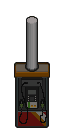 gas dispenser
- Possible contents
- Fuel
 gas station roof
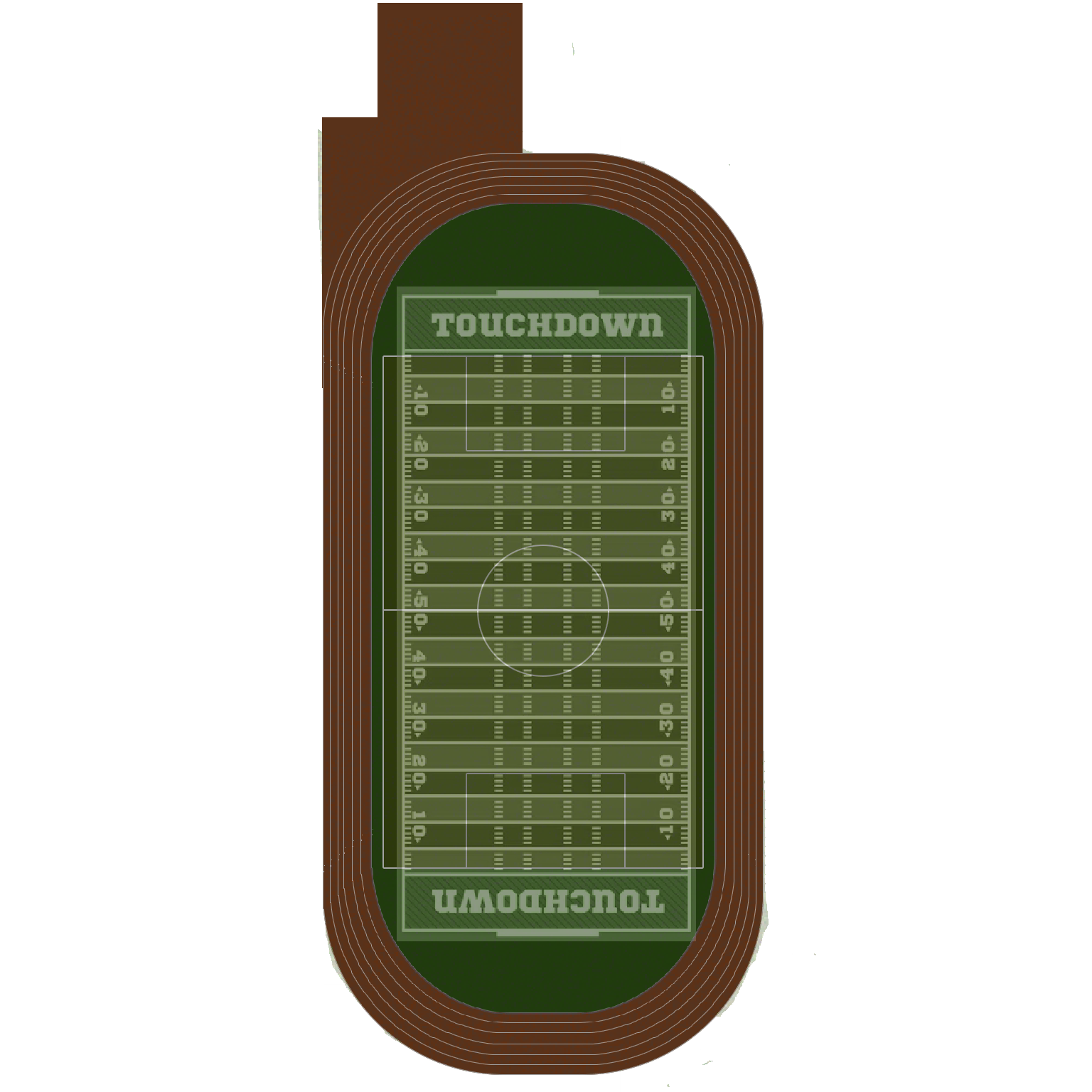 Sport Field
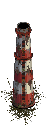 industrial chimney
 factory gate
 deck pier (variant 1)
 deck pier (variant 2)
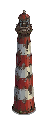 light house
 Shaft
 Dig Shaft
 corn
- Description
- Plant corn and harvest it once fully grown.
 fire hydrant
- Possible contents
- Contaminated Water
 bollard
 park bench
 bus stop
 traffic cone
 shopping cart
- Possible pool items
Show all 154 entries
Rock · Iron Ore · Copper Ore · Saltpeter · Charcoal · Iron Tube · Copper Tube · Iron Wire · Copper Wire · Rope · CNC Component · Cloth · Small Gunpowder Bag · Big Gunpowder Bag · Matches · Sulfur Ore · Lock Picker · Screwdriver · Firearm Repair Kit · Leatherman · Vehicle Repair Kit · Item Repair Kit · Grindstone · Tire · Light Bulb · Pressure Tank · String Kit · Needle · Iron Dagger · Copper Dagger · Glue · Tire Sealant · Spray Paint · Advanced Spray Paint · AAA Battery · AA Battery · C Battery · 9V Battery · Integrated Battery · Vehicle Battery · High-Power Battery Module · C Battery Flashlight · 9V Battery Flashlight · Wide-Angle Flashlight · Lighting Stick (AA Battery) · Coco-Cola · Fenda · Sqrite · Sugar · SPUM · Canned Fruit · Lager · Joyful Gingerbread · Angry Gingerbread · Bandage · First Aid Kit · Painkiller · Blood Bag · Melatonin · Fever Reducer · Sunflower Seeds · Stamina Potion · Health Potion · Strength Potion · Antitoxic Potion · Sprint Potion · Enhancement Serum · Melee Combustion Component · Melee Electrify Component · Melee Puncture Component · Portable Induction Stove · Electric Tire Inflator · Hand Warmer · Broken Phone · 9V Decoder · Walkie-Talkie · Laptop · Sewing Kit · Night Vision Goggles (Green) · Night Vision Goggles (Blue) · Harmonic Drive · Handheld Fan · Gold Nugget · Ruby · Head Decoration (variant 5) · Head Decoration (variant 6) · Head Decoration (variant 7) · Head Decoration (variant 8) · Head Decoration (variant 9) · Head Decoration (variant 10) · Head Decoration (variant 11) · Head Decoration (variant 12) · Head Decoration (variant 13) · Fire Department Helmet · Plague Doctor Mask · Year of Horse Mask · Military Helmet (variant 1) · Military Helmet (variant 2) · Cat Ear Headband · Bunny Ear Headband · Ribbon Bow Headband · Polka-dot Hair Ribbon · Flower Crown · Maid Headdress · Gold Beetle Larva · Plastic Lure · Colored Plastic Lure · Spinner Metal Lure · Crab Lure · Tuna Lure · Corn Seeds · Radish Seeds · Mushroom Spawn · Seed Potato · Tomato Seeds · Chili Seeds · Cotton Seeds · Prunella Seeds · Wheat Seeds · Blueberry Seeds · Cranberry Seeds · Leather Collar · Bell Collar · Tactical Collar · Canned Dog Food · Jerky Treat · Cloth Dog Vest · Ballistic Dog Vest · Dog Saddlebag · Casual Wear · Casual Wear (Dark) · Imitation Military Uniform · Riot Suit · Thick Casual Wear · Down Jacket Outfit · Kevlar Suit · Military Kevlar Vest · Level 1 Armor · Casual Wear (Charcoal) · Police Uniform · Tracksuit (Red) · Tracksuit (Blue) · Tracksuit (Grey) · Utility Vest Outfit (Olive) · Utility Vest Outfit (Brown) · Utility Vest Outfit (Black) · Work Outfit (Brown) · Work Outfit (Blue) · Work Outfit (Green) · Military Rig · Heavy Firefighter Suit · Industrial Heat Suit · Heavy Chemical Suit · Heavy Ballistic Suit
 cart corral
 newspaper box
 rubble pile
 diner booth
 diner counter
 bar stool
 jukebox
 cafe table
 kitchen range
 prep counter
 megastructure wall
- Description
- Man-made concrete megastructure walls flanking the landing beach: giant piers, cantilevered slabs, vines and pipes covering the face. Indestructible.
 megastructure pier
- Description
- Concrete piers guarding the exit on the east side of the beach; only one passage leads inland. Indestructible.
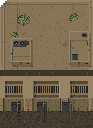 megastructure sea-end wall
- Description
- The wedge-shaped end of a megastructure wall running into the sea, eroded by the tides for years. Indestructible.
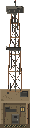 cliff radar mast
- Description
- A lattice radar mast standing on the north wall above the beach. The dish at its top stopped turning long ago.
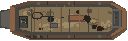 landing craft wreck
- Description
- The wreck of a military landing craft beached on the grey sand, ramp down, hull rusted through.
 tetrapod
- Description
- Four-legged concrete tetrapods scattered along the beach.
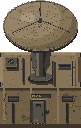 giant radar dish
- Description
- The radar station's giant parabolic dish, mounted on a single block of concrete. Indestructible.
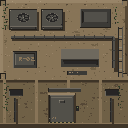 radar bunker
- Description
- The radar station's semi-underground concrete bunker; amber emergency lights still glow inside the firing slits. Indestructible.
 bio lab dome
- Description
- The Bio Lab's concrete dome; a green glow seeps from the windows in its base. Indestructible.
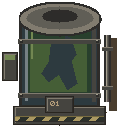 culture tank
- Description
- A glass culture tank from the lab; the green liquid inside is still bubbling slowly.
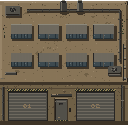 automated factory megablock
- Description
- The Automated Factory's stacked concrete megablock: roller doors shut, chimneys long cold. Indestructible.
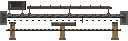 conveyor gantry
- Description
- An elevated conveyor gantry; you can walk underneath it.
 mega pipe (horizontal)
- Description
- A giant transfer pipe running across the ground.
 mega pipe (vertical)
- Description
- A giant transfer pipe running along the ground.
 megastructure vine
- Description
- Vines creeping over the concrete. Purely decorative.
 arena console
- Description
- A control console of the base facility. Approaching it will alert the guardian nearby.
 fortress gate
- Description
- The steel gate of the fortress. It opens only when all three access devices are verified at once.
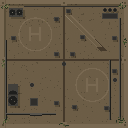 fortress roof
- Description
- The fortress's concrete roof. It is only revealed once the gate has been opened.
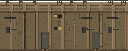 fortress wall (north)
- Description
- The fortress's northern concrete wall, its face more than ten metres tall. Indestructible.
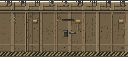 fortress wall (south)
- Description
- The fortress's southern concrete wall, one section on each side of the gate. Indestructible.
 fortress wall (side)
- Description
- The fortress's eastern and western concrete walls. Indestructible.
 fortress corner
- Description
- A concrete corner pillar at one of the fortress's four corners. Indestructible.
 parking meter
 stop sign
 no parking sign
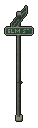 street name sign
 utility cabinet
 signal control cabinet
 bike rack
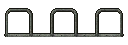 long bike rack
 recycling bins
- Possible pool items
Show all 143 entries
Rock · Iron Ore · Copper Ore · Saltpeter · Charcoal · Iron Tube · Copper Tube · Iron Wire · Copper Wire · Rope · CNC Component · Cloth · Small Gunpowder Bag · Big Gunpowder Bag · Matches · Sulfur Ore · Lock Picker · Screwdriver · Firearm Repair Kit · Leatherman · Vehicle Repair Kit · Item Repair Kit · Grindstone · Tire · Light Bulb · Pressure Tank · String Kit · Needle · Iron Dagger · Copper Dagger · Glue · Tire Sealant · Spray Paint · Advanced Spray Paint · AAA Battery · AA Battery · C Battery · 9V Battery · Integrated Battery · Vehicle Battery · High-Power Battery Module · C Battery Flashlight · 9V Battery Flashlight · Wide-Angle Flashlight · Lighting Stick (AA Battery) · Melee Combustion Component · Melee Electrify Component · Melee Puncture Component · Portable Induction Stove · Electric Kettle · Electric Tire Inflator · Hand Warmer · Broken Phone · 9V Decoder · Walkie-Talkie · Laptop · Sewing Kit · Night Vision Goggles (Green) · Night Vision Goggles (Blue) · Harmonic Drive · Handheld Fan · Gold Nugget · Ruby · Water Bottle · Small Canteen · Large Canteen · Big Water Bottle · Small Fuel Container · Large Fuel Container · Plastic Bucket · Tin Can · Glass Bottle · Cooking Pot · Metal Barrel · Metal Water Bottle · Head Decoration (variant 5) · Head Decoration (variant 6) · Head Decoration (variant 7) · Head Decoration (variant 8) · Head Decoration (variant 9) · Head Decoration (variant 10) · Head Decoration (variant 11) · Head Decoration (variant 12) · Head Decoration (variant 13) · Fire Department Helmet · Plague Doctor Mask · Year of Horse Mask · Military Helmet (variant 1) · Military Helmet (variant 2) · Cat Ear Headband · Bunny Ear Headband · Ribbon Bow Headband · Polka-dot Hair Ribbon · Flower Crown · Maid Headdress · Gold Beetle Larva · Plastic Lure · Colored Plastic Lure · Spinner Metal Lure · Crab Lure · Tuna Lure · Corn Seeds · Radish Seeds · Mushroom Spawn · Seed Potato · Tomato Seeds · Chili Seeds · Cotton Seeds · Prunella Seeds · Wheat Seeds · Blueberry Seeds · Cranberry Seeds · Leather Collar · Bell Collar · Tactical Collar · Cloth Dog Vest · Ballistic Dog Vest · Dog Saddlebag · Casual Wear · Casual Wear (Dark) · Imitation Military Uniform · Riot Suit · Thick Casual Wear · Down Jacket Outfit · Kevlar Suit · Military Kevlar Vest · Level 1 Armor · Casual Wear (Charcoal) · Police Uniform · Tracksuit (Red) · Tracksuit (Blue) · Tracksuit (Grey) · Utility Vest Outfit (Olive) · Utility Vest Outfit (Brown) · Utility Vest Outfit (Black) · Work Outfit (Brown) · Work Outfit (Blue) · Work Outfit (Green) · Military Rig · Heavy Firefighter Suit · Industrial Heat Suit · Heavy Chemical Suit · Heavy Ballistic Suit
 fence (variant 3)
 fence door (variant 2)
 weapon trader
 merchant dealer
 TECHNICIAN
 Captain Jack
 Machanic Tony
 Doctor Julian
 Doctor Juliana
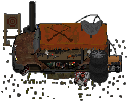 weapon trader's table
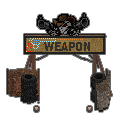 weapon trader's sign
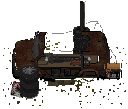
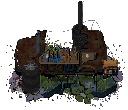 spray paint trader's table
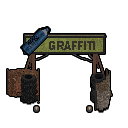 spray paint trader's sign
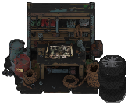
 technician's table
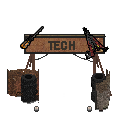 technician's sign
 Machanic's workbench
 doctor's sign
 doctor's medicine cabinet
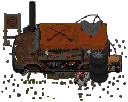 trader's armored truck
English description is a wiki translation of the game’s Chinese text.
- Description
- The core of the defense camp. The merchant trades here and seals the truck shut to shelter inside when a zombie horde attacks. If the truck is destroyed, the camp is finished.
 camp wall
English description is a wiki translation of the game’s Chinese text.
- Description
- The defense camp wall is made from sandbag embankments, tire walls, sloped sheet-metal panels, and barrier panels, with raised sections flanking the opening. It cannot be destroyed, and the zombie horde can enter only through the opening.
 camp wall (side)
English description is a wiki translation of the game’s Chinese text.
- Description
- The east and west walls of the defense camp are made from sandbag embankments, tire walls, and sloped sheet-metal panels propped on wooden frames. They cannot be destroyed.
 camp corner bastion
English description is a wiki translation of the game’s Chinese text.
- Description
- A sandbag bastion at the corner of the defense-camp wall. It cannot be destroyed.
 camp lamp
English description is a wiki translation of the game’s Chinese text.
- Description
- Camp streetlight.
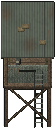 watch tower
 tent (variant 2)
 camp cot
 fire barrel
 generator
 supply stack
 scrap pile
 notice board
 camp kitchen
 card table
 lizard nest
English description is a wiki translation of the game’s Chinese text.
- Description
- A nest dug in the sand by mutant lizards, covered with weeds, fallen leaves, broken branches, and bones. Small lizards crawl out of its deep hole. Only explosions or fire can destroy it.
 corpse (variant 2)
- Possible corpse contents
- Colt M1911 · .45 ACP · .45 ACP Magazine
 monster trigger
 corpse (variant 3)
- Possible corpse contents
- Survival Shotgun · Green Dose · Blue Dose · 12 Gauge
 corpse (variant 4)
- Possible corpse contents
- Crowbar · Malfunctioning CAS Computer System · Red Dose · Simple Cape
 airdrop supply (variant 1)
 airdrop supply (variant 2)
 airdrop supply (variant 3)
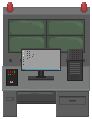 laboratory computer
 BIOTECH terminal
- mech wreckage
- spider robot wreckage
 crate (variant 2)
- Gun parts
- Gun settings affect their selection
- Possible pool items
Show all 322 entries
Rock · Iron Ore · Copper Ore · Saltpeter · Charcoal · Iron Tube · Copper Tube · Iron Wire · Copper Wire · Rope · CNC Component · Cloth · Small Gunpowder Bag · Big Gunpowder Bag · Matches · Sulfur Ore · Lock Picker · Screwdriver · Firearm Repair Kit · Leatherman · Vehicle Repair Kit · Item Repair Kit · Grindstone · Tire · Light Bulb · Pressure Tank · String Kit · Needle · Iron Dagger · Copper Dagger · Glue · Tire Sealant · Spray Paint · Advanced Spray Paint · AAA Battery · AA Battery · C Battery · 9V Battery · Integrated Battery · Vehicle Battery · High-Power Battery Module · C Battery Flashlight · 9V Battery Flashlight · Wide-Angle Flashlight · Lighting Stick (AA Battery) · 12 Gauge · 9x19mm · 5.56x45mm NATO · .22LR · 7.62x39mm · 300 Magnum · .50 BMG · .45 ACP · 40mm Grenade · 25mm Signal Flare · Crowbar · Stone Axe · Stone Hammer · Stone Pickaxe · Iron Axe · Iron Hammer · Iron Pickaxe · Iron Machete · Wrench · Tool Hammer · Fire Axe · Baseball Bat · Mace Bat · Golf Club · Machete · Pan · Rubber Baton · A Strange Rubber Baton · Starlight Wand · Enormous Sparkler · Multi Axe · Repair Hammer · Katana - 'Breeze' · Katana - 'Red' · Katana - 'JI' · Wooden Spear · Metal Spear · Long Spear · Wooden Fishing Rod · Fishing Rod · Crude Shovel · Remington 870 Shotgun · Uzi Submachine Gun · MP5-K · AR-15 Assault Rifle · ARX100 Assault Rifle · Glock 19 · S&W 929 Revolver · Ruger 10/22 · KRISS Vector · Colt M1911-9mm · Pathfinder .22 Revolver · Ruger GP100 .22 · Ruger MK IV · 2011 Combat Master · Glock 18 (Full-Auto) · VSS · B&T MP9 · American 180 · MAC-11/9 · Colt M1911 · Tavor SAR · M249 Machine Gun · Glock 21C (Full-Auto) · M3 Submachine Gun · Thompson Submachine Gun · AK 47 · Ruger M77 · MK 47 · RPK Machine Gun · De Lisle Carbine · Ruger American · Winchester Model 70 · GM6 Lynx Anti-Material Rifle · .50 BMG Wrist Breaker · 25mm Signal Gun · Compound Bow · Iron Crossbow · Mechanical Crossbow · Compound Crossbow · Double-Barreled Shotgun · Survival Shotgun · Triple-Barreled Shotgun · Wrist Breaker · Striker Shotgun · M2 Flamethrower · Pressure Water Gun · China Lake Pump-Action Grenade Launcher · Milkom Rotary Multi-Shot Grenade Launcher · Heavy Full-Auto Grenade Launcher · Airbow · .25 PCP Pistol · .25 Cal Air Rifle · Ataman M2R Air Rifle · .50 Dragon Claw Air Rifle · .50 Cal Air Rifle · .25 Cal Break Barrel Rifle · .50 PCP Air Pistol · Small Backpack · Trekking Backpack · Hiking Backpack · Outdoor Backpack · School Bag · Lightweight Drawstring Backpack · Cycling Backpack · Postal Backpack · Roll-top Backpack · Tactical Patrol Backpack · External-frame Expedition Backpack · Shell Collector · Christmas Limited Shell Collector · Combination Lock Box · Suitcase · Ammunition Case · Frag Grenade · Molotov Cocktail · Healing Smoke Bomb · 9mm Magazine (30 Rounds) · 9mm Drum · 9mm Magazine (40 Rounds) · 5.56 Magazine (30 Rounds) · 5.56 Magazine (25 Rounds) · 9mm Magazine (17 Rounds) · .22LR Magazine (10 Rounds) · .22LR Magazine (20 Rounds) · .22LR Magazine (30 Rounds) · .22LR Drum · .22 Magazine (12 Rounds) · .22LR Drum (110rd) · .45 ACP Magazine · .45 ACP Extended Magazine · .45 ACP 26rd Magazine · .45 ACP Drum (50 Rounds) · 5.56 Drum (60 Rounds) · 5.56 Belt (200 Rounds) · 7.62 Magazine · 7.62 Extended Magazine · 7.62 Drum · .300 Magnum Rifle Magazine (5 Rounds) · .50 BMG Magazine (5 Rounds) · Shotgun Short Barrel · Benelli Muzzle Suppressor · Suppressed Shotgun Barrel · GMTECH Muffler · Omega Muzzle Suppressor · 9mm Long Barrel · 9mm Short Barrel · GMTECH 5.56 Suppressor · Rifle Extended Barrel · LUNAR Muzzle Suppressor · Red Dot Sight · Holographic Sight · .22 Suppressor · 2X Red Dot · 4X Red Dot · 2X Holographic Sight · 4X Holographic Sight · PA 6X Optical Sight · Hunter 8X Optical Sight · Laser Sight - Green · Universal Lightweight Stock · Short Handle Butt (Shotgun) · Lightweight Portable Gun Stock · CTR Tactical Short Stock · CTR Extended Stock · Wooden Stock · GMTECH Portable Stock · Integrated Noise Reduction Stock · GMTECH 7.62 Rifle Silencer · LUNAR 7.62mm Rifle Suppressor · .300 Suppressor · .45 ACP Suppressor · .45 ACP Long Barrel · Pressurized Gas Tank · Electric Air Pump · Air Gun Throttle Valve · Air Gun Overboost Throttle Valve · Air Gun Suppress Throttle Valve · Laser Sight - Red · Laser Sight - Blue · Wide Angle Thermal Sight · High-Magnification Thermal Sight · Wide Angle Night Vision Scope · High-Magnification Night Vision Scope · Melee Combustion Component · Melee Electrify Component · Melee Puncture Component · Portable Mini Fridge · Portable Induction Stove · Portable Charger Box · Solar Charger Box · Electric Tire Inflator · Hand Warmer · Broken Phone · 9V Decoder · Walkie-Talkie · Laptop · Sewing Kit · Night Vision Goggles (Green) · Night Vision Goggles (Blue) · Harmonic Drive · Handheld Fan · Gold Nugget · Ruby · Camouflage Cape · High-Quality Cape · Stitched Cape · Scavenger Cape · Head Decoration (variant 5) · Head Decoration (variant 6) · Head Decoration (variant 7) · Head Decoration (variant 8) · Head Decoration (variant 9) · Head Decoration (variant 10) · Head Decoration (variant 11) · Head Decoration (variant 12) · Head Decoration (variant 13) · Fire Department Helmet · Plague Doctor Mask · Year of Horse Mask · Military Helmet (variant 1) · Military Helmet (variant 2) · Cat Ear Headband · Bunny Ear Headband · Ribbon Bow Headband · Polka-dot Hair Ribbon · Flower Crown · Maid Headdress · Gold Beetle Larva · Plastic Lure · Colored Plastic Lure · Spinner Metal Lure · Crab Lure · Tuna Lure · Corn Seeds · Radish Seeds · Mushroom Spawn · Seed Potato · Tomato Seeds · Chili Seeds · Cotton Seeds · Prunella Seeds · Wheat Seeds · Blueberry Seeds · Cranberry Seeds · Leather Collar · Bell Collar · Tactical Collar · Tennis Ball · Cloth Dog Vest · Ballistic Dog Vest · Dog Saddlebag · Casual Wear · Casual Wear (Dark) · Imitation Military Uniform · Riot Suit · Thick Casual Wear · Down Jacket Outfit · Kevlar Suit · Military Kevlar Vest · Level 1 Armor · Casual Wear (Charcoal) · Police Uniform · Tracksuit (Red) · Tracksuit (Blue) · Tracksuit (Grey) · Utility Vest Outfit (Olive) · Utility Vest Outfit (Brown) · Utility Vest Outfit (Black) · Work Outfit (Brown) · Work Outfit (Blue) · Work Outfit (Green) · Military Rig · Heavy Firefighter Suit · Industrial Heat Suit · Heavy Chemical Suit · Heavy Ballistic Suit
 ammo crates
- Pool categories
- Ammunition · gun parts · throwables · magazines · ranged weapons
- Gun parts
- Gun settings affect their selection
- Possible pool items
Show all 138 entries
12 Gauge · 9x19mm · 5.56x45mm NATO · .22LR · 7.62x39mm · 300 Magnum · .50 BMG · .45 ACP · 40mm Grenade · 25mm Signal Flare · Remington 870 Shotgun · Uzi Submachine Gun · MP5-K · AR-15 Assault Rifle · ARX100 Assault Rifle · Glock 19 · S&W 929 Revolver · Ruger 10/22 · KRISS Vector · Colt M1911-9mm · Pathfinder .22 Revolver · Ruger GP100 .22 · Ruger MK IV · 2011 Combat Master · Glock 18 (Full-Auto) · VSS · B&T MP9 · American 180 · MAC-11/9 · Colt M1911 · Tavor SAR · M249 Machine Gun · Glock 21C (Full-Auto) · M3 Submachine Gun · Thompson Submachine Gun · AK 47 · Ruger M77 · MK 47 · RPK Machine Gun · De Lisle Carbine · Ruger American · Winchester Model 70 · GM6 Lynx Anti-Material Rifle · .50 BMG Wrist Breaker · 25mm Signal Gun · Compound Bow · Iron Crossbow · Mechanical Crossbow · Compound Crossbow · Double-Barreled Shotgun · Survival Shotgun · Triple-Barreled Shotgun · Wrist Breaker · Striker Shotgun · M2 Flamethrower · Pressure Water Gun · China Lake Pump-Action Grenade Launcher · Milkom Rotary Multi-Shot Grenade Launcher · Heavy Full-Auto Grenade Launcher · Airbow · .25 PCP Pistol · .25 Cal Air Rifle · Ataman M2R Air Rifle · .50 Dragon Claw Air Rifle · .50 Cal Air Rifle · .25 Cal Break Barrel Rifle · .50 PCP Air Pistol · Frag Grenade · Molotov Cocktail · Healing Smoke Bomb · 9mm Magazine (30 Rounds) · 9mm Drum · 9mm Magazine (40 Rounds) · 5.56 Magazine (30 Rounds) · 5.56 Magazine (25 Rounds) · 9mm Magazine (17 Rounds) · .22LR Magazine (10 Rounds) · .22LR Magazine (20 Rounds) · .22LR Magazine (30 Rounds) · .22LR Drum · .22 Magazine (12 Rounds) · .22LR Drum (110rd) · .45 ACP Magazine · .45 ACP Extended Magazine · .45 ACP 26rd Magazine · .45 ACP Drum (50 Rounds) · 5.56 Drum (60 Rounds) · 5.56 Belt (200 Rounds) · 7.62 Magazine · 7.62 Extended Magazine · 7.62 Drum · .300 Magnum Rifle Magazine (5 Rounds) · .50 BMG Magazine (5 Rounds) · Shotgun Short Barrel · Benelli Muzzle Suppressor · Suppressed Shotgun Barrel · GMTECH Muffler · Omega Muzzle Suppressor · 9mm Long Barrel · 9mm Short Barrel · GMTECH 5.56 Suppressor · Rifle Extended Barrel · LUNAR Muzzle Suppressor · Red Dot Sight · Holographic Sight · .22 Suppressor · 2X Red Dot · 4X Red Dot · 2X Holographic Sight · 4X Holographic Sight · PA 6X Optical Sight · Hunter 8X Optical Sight · Laser Sight - Green · Universal Lightweight Stock · Short Handle Butt (Shotgun) · Lightweight Portable Gun Stock · CTR Tactical Short Stock · CTR Extended Stock · Wooden Stock · GMTECH Portable Stock · Integrated Noise Reduction Stock · GMTECH 7.62 Rifle Silencer · LUNAR 7.62mm Rifle Suppressor · .300 Suppressor · .45 ACP Suppressor · .45 ACP Long Barrel · Pressurized Gas Tank · Electric Air Pump · Air Gun Throttle Valve · Air Gun Overboost Throttle Valve · Air Gun Suppress Throttle Valve · Laser Sight - Red · Laser Sight - Blue · Wide Angle Thermal Sight · High-Magnification Thermal Sight · Wide Angle Night Vision Scope · High-Magnification Night Vision Scope · Tennis Ball
 lockers
- Pool selection
- One category is chosen per generation
- Possible pool items
Show all 318 entries
Rock · Iron Ore · Copper Ore · Saltpeter · Charcoal · Iron Tube · Copper Tube · Iron Wire · Copper Wire · Rope · CNC Component · Cloth · Small Gunpowder Bag · Big Gunpowder Bag · Matches · Sulfur Ore · Lock Picker · Screwdriver · Firearm Repair Kit · Leatherman · Vehicle Repair Kit · Item Repair Kit · Grindstone · Tire · Light Bulb · Pressure Tank · String Kit · Needle · Iron Dagger · Copper Dagger · Glue · Tire Sealant · Spray Paint · Advanced Spray Paint · AAA Battery · AA Battery · C Battery · 9V Battery · Integrated Battery · Vehicle Battery · High-Power Battery Module · C Battery Flashlight · 9V Battery Flashlight · Wide-Angle Flashlight · Lighting Stick (AA Battery) · 12 Gauge · 9x19mm · 5.56x45mm NATO · .22LR · 7.62x39mm · 300 Magnum · .50 BMG · .45 ACP · 40mm Grenade · 25mm Signal Flare · Coco-Cola · Fenda · Sqrite · Sugar · SPUM · Canned Fruit · Lager · Joyful Gingerbread · Angry Gingerbread · Bandage · First Aid Kit · Painkiller · Blood Bag · Melatonin · Fever Reducer · Sunflower Seeds · Stamina Potion · Health Potion · Strength Potion · Antitoxic Potion · Sprint Potion · Enhancement Serum · Crowbar · Stone Axe · Stone Hammer · Stone Pickaxe · Iron Axe · Iron Hammer · Iron Pickaxe · Iron Machete · Wrench · Tool Hammer · Fire Axe · Baseball Bat · Mace Bat · Golf Club · Machete · Pan · Rubber Baton · A Strange Rubber Baton · Starlight Wand · Enormous Sparkler · Multi Axe · Repair Hammer · Katana - 'Breeze' · Katana - 'Red' · Katana - 'JI' · Wooden Spear · Metal Spear · Long Spear · Wooden Fishing Rod · Fishing Rod · Crude Shovel · Remington 870 Shotgun · Uzi Submachine Gun · MP5-K · AR-15 Assault Rifle · ARX100 Assault Rifle · Glock 19 · S&W 929 Revolver · Ruger 10/22 · KRISS Vector · Colt M1911-9mm · Pathfinder .22 Revolver · Ruger GP100 .22 · Ruger MK IV · 2011 Combat Master · Glock 18 (Full-Auto) · VSS · B&T MP9 · American 180 · MAC-11/9 · Colt M1911 · Tavor SAR · M249 Machine Gun · Glock 21C (Full-Auto) · M3 Submachine Gun · Thompson Submachine Gun · AK 47 · Ruger M77 · MK 47 · RPK Machine Gun · De Lisle Carbine · Ruger American · Winchester Model 70 · GM6 Lynx Anti-Material Rifle · .50 BMG Wrist Breaker · 25mm Signal Gun · Compound Bow · Iron Crossbow · Mechanical Crossbow · Compound Crossbow · Double-Barreled Shotgun · Survival Shotgun · Triple-Barreled Shotgun · Wrist Breaker · Striker Shotgun · M2 Flamethrower · Pressure Water Gun · China Lake Pump-Action Grenade Launcher · Milkom Rotary Multi-Shot Grenade Launcher · Heavy Full-Auto Grenade Launcher · Airbow · .25 PCP Pistol · .25 Cal Air Rifle · Ataman M2R Air Rifle · .50 Dragon Claw Air Rifle · .50 Cal Air Rifle · .25 Cal Break Barrel Rifle · .50 PCP Air Pistol · Small Backpack · Trekking Backpack · Hiking Backpack · Outdoor Backpack · School Bag · Lightweight Drawstring Backpack · Cycling Backpack · Postal Backpack · Roll-top Backpack · Tactical Patrol Backpack · External-frame Expedition Backpack · Shell Collector · Christmas Limited Shell Collector · Combination Lock Box · Suitcase · Ammunition Case · Frag Grenade · Molotov Cocktail · Healing Smoke Bomb · 9mm Magazine (30 Rounds) · 9mm Drum · 9mm Magazine (40 Rounds) · 5.56 Magazine (30 Rounds) · 5.56 Magazine (25 Rounds) · 9mm Magazine (17 Rounds) · .22LR Magazine (10 Rounds) · .22LR Magazine (20 Rounds) · .22LR Magazine (30 Rounds) · .22LR Drum · .22 Magazine (12 Rounds) · .22LR Drum (110rd) · .45 ACP Magazine · .45 ACP Extended Magazine · .45 ACP 26rd Magazine · .45 ACP Drum (50 Rounds) · 5.56 Drum (60 Rounds) · 5.56 Belt (200 Rounds) · 7.62 Magazine · 7.62 Extended Magazine · 7.62 Drum · .300 Magnum Rifle Magazine (5 Rounds) · .50 BMG Magazine (5 Rounds) · Melee Combustion Component · Melee Electrify Component · Melee Puncture Component · Portable Mini Fridge · Portable Induction Stove · Electric Kettle · Portable Charger Box · Solar Charger Box · Electric Tire Inflator · Hand Warmer · Broken Phone · 9V Decoder · Walkie-Talkie · Laptop · Sewing Kit · Night Vision Goggles (Green) · Night Vision Goggles (Blue) · Harmonic Drive · Handheld Fan · Gold Nugget · Ruby · Water Bottle · Small Canteen · Large Canteen · Big Water Bottle · Small Fuel Container · Large Fuel Container · Plastic Bucket · Tin Can · Glass Bottle · Cooking Pot · Metal Barrel · Metal Water Bottle · N95 Mask · Gas Mask · Cheap Mask · Camouflage Cape · High-Quality Cape · Stitched Cape · Scavenger Cape · Head Decoration (variant 5) · Head Decoration (variant 6) · Head Decoration (variant 7) · Head Decoration (variant 8) · Head Decoration (variant 9) · Head Decoration (variant 10) · Head Decoration (variant 11) · Head Decoration (variant 12) · Head Decoration (variant 13) · Fire Department Helmet · Plague Doctor Mask · Year of Horse Mask · Military Helmet (variant 1) · Military Helmet (variant 2) · Cat Ear Headband · Bunny Ear Headband · Ribbon Bow Headband · Polka-dot Hair Ribbon · Flower Crown · Maid Headdress · Gold Beetle Larva · Plastic Lure · Colored Plastic Lure · Spinner Metal Lure · Crab Lure · Tuna Lure · Corn Seeds · Radish Seeds · Mushroom Spawn · Seed Potato · Tomato Seeds · Chili Seeds · Cotton Seeds · Prunella Seeds · Wheat Seeds · Blueberry Seeds · Cranberry Seeds · Leather Collar · Bell Collar · Tactical Collar · Canned Dog Food · Jerky Treat · Tennis Ball · Cloth Dog Vest · Ballistic Dog Vest · Dog Saddlebag · Casual Wear · Casual Wear (Dark) · Imitation Military Uniform · Riot Suit · Thick Casual Wear · Down Jacket Outfit · Kevlar Suit · Military Kevlar Vest · Level 1 Armor · Casual Wear (Charcoal) · Police Uniform · Tracksuit (Red) · Tracksuit (Blue) · Tracksuit (Grey) · Utility Vest Outfit (Olive) · Utility Vest Outfit (Brown) · Utility Vest Outfit (Black) · Work Outfit (Brown) · Work Outfit (Blue) · Work Outfit (Green) · Military Rig · Heavy Firefighter Suit · Industrial Heat Suit · Heavy Chemical Suit · Heavy Ballistic Suit
 weapon rack
- Possible pool items
Show all 165 entries
12 Gauge · 9x19mm · 5.56x45mm NATO · .22LR · 7.62x39mm · 300 Magnum · .50 BMG · .45 ACP · 40mm Grenade · 25mm Signal Flare · Crowbar · Stone Axe · Stone Hammer · Stone Pickaxe · Iron Axe · Iron Hammer · Iron Pickaxe · Iron Machete · Wrench · Tool Hammer · Fire Axe · Baseball Bat · Mace Bat · Golf Club · Machete · Pan · Rubber Baton · A Strange Rubber Baton · Starlight Wand · Enormous Sparkler · Multi Axe · Repair Hammer · Katana - 'Breeze' · Katana - 'Red' · Katana - 'JI' · Wooden Spear · Metal Spear · Long Spear · Wooden Fishing Rod · Fishing Rod · Crude Shovel · Remington 870 Shotgun · Uzi Submachine Gun · MP5-K · AR-15 Assault Rifle · ARX100 Assault Rifle · Glock 19 · S&W 929 Revolver · Ruger 10/22 · KRISS Vector · Colt M1911-9mm · Pathfinder .22 Revolver · Ruger GP100 .22 · Ruger MK IV · 2011 Combat Master · Glock 18 (Full-Auto) · VSS · B&T MP9 · American 180 · MAC-11/9 · Colt M1911 · Tavor SAR · M249 Machine Gun · Glock 21C (Full-Auto) · M3 Submachine Gun · Thompson Submachine Gun · AK 47 · Ruger M77 · MK 47 · RPK Machine Gun · De Lisle Carbine · Ruger American · Winchester Model 70 · GM6 Lynx Anti-Material Rifle · .50 BMG Wrist Breaker · 25mm Signal Gun · Compound Bow · Iron Crossbow · Mechanical Crossbow · Compound Crossbow · Double-Barreled Shotgun · Survival Shotgun · Triple-Barreled Shotgun · Wrist Breaker · Striker Shotgun · M2 Flamethrower · Pressure Water Gun · China Lake Pump-Action Grenade Launcher · Milkom Rotary Multi-Shot Grenade Launcher · Heavy Full-Auto Grenade Launcher · Airbow · .25 PCP Pistol · .25 Cal Air Rifle · Ataman M2R Air Rifle · .50 Dragon Claw Air Rifle · .50 Cal Air Rifle · .25 Cal Break Barrel Rifle · .50 PCP Air Pistol · 9mm Magazine (30 Rounds) · 9mm Drum · 9mm Magazine (40 Rounds) · 5.56 Magazine (30 Rounds) · 5.56 Magazine (25 Rounds) · 9mm Magazine (17 Rounds) · .22LR Magazine (10 Rounds) · .22LR Magazine (20 Rounds) · .22LR Magazine (30 Rounds) · .22LR Drum · .22 Magazine (12 Rounds) · .22LR Drum (110rd) · .45 ACP Magazine · .45 ACP Extended Magazine · .45 ACP 26rd Magazine · .45 ACP Drum (50 Rounds) · 5.56 Drum (60 Rounds) · 5.56 Belt (200 Rounds) · 7.62 Magazine · 7.62 Extended Magazine · 7.62 Drum · .300 Magnum Rifle Magazine (5 Rounds) · .50 BMG Magazine (5 Rounds) · Shotgun Short Barrel · Benelli Muzzle Suppressor · Suppressed Shotgun Barrel · GMTECH Muffler · Omega Muzzle Suppressor · 9mm Long Barrel · 9mm Short Barrel · GMTECH 5.56 Suppressor · Rifle Extended Barrel · LUNAR Muzzle Suppressor · Red Dot Sight · Holographic Sight · .22 Suppressor · 2X Red Dot · 4X Red Dot · 2X Holographic Sight · 4X Holographic Sight · PA 6X Optical Sight · Hunter 8X Optical Sight · Laser Sight - Green · Universal Lightweight Stock · Short Handle Butt (Shotgun) · Lightweight Portable Gun Stock · CTR Tactical Short Stock · CTR Extended Stock · Wooden Stock · GMTECH Portable Stock · Integrated Noise Reduction Stock · GMTECH 7.62 Rifle Silencer · LUNAR 7.62mm Rifle Suppressor · .300 Suppressor · .45 ACP Suppressor · .45 ACP Long Barrel · Pressurized Gas Tank · Electric Air Pump · Air Gun Throttle Valve · Air Gun Overboost Throttle Valve · Air Gun Suppress Throttle Valve · Laser Sight - Red · Laser Sight - Blue · Wide Angle Thermal Sight · High-Magnification Thermal Sight · Wide Angle Night Vision Scope · High-Magnification Night Vision Scope
 lab freezers
- Possible contents
- Red Dose · Green Dose · Blue Dose · Health Potion · Strength Potion · Lizard Serum
 biosafety cabinet
- Possible contents
- Red Dose · Green Dose · Blue Dose · Health Potion · Strength Potion · Lizard Serum
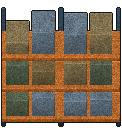 parts rack
- Gun parts
- Gun settings affect their selection
- Possible pool items
Show all 166 entries
Rock · Iron Ore · Copper Ore · Saltpeter · Charcoal · Iron Tube · Copper Tube · Iron Wire · Copper Wire · Rope · CNC Component · Cloth · Small Gunpowder Bag · Big Gunpowder Bag · Matches · Sulfur Ore · Lock Picker · Screwdriver · Firearm Repair Kit · Leatherman · Vehicle Repair Kit · Item Repair Kit · Grindstone · Tire · Light Bulb · Pressure Tank · String Kit · Needle · Iron Dagger · Copper Dagger · Glue · Tire Sealant · Spray Paint · Advanced Spray Paint · AAA Battery · AA Battery · C Battery · 9V Battery · Integrated Battery · Vehicle Battery · High-Power Battery Module · C Battery Flashlight · 9V Battery Flashlight · Wide-Angle Flashlight · Lighting Stick (AA Battery) · Shotgun Short Barrel · Benelli Muzzle Suppressor · Suppressed Shotgun Barrel · GMTECH Muffler · Omega Muzzle Suppressor · 9mm Long Barrel · 9mm Short Barrel · GMTECH 5.56 Suppressor · Rifle Extended Barrel · LUNAR Muzzle Suppressor · Red Dot Sight · Holographic Sight · .22 Suppressor · 2X Red Dot · 4X Red Dot · 2X Holographic Sight · 4X Holographic Sight · PA 6X Optical Sight · Hunter 8X Optical Sight · Laser Sight - Green · Universal Lightweight Stock · Short Handle Butt (Shotgun) · Lightweight Portable Gun Stock · CTR Tactical Short Stock · CTR Extended Stock · Wooden Stock · GMTECH Portable Stock · Integrated Noise Reduction Stock · GMTECH 7.62 Rifle Silencer · LUNAR 7.62mm Rifle Suppressor · .300 Suppressor · .45 ACP Suppressor · .45 ACP Long Barrel · Pressurized Gas Tank · Electric Air Pump · Air Gun Throttle Valve · Air Gun Overboost Throttle Valve · Air Gun Suppress Throttle Valve · Laser Sight - Red · Laser Sight - Blue · Wide Angle Thermal Sight · High-Magnification Thermal Sight · Wide Angle Night Vision Scope · High-Magnification Night Vision Scope · Landmine · Homemade Barrel Bomb · Portable Sleeping Bag · Fur Sleeping Bag · Animal Trap · Bird Trap · 12-Shot Fireworks Launcher · 12-Shot Colored Fireworks Launcher · 12-Shot Comet Fireworks Launcher · Fountain · Colored Fountain · Happy Guy Fountain · Simple Electric Lamp · Crossbow Turret · Machine Gun Turret · Laser Turret · Tesla Turret · Melee Combustion Component · Melee Electrify Component · Melee Puncture Component · Portable Induction Stove · Electric Tire Inflator · Hand Warmer · Broken Phone · 9V Decoder · Walkie-Talkie · Laptop · Sewing Kit · Night Vision Goggles (Green) · Night Vision Goggles (Blue) · Harmonic Drive · Handheld Fan · Gold Nugget · Ruby · Head Decoration (variant 5) · Head Decoration (variant 6) · Head Decoration (variant 7) · Head Decoration (variant 8) · Head Decoration (variant 9) · Head Decoration (variant 10) · Head Decoration (variant 11) · Head Decoration (variant 12) · Head Decoration (variant 13) · Fire Department Helmet · Plague Doctor Mask · Year of Horse Mask · Military Helmet (variant 1) · Military Helmet (variant 2) · Cat Ear Headband · Bunny Ear Headband · Ribbon Bow Headband · Polka-dot Hair Ribbon · Flower Crown · Maid Headdress · Gold Beetle Larva · Plastic Lure · Colored Plastic Lure · Spinner Metal Lure · Crab Lure · Tuna Lure · Corn Seeds · Radish Seeds · Mushroom Spawn · Seed Potato · Tomato Seeds · Chili Seeds · Cotton Seeds · Prunella Seeds · Wheat Seeds · Blueberry Seeds · Cranberry Seeds · Leather Collar · Bell Collar · Tactical Collar · Cloth Dog Vest · Ballistic Dog Vest · Dog Saddlebag
 parts cage
- Gun parts
- Gun settings affect their selection
- Possible pool items
Show all 149 entries
Rock · Iron Ore · Copper Ore · Saltpeter · Charcoal · Iron Tube · Copper Tube · Iron Wire · Copper Wire · Rope · CNC Component · Cloth · Small Gunpowder Bag · Big Gunpowder Bag · Matches · Sulfur Ore · Lock Picker · Screwdriver · Firearm Repair Kit · Leatherman · Vehicle Repair Kit · Item Repair Kit · Grindstone · Tire · Light Bulb · Pressure Tank · String Kit · Needle · Iron Dagger · Copper Dagger · Glue · Tire Sealant · Spray Paint · Advanced Spray Paint · AAA Battery · AA Battery · C Battery · 9V Battery · Integrated Battery · Vehicle Battery · High-Power Battery Module · C Battery Flashlight · 9V Battery Flashlight · Wide-Angle Flashlight · Lighting Stick (AA Battery) · Shotgun Short Barrel · Benelli Muzzle Suppressor · Suppressed Shotgun Barrel · GMTECH Muffler · Omega Muzzle Suppressor · 9mm Long Barrel · 9mm Short Barrel · GMTECH 5.56 Suppressor · Rifle Extended Barrel · LUNAR Muzzle Suppressor · Red Dot Sight · Holographic Sight · .22 Suppressor · 2X Red Dot · 4X Red Dot · 2X Holographic Sight · 4X Holographic Sight · PA 6X Optical Sight · Hunter 8X Optical Sight · Laser Sight - Green · Universal Lightweight Stock · Short Handle Butt (Shotgun) · Lightweight Portable Gun Stock · CTR Tactical Short Stock · CTR Extended Stock · Wooden Stock · GMTECH Portable Stock · Integrated Noise Reduction Stock · GMTECH 7.62 Rifle Silencer · LUNAR 7.62mm Rifle Suppressor · .300 Suppressor · .45 ACP Suppressor · .45 ACP Long Barrel · Pressurized Gas Tank · Electric Air Pump · Air Gun Throttle Valve · Air Gun Overboost Throttle Valve · Air Gun Suppress Throttle Valve · Laser Sight - Red · Laser Sight - Blue · Wide Angle Thermal Sight · High-Magnification Thermal Sight · Wide Angle Night Vision Scope · High-Magnification Night Vision Scope · Melee Combustion Component · Melee Electrify Component · Melee Puncture Component · Portable Induction Stove · Electric Tire Inflator · Hand Warmer · Broken Phone · 9V Decoder · Walkie-Talkie · Laptop · Sewing Kit · Night Vision Goggles (Green) · Night Vision Goggles (Blue) · Harmonic Drive · Handheld Fan · Gold Nugget · Ruby · Head Decoration (variant 5) · Head Decoration (variant 6) · Head Decoration (variant 7) · Head Decoration (variant 8) · Head Decoration (variant 9) · Head Decoration (variant 10) · Head Decoration (variant 11) · Head Decoration (variant 12) · Head Decoration (variant 13) · Fire Department Helmet · Plague Doctor Mask · Year of Horse Mask · Military Helmet (variant 1) · Military Helmet (variant 2) · Cat Ear Headband · Bunny Ear Headband · Ribbon Bow Headband · Polka-dot Hair Ribbon · Flower Crown · Maid Headdress · Gold Beetle Larva · Plastic Lure · Colored Plastic Lure · Spinner Metal Lure · Crab Lure · Tuna Lure · Corn Seeds · Radish Seeds · Mushroom Spawn · Seed Potato · Tomato Seeds · Chili Seeds · Cotton Seeds · Prunella Seeds · Wheat Seeds · Blueberry Seeds · Cranberry Seeds · Leather Collar · Bell Collar · Tactical Collar · Cloth Dog Vest · Ballistic Dog Vest · Dog Saddlebag
 supply sacks
- Possible pool items
Show all 129 entries
Rock · Iron Ore · Copper Ore · Saltpeter · Charcoal · Iron Tube · Copper Tube · Iron Wire · Copper Wire · Rope · CNC Component · Cloth · Small Gunpowder Bag · Big Gunpowder Bag · Matches · Sulfur Ore · Lock Picker · Screwdriver · Firearm Repair Kit · Leatherman · Vehicle Repair Kit · Item Repair Kit · Grindstone · Tire · Light Bulb · Pressure Tank · String Kit · Needle · Iron Dagger · Copper Dagger · Glue · Tire Sealant · Spray Paint · Advanced Spray Paint · AAA Battery · AA Battery · C Battery · 9V Battery · Integrated Battery · Vehicle Battery · High-Power Battery Module · C Battery Flashlight · 9V Battery Flashlight · Wide-Angle Flashlight · Lighting Stick (AA Battery) · Coco-Cola · Fenda · Sqrite · Sugar · SPUM · Canned Fruit · Lager · Joyful Gingerbread · Angry Gingerbread · Bandage · First Aid Kit · Painkiller · Blood Bag · Melatonin · Fever Reducer · Sunflower Seeds · Stamina Potion · Health Potion · Strength Potion · Antitoxic Potion · Sprint Potion · Enhancement Serum · Melee Combustion Component · Melee Electrify Component · Melee Puncture Component · Portable Induction Stove · Electric Tire Inflator · Hand Warmer · Broken Phone · 9V Decoder · Walkie-Talkie · Laptop · Sewing Kit · Night Vision Goggles (Green) · Night Vision Goggles (Blue) · Harmonic Drive · Handheld Fan · Gold Nugget · Ruby · Head Decoration (variant 5) · Head Decoration (variant 6) · Head Decoration (variant 7) · Head Decoration (variant 8) · Head Decoration (variant 9) · Head Decoration (variant 10) · Head Decoration (variant 11) · Head Decoration (variant 12) · Head Decoration (variant 13) · Fire Department Helmet · Plague Doctor Mask · Year of Horse Mask · Military Helmet (variant 1) · Military Helmet (variant 2) · Cat Ear Headband · Bunny Ear Headband · Ribbon Bow Headband · Polka-dot Hair Ribbon · Flower Crown · Maid Headdress · Gold Beetle Larva · Plastic Lure · Colored Plastic Lure · Spinner Metal Lure · Crab Lure · Tuna Lure · Corn Seeds · Radish Seeds · Mushroom Spawn · Seed Potato · Tomato Seeds · Chili Seeds · Cotton Seeds · Prunella Seeds · Wheat Seeds · Blueberry Seeds · Cranberry Seeds · Leather Collar · Bell Collar · Tactical Collar · Canned Dog Food · Jerky Treat · Cloth Dog Vest · Ballistic Dog Vest · Dog Saddlebag
 medical crate
- Possible contents
- Bandage · First Aid Kit · Painkiller · Fever Reducer
 toolbox
- Gun parts
- Gun settings affect their selection
- Possible pool items
Show all 197 entries
Rock · Iron Ore · Copper Ore · Saltpeter · Charcoal · Iron Tube · Copper Tube · Iron Wire · Copper Wire · Rope · CNC Component · Cloth · Small Gunpowder Bag · Big Gunpowder Bag · Matches · Sulfur Ore · Lock Picker · Screwdriver · Firearm Repair Kit · Leatherman · Vehicle Repair Kit · Item Repair Kit · Grindstone · Tire · Light Bulb · Pressure Tank · String Kit · Needle · Iron Dagger · Copper Dagger · Glue · Tire Sealant · Spray Paint · Advanced Spray Paint · AAA Battery · AA Battery · C Battery · 9V Battery · Integrated Battery · Vehicle Battery · High-Power Battery Module · C Battery Flashlight · 9V Battery Flashlight · Wide-Angle Flashlight · Lighting Stick (AA Battery) · Crowbar · Stone Axe · Stone Hammer · Stone Pickaxe · Iron Axe · Iron Hammer · Iron Pickaxe · Iron Machete · Wrench · Tool Hammer · Fire Axe · Baseball Bat · Mace Bat · Golf Club · Machete · Pan · Rubber Baton · A Strange Rubber Baton · Starlight Wand · Enormous Sparkler · Multi Axe · Repair Hammer · Katana - 'Breeze' · Katana - 'Red' · Katana - 'JI' · Wooden Spear · Metal Spear · Long Spear · Wooden Fishing Rod · Fishing Rod · Crude Shovel · Shotgun Short Barrel · Benelli Muzzle Suppressor · Suppressed Shotgun Barrel · GMTECH Muffler · Omega Muzzle Suppressor · 9mm Long Barrel · 9mm Short Barrel · GMTECH 5.56 Suppressor · Rifle Extended Barrel · LUNAR Muzzle Suppressor · Red Dot Sight · Holographic Sight · .22 Suppressor · 2X Red Dot · 4X Red Dot · 2X Holographic Sight · 4X Holographic Sight · PA 6X Optical Sight · Hunter 8X Optical Sight · Laser Sight - Green · Universal Lightweight Stock · Short Handle Butt (Shotgun) · Lightweight Portable Gun Stock · CTR Tactical Short Stock · CTR Extended Stock · Wooden Stock · GMTECH Portable Stock · Integrated Noise Reduction Stock · GMTECH 7.62 Rifle Silencer · LUNAR 7.62mm Rifle Suppressor · .300 Suppressor · .45 ACP Suppressor · .45 ACP Long Barrel · Pressurized Gas Tank · Electric Air Pump · Air Gun Throttle Valve · Air Gun Overboost Throttle Valve · Air Gun Suppress Throttle Valve · Laser Sight - Red · Laser Sight - Blue · Wide Angle Thermal Sight · High-Magnification Thermal Sight · Wide Angle Night Vision Scope · High-Magnification Night Vision Scope · Landmine · Homemade Barrel Bomb · Portable Sleeping Bag · Fur Sleeping Bag · Animal Trap · Bird Trap · 12-Shot Fireworks Launcher · 12-Shot Colored Fireworks Launcher · 12-Shot Comet Fireworks Launcher · Fountain · Colored Fountain · Happy Guy Fountain · Simple Electric Lamp · Crossbow Turret · Machine Gun Turret · Laser Turret · Tesla Turret · Melee Combustion Component · Melee Electrify Component · Melee Puncture Component · Portable Induction Stove · Electric Tire Inflator · Hand Warmer · Broken Phone · 9V Decoder · Walkie-Talkie · Laptop · Sewing Kit · Night Vision Goggles (Green) · Night Vision Goggles (Blue) · Harmonic Drive · Handheld Fan · Gold Nugget · Ruby · Head Decoration (variant 5) · Head Decoration (variant 6) · Head Decoration (variant 7) · Head Decoration (variant 8) · Head Decoration (variant 9) · Head Decoration (variant 10) · Head Decoration (variant 11) · Head Decoration (variant 12) · Head Decoration (variant 13) · Fire Department Helmet · Plague Doctor Mask · Year of Horse Mask · Military Helmet (variant 1) · Military Helmet (variant 2) · Cat Ear Headband · Bunny Ear Headband · Ribbon Bow Headband · Polka-dot Hair Ribbon · Flower Crown · Maid Headdress · Gold Beetle Larva · Plastic Lure · Colored Plastic Lure · Spinner Metal Lure · Crab Lure · Tuna Lure · Corn Seeds · Radish Seeds · Mushroom Spawn · Seed Potato · Tomato Seeds · Chili Seeds · Cotton Seeds · Prunella Seeds · Wheat Seeds · Blueberry Seeds · Cranberry Seeds · Leather Collar · Bell Collar · Tactical Collar · Cloth Dog Vest · Ballistic Dog Vest · Dog Saddlebag
 oil drums
 cable reel
 biohazard bin
 gas cylinder rack
 specimen cart
 control desk (variant 1)
 searchlight
 stretcher (variant 1)
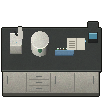 lab bench
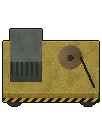 maintenance cart
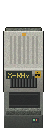 X-ray scanner
 security desk
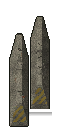 concrete barriers
 sandbag wall
 pile of sleepers
 cheval de frise
 derailed boxcar
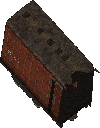 boxcar wreck section
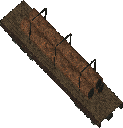 derailed flatcar
 flatcar wreck section
 gondola shelf
English description is a wiki translation of the game’s Chinese text.
- Description
- Mall shelving.
- Possible contents
- Leatherman
- Pool selection
- One category is chosen per generation
- Possible pool items
Show all 287 entries
Rock · Iron Ore · Copper Ore · Saltpeter · Charcoal · Iron Tube · Copper Tube · Iron Wire · Copper Wire · Rope · CNC Component · Cloth · Small Gunpowder Bag · Big Gunpowder Bag · Matches · Sulfur Ore · Lock Picker · Screwdriver · Firearm Repair Kit · Leatherman · Vehicle Repair Kit · Item Repair Kit · Grindstone · Tire · Light Bulb · Pressure Tank · String Kit · Needle · Iron Dagger · Copper Dagger · Glue · Tire Sealant · Spray Paint · Advanced Spray Paint · AAA Battery · AA Battery · C Battery · 9V Battery · Integrated Battery · Vehicle Battery · High-Power Battery Module · C Battery Flashlight · 9V Battery Flashlight · Wide-Angle Flashlight · Lighting Stick (AA Battery) · 12 Gauge · 9x19mm · 5.56x45mm NATO · .22LR · 7.62x39mm · 300 Magnum · .50 BMG · .45 ACP · 40mm Grenade · 25mm Signal Flare · Coco-Cola · Fenda · Sqrite · Sugar · SPUM · Canned Fruit · Lager · Joyful Gingerbread · Angry Gingerbread · Bandage · First Aid Kit · Painkiller · Blood Bag · Melatonin · Fever Reducer · Sunflower Seeds · Stamina Potion · Health Potion · Strength Potion · Antitoxic Potion · Sprint Potion · Enhancement Serum · Crowbar · Stone Axe · Stone Hammer · Stone Pickaxe · Iron Axe · Iron Hammer · Iron Pickaxe · Iron Machete · Wrench · Tool Hammer · Fire Axe · Baseball Bat · Mace Bat · Golf Club · Machete · Pan · Rubber Baton · A Strange Rubber Baton · Starlight Wand · Enormous Sparkler · Multi Axe · Repair Hammer · Katana - 'Breeze' · Katana - 'Red' · Katana - 'JI' · Wooden Spear · Metal Spear · Long Spear · Wooden Fishing Rod · Fishing Rod · Crude Shovel · Remington 870 Shotgun · Uzi Submachine Gun · MP5-K · AR-15 Assault Rifle · ARX100 Assault Rifle · Glock 19 · S&W 929 Revolver · Ruger 10/22 · KRISS Vector · Colt M1911-9mm · Pathfinder .22 Revolver · Ruger GP100 .22 · Ruger MK IV · 2011 Combat Master · Glock 18 (Full-Auto) · VSS · B&T MP9 · American 180 · MAC-11/9 · Colt M1911 · Tavor SAR · M249 Machine Gun · Glock 21C (Full-Auto) · M3 Submachine Gun · Thompson Submachine Gun · AK 47 · Ruger M77 · MK 47 · RPK Machine Gun · De Lisle Carbine · Ruger American · Winchester Model 70 · GM6 Lynx Anti-Material Rifle · .50 BMG Wrist Breaker · 25mm Signal Gun · Compound Bow · Iron Crossbow · Mechanical Crossbow · Compound Crossbow · Double-Barreled Shotgun · Survival Shotgun · Triple-Barreled Shotgun · Wrist Breaker · Striker Shotgun · M2 Flamethrower · Pressure Water Gun · China Lake Pump-Action Grenade Launcher · Milkom Rotary Multi-Shot Grenade Launcher · Heavy Full-Auto Grenade Launcher · Airbow · .25 PCP Pistol · .25 Cal Air Rifle · Ataman M2R Air Rifle · .50 Dragon Claw Air Rifle · .50 Cal Air Rifle · .25 Cal Break Barrel Rifle · .50 PCP Air Pistol · Small Backpack · Trekking Backpack · Hiking Backpack · Outdoor Backpack · School Bag · Lightweight Drawstring Backpack · Cycling Backpack · Postal Backpack · Roll-top Backpack · Tactical Patrol Backpack · External-frame Expedition Backpack · Shell Collector · Christmas Limited Shell Collector · Combination Lock Box · Suitcase · Ammunition Case · Melee Combustion Component · Melee Electrify Component · Melee Puncture Component · Portable Mini Fridge · Portable Induction Stove · Electric Kettle · Portable Charger Box · Solar Charger Box · Electric Tire Inflator · Hand Warmer · Broken Phone · 9V Decoder · Walkie-Talkie · Laptop · Sewing Kit · Night Vision Goggles (Green) · Night Vision Goggles (Blue) · Harmonic Drive · Handheld Fan · Gold Nugget · Ruby · Water Bottle · Small Canteen · Large Canteen · Big Water Bottle · Small Fuel Container · Large Fuel Container · Plastic Bucket · Tin Can · Glass Bottle · Cooking Pot · Metal Barrel · Metal Water Bottle · N95 Mask · Gas Mask · Cheap Mask · Head Decoration (variant 5) · Head Decoration (variant 6) · Head Decoration (variant 7) · Head Decoration (variant 8) · Head Decoration (variant 9) · Head Decoration (variant 10) · Head Decoration (variant 11) · Head Decoration (variant 12) · Head Decoration (variant 13) · Fire Department Helmet · Plague Doctor Mask · Year of Horse Mask · Military Helmet (variant 1) · Military Helmet (variant 2) · Cat Ear Headband · Bunny Ear Headband · Ribbon Bow Headband · Polka-dot Hair Ribbon · Flower Crown · Maid Headdress · Gold Beetle Larva · Plastic Lure · Colored Plastic Lure · Spinner Metal Lure · Crab Lure · Tuna Lure · Corn Seeds · Radish Seeds · Mushroom Spawn · Seed Potato · Tomato Seeds · Chili Seeds · Cotton Seeds · Prunella Seeds · Wheat Seeds · Blueberry Seeds · Cranberry Seeds · Leather Collar · Bell Collar · Tactical Collar · Canned Dog Food · Jerky Treat · Cloth Dog Vest · Ballistic Dog Vest · Dog Saddlebag · Casual Wear · Casual Wear (Dark) · Imitation Military Uniform · Riot Suit · Thick Casual Wear · Down Jacket Outfit · Kevlar Suit · Military Kevlar Vest · Level 1 Armor · Casual Wear (Charcoal) · Police Uniform · Tracksuit (Red) · Tracksuit (Blue) · Tracksuit (Grey) · Utility Vest Outfit (Olive) · Utility Vest Outfit (Brown) · Utility Vest Outfit (Black) · Work Outfit (Brown) · Work Outfit (Blue) · Work Outfit (Green) · Military Rig · Heavy Firefighter Suit · Industrial Heat Suit · Heavy Chemical Suit · Heavy Ballistic Suit
 clothes rack
- Pool selection
- One category is chosen per generation
- Possible pool items
Show all 51 entries
Small Backpack · Trekking Backpack · Hiking Backpack · Outdoor Backpack · School Bag · Lightweight Drawstring Backpack · Cycling Backpack · Postal Backpack · Roll-top Backpack · Tactical Patrol Backpack · External-frame Expedition Backpack · Shell Collector · Christmas Limited Shell Collector · Combination Lock Box · Suitcase · Ammunition Case · Portable Mini Fridge · Portable Charger Box · Solar Charger Box · N95 Mask · Gas Mask · Cheap Mask · Camouflage Cape · High-Quality Cape · Stitched Cape · Scavenger Cape · Casual Wear · Casual Wear (Dark) · Imitation Military Uniform · Riot Suit · Thick Casual Wear · Down Jacket Outfit · Kevlar Suit · Military Kevlar Vest · Level 1 Armor · Casual Wear (Charcoal) · Police Uniform · Tracksuit (Red) · Tracksuit (Blue) · Tracksuit (Grey) · Utility Vest Outfit (Olive) · Utility Vest Outfit (Brown) · Utility Vest Outfit (Black) · Work Outfit (Brown) · Work Outfit (Blue) · Work Outfit (Green) · Military Rig · Heavy Firefighter Suit · Industrial Heat Suit · Heavy Chemical Suit · Heavy Ballistic Suit
 glass counter
- Gun parts
- Gun settings affect their selection
- Possible pool items
Show all 183 entries
Rock · Iron Ore · Copper Ore · Saltpeter · Charcoal · Iron Tube · Copper Tube · Iron Wire · Copper Wire · Rope · CNC Component · Cloth · Small Gunpowder Bag · Big Gunpowder Bag · Matches · Sulfur Ore · Lock Picker · Screwdriver · Firearm Repair Kit · Leatherman · Vehicle Repair Kit · Item Repair Kit · Grindstone · Tire · Light Bulb · Pressure Tank · String Kit · Needle · Iron Dagger · Copper Dagger · Glue · Tire Sealant · Spray Paint · Advanced Spray Paint · AAA Battery · AA Battery · C Battery · 9V Battery · Integrated Battery · Vehicle Battery · High-Power Battery Module · C Battery Flashlight · 9V Battery Flashlight · Wide-Angle Flashlight · Lighting Stick (AA Battery) · Frag Grenade · Molotov Cocktail · Healing Smoke Bomb · Shotgun Short Barrel · Benelli Muzzle Suppressor · Suppressed Shotgun Barrel · GMTECH Muffler · Omega Muzzle Suppressor · 9mm Long Barrel · 9mm Short Barrel · GMTECH 5.56 Suppressor · Rifle Extended Barrel · LUNAR Muzzle Suppressor · Red Dot Sight · Holographic Sight · .22 Suppressor · 2X Red Dot · 4X Red Dot · 2X Holographic Sight · 4X Holographic Sight · PA 6X Optical Sight · Hunter 8X Optical Sight · Laser Sight - Green · Universal Lightweight Stock · Short Handle Butt (Shotgun) · Lightweight Portable Gun Stock · CTR Tactical Short Stock · CTR Extended Stock · Wooden Stock · GMTECH Portable Stock · Integrated Noise Reduction Stock · GMTECH 7.62 Rifle Silencer · LUNAR 7.62mm Rifle Suppressor · .300 Suppressor · .45 ACP Suppressor · .45 ACP Long Barrel · Pressurized Gas Tank · Electric Air Pump · Air Gun Throttle Valve · Air Gun Overboost Throttle Valve · Air Gun Suppress Throttle Valve · Laser Sight - Red · Laser Sight - Blue · Wide Angle Thermal Sight · High-Magnification Thermal Sight · Wide Angle Night Vision Scope · High-Magnification Night Vision Scope · Landmine · Homemade Barrel Bomb · Portable Sleeping Bag · Fur Sleeping Bag · Animal Trap · Bird Trap · 12-Shot Fireworks Launcher · 12-Shot Colored Fireworks Launcher · 12-Shot Comet Fireworks Launcher · Fountain · Colored Fountain · Happy Guy Fountain · Simple Electric Lamp · Crossbow Turret · Machine Gun Turret · Laser Turret · Tesla Turret · Melee Combustion Component · Melee Electrify Component · Melee Puncture Component · Portable Induction Stove · Electric Kettle · Electric Tire Inflator · Hand Warmer · Broken Phone · 9V Decoder · Walkie-Talkie · Laptop · Sewing Kit · Night Vision Goggles (Green) · Night Vision Goggles (Blue) · Harmonic Drive · Handheld Fan · Gold Nugget · Ruby · Water Bottle · Small Canteen · Large Canteen · Big Water Bottle · Small Fuel Container · Large Fuel Container · Plastic Bucket · Tin Can · Glass Bottle · Cooking Pot · Metal Barrel · Metal Water Bottle · Head Decoration (variant 5) · Head Decoration (variant 6) · Head Decoration (variant 7) · Head Decoration (variant 8) · Head Decoration (variant 9) · Head Decoration (variant 10) · Head Decoration (variant 11) · Head Decoration (variant 12) · Head Decoration (variant 13) · Fire Department Helmet · Plague Doctor Mask · Year of Horse Mask · Military Helmet (variant 1) · Military Helmet (variant 2) · Cat Ear Headband · Bunny Ear Headband · Ribbon Bow Headband · Polka-dot Hair Ribbon · Flower Crown · Maid Headdress · Gold Beetle Larva · Plastic Lure · Colored Plastic Lure · Spinner Metal Lure · Crab Lure · Tuna Lure · Corn Seeds · Radish Seeds · Mushroom Spawn · Seed Potato · Tomato Seeds · Chili Seeds · Cotton Seeds · Prunella Seeds · Wheat Seeds · Blueberry Seeds · Cranberry Seeds · Leather Collar · Bell Collar · Tactical Collar · Tennis Ball · Cloth Dog Vest · Ballistic Dog Vest · Dog Saddlebag
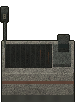 checkout
- Possible pool items
Show all 129 entries
Rock · Iron Ore · Copper Ore · Saltpeter · Charcoal · Iron Tube · Copper Tube · Iron Wire · Copper Wire · Rope · CNC Component · Cloth · Small Gunpowder Bag · Big Gunpowder Bag · Matches · Sulfur Ore · Lock Picker · Screwdriver · Firearm Repair Kit · Leatherman · Vehicle Repair Kit · Item Repair Kit · Grindstone · Tire · Light Bulb · Pressure Tank · String Kit · Needle · Iron Dagger · Copper Dagger · Glue · Tire Sealant · Spray Paint · Advanced Spray Paint · AAA Battery · AA Battery · C Battery · 9V Battery · Integrated Battery · Vehicle Battery · High-Power Battery Module · C Battery Flashlight · 9V Battery Flashlight · Wide-Angle Flashlight · Lighting Stick (AA Battery) · Coco-Cola · Fenda · Sqrite · Sugar · SPUM · Canned Fruit · Lager · Joyful Gingerbread · Angry Gingerbread · Bandage · First Aid Kit · Painkiller · Blood Bag · Melatonin · Fever Reducer · Sunflower Seeds · Stamina Potion · Health Potion · Strength Potion · Antitoxic Potion · Sprint Potion · Enhancement Serum · Melee Combustion Component · Melee Electrify Component · Melee Puncture Component · Portable Induction Stove · Electric Tire Inflator · Hand Warmer · Broken Phone · 9V Decoder · Walkie-Talkie · Laptop · Sewing Kit · Night Vision Goggles (Green) · Night Vision Goggles (Blue) · Harmonic Drive · Handheld Fan · Gold Nugget · Ruby · Head Decoration (variant 5) · Head Decoration (variant 6) · Head Decoration (variant 7) · Head Decoration (variant 8) · Head Decoration (variant 9) · Head Decoration (variant 10) · Head Decoration (variant 11) · Head Decoration (variant 12) · Head Decoration (variant 13) · Fire Department Helmet · Plague Doctor Mask · Year of Horse Mask · Military Helmet (variant 1) · Military Helmet (variant 2) · Cat Ear Headband · Bunny Ear Headband · Ribbon Bow Headband · Polka-dot Hair Ribbon · Flower Crown · Maid Headdress · Gold Beetle Larva · Plastic Lure · Colored Plastic Lure · Spinner Metal Lure · Crab Lure · Tuna Lure · Corn Seeds · Radish Seeds · Mushroom Spawn · Seed Potato · Tomato Seeds · Chili Seeds · Cotton Seeds · Prunella Seeds · Wheat Seeds · Blueberry Seeds · Cranberry Seeds · Leather Collar · Bell Collar · Tactical Collar · Canned Dog Food · Jerky Treat · Cloth Dog Vest · Ballistic Dog Vest · Dog Saddlebag
 food court table
 shopping trolleys
 planter
 survivor barricade
 trade post gate
 trader stall
 glass door
 vault blast door
English description is a wiki translation of the game’s Chinese text.
- Description
- Blast door to the armory’s heavy-weapons vault. It opens only if security power is disconnected or authorization is granted at the security console.
 security console
English description is a wiki translation of the game’s Chinese text.
- Description
- Control terminal for the armory’s security system. Insert an armory access card to take control of the sentry guns and vault access controls.
 security transformer
English description is a wiki translation of the game’s Chinese text.
- Description
- Transformer that powers the armory security system. Destroying it cuts security power.
 backup generator
English description is a wiki translation of the game’s Chinese text.
- Description
- Backup diesel generator for the security system. Destroying it cuts security power.
 security breaker
English description is a wiki translation of the game’s Chinese text.
- Description
- Main breaker cabinet for the security power system. Hold to switch off the power.
 heavy weapons rack
English description is a wiki translation of the game’s Chinese text.
- Description
- Locked cabinet for heavy weapons.
- Possible contents
- Heavy Full-Auto Grenade Launcher · GM6 Lynx Anti-Material Rifle · .50 BMG Wrist Breaker
 heavy ammunition
English description is a wiki translation of the game’s Chinese text.
- Description
- Crates of large-caliber ammunition and grenades.
- Possible contents
- .50 BMG · .50 BMG Magazine (5 Rounds) · 40mm Grenade · 300 Magnum
 armour locker
English description is a wiki translation of the game’s Chinese text.
- Description
- Locker for ballistic protective gear.
- Possible contents
- Ballistic Dog Vest · Military Helmet (variant 1) · Level 1 Armor · Military Kevlar Vest
 sentry wreck
English description is a wiki translation of the game’s Chinese text.
- Description
- Wreckage of a destroyed security sentry gun.
 turbine set
- Description
- A low-pressure turbine and generator in the plant's turbine hall. The casing went cold long ago.
 control desk (variant 2)
- Description
- An operator desk in the reactor control room. Every lamp is dark and the screens are thick with dust.
 health-physics locker
- Description
- A health-physics team locker. There may still be protective gear and medicine inside.
- Possible contents
- Radiation Suit · Radiation Cloak · Iodine Tablets · Anti-Radiation Medicine · Gas Mask · Bandage · First Aid Kit
 spent fuel cask
- Description
- A concrete-clad spent fuel cask. Radiation rises sharply close to it.
 transformer
- Description
- The plant's step-up transformer, its bushings crusted with rust.
 decontamination booth
- Description
- The decontamination booth at the gate. The cabinet might still hold iodine tablets.
- Possible contents
- Iodine Tablets · Anti-Radiation Medicine · Bandage · First Aid Kit
 python lair
- Description
- A flattened reed bed on the lakeshore with a muddy hollow in the middle. A shed snakeskin lies coiled in the pit among scattered deer bones. The giant python has made this its lair and never strays from it for long.
 backup cooling pumps
- Description
- The plant's backup emergency core cooling pumps; they draw from the intake basin and feed the reactor. The control cabinet can still start them.
 core control vault
- Description
- A heavy vault in the reactor control room, held shut by the safety interlock; it cannot be picked. The interlock only releases once whatever guards the core breach is dead.
 sulfur ore
- Possible finds
- Rock · Sulfur Ore
 crystal salt
 body bag
- Possible pool items
Show all 198 entries
Rock · Iron Ore · Copper Ore · Saltpeter · Charcoal · Iron Tube · Copper Tube · Iron Wire · Copper Wire · Rope · CNC Component · Cloth · Small Gunpowder Bag · Big Gunpowder Bag · Matches · Sulfur Ore · Lock Picker · Screwdriver · Firearm Repair Kit · Leatherman · Vehicle Repair Kit · Item Repair Kit · Grindstone · Tire · Light Bulb · Pressure Tank · String Kit · Needle · Iron Dagger · Copper Dagger · Glue · Tire Sealant · Spray Paint · Advanced Spray Paint · AAA Battery · AA Battery · C Battery · 9V Battery · Integrated Battery · Vehicle Battery · High-Power Battery Module · C Battery Flashlight · 9V Battery Flashlight · Wide-Angle Flashlight · Lighting Stick (AA Battery) · Coco-Cola · Fenda · Sqrite · Sugar · SPUM · Canned Fruit · Lager · Joyful Gingerbread · Angry Gingerbread · Bandage · First Aid Kit · Painkiller · Blood Bag · Melatonin · Fever Reducer · Sunflower Seeds · Stamina Potion · Health Potion · Strength Potion · Antitoxic Potion · Sprint Potion · Enhancement Serum · Crowbar · Stone Axe · Stone Hammer · Stone Pickaxe · Iron Axe · Iron Hammer · Iron Pickaxe · Iron Machete · Wrench · Tool Hammer · Fire Axe · Baseball Bat · Mace Bat · Golf Club · Machete · Pan · Rubber Baton · A Strange Rubber Baton · Starlight Wand · Enormous Sparkler · Multi Axe · Repair Hammer · Katana - 'Breeze' · Katana - 'Red' · Katana - 'JI' · Wooden Spear · Metal Spear · Long Spear · Wooden Fishing Rod · Fishing Rod · Crude Shovel · Melee Combustion Component · Melee Electrify Component · Melee Puncture Component · Portable Induction Stove · Electric Kettle · Electric Tire Inflator · Hand Warmer · Broken Phone · 9V Decoder · Walkie-Talkie · Laptop · Sewing Kit · Night Vision Goggles (Green) · Night Vision Goggles (Blue) · Harmonic Drive · Handheld Fan · Gold Nugget · Ruby · Water Bottle · Small Canteen · Large Canteen · Big Water Bottle · Small Fuel Container · Large Fuel Container · Plastic Bucket · Tin Can · Glass Bottle · Cooking Pot · Metal Barrel · Metal Water Bottle · Head Decoration (variant 5) · Head Decoration (variant 6) · Head Decoration (variant 7) · Head Decoration (variant 8) · Head Decoration (variant 9) · Head Decoration (variant 10) · Head Decoration (variant 11) · Head Decoration (variant 12) · Head Decoration (variant 13) · Fire Department Helmet · Plague Doctor Mask · Year of Horse Mask · Military Helmet (variant 1) · Military Helmet (variant 2) · Cat Ear Headband · Bunny Ear Headband · Ribbon Bow Headband · Polka-dot Hair Ribbon · Flower Crown · Maid Headdress · Gold Beetle Larva · Plastic Lure · Colored Plastic Lure · Spinner Metal Lure · Crab Lure · Tuna Lure · Corn Seeds · Radish Seeds · Mushroom Spawn · Seed Potato · Tomato Seeds · Chili Seeds · Cotton Seeds · Prunella Seeds · Wheat Seeds · Blueberry Seeds · Cranberry Seeds · Leather Collar · Bell Collar · Tactical Collar · Canned Dog Food · Jerky Treat · Cloth Dog Vest · Ballistic Dog Vest · Dog Saddlebag · Casual Wear · Casual Wear (Dark) · Imitation Military Uniform · Riot Suit · Thick Casual Wear · Down Jacket Outfit · Kevlar Suit · Military Kevlar Vest · Level 1 Armor · Casual Wear (Charcoal) · Police Uniform · Tracksuit (Red) · Tracksuit (Blue) · Tracksuit (Grey) · Utility Vest Outfit (Olive) · Utility Vest Outfit (Brown) · Utility Vest Outfit (Black) · Work Outfit (Brown) · Work Outfit (Blue) · Work Outfit (Green) · Military Rig · Heavy Firefighter Suit · Industrial Heat Suit · Heavy Chemical Suit · Heavy Ballistic Suit
 biohazard drum
 lime sacks
 stretcher (variant 2)
 lifter (variant 1)
 lifter (variant 2)
 lifter (variant 3)
 engine lifter
 sensor lifter
 flight computer lifter
 nav module lifter
 plane wreckage (variant 1)
- Possible pool items
Show all 193 entries
12 Gauge · 9x19mm · 5.56x45mm NATO · .22LR · 7.62x39mm · 300 Magnum · .50 BMG · .45 ACP · 40mm Grenade · 25mm Signal Flare · Coco-Cola · Fenda · Sqrite · Sugar · SPUM · Canned Fruit · Lager · Joyful Gingerbread · Angry Gingerbread · Bandage · First Aid Kit · Painkiller · Blood Bag · Melatonin · Fever Reducer · Sunflower Seeds · Stamina Potion · Health Potion · Strength Potion · Antitoxic Potion · Sprint Potion · Enhancement Serum · Crowbar · Stone Axe · Stone Hammer · Stone Pickaxe · Iron Axe · Iron Hammer · Iron Pickaxe · Iron Machete · Wrench · Tool Hammer · Fire Axe · Baseball Bat · Mace Bat · Golf Club · Machete · Pan · Rubber Baton · A Strange Rubber Baton · Starlight Wand · Enormous Sparkler · Multi Axe · Repair Hammer · Katana - 'Breeze' · Katana - 'Red' · Katana - 'JI' · Wooden Spear · Metal Spear · Long Spear · Wooden Fishing Rod · Fishing Rod · Crude Shovel · Remington 870 Shotgun · Uzi Submachine Gun · MP5-K · AR-15 Assault Rifle · ARX100 Assault Rifle · Glock 19 · S&W 929 Revolver · Ruger 10/22 · KRISS Vector · Colt M1911-9mm · Pathfinder .22 Revolver · Ruger GP100 .22 · Ruger MK IV · 2011 Combat Master · Glock 18 (Full-Auto) · VSS · B&T MP9 · American 180 · MAC-11/9 · Colt M1911 · Tavor SAR · M249 Machine Gun · Glock 21C (Full-Auto) · M3 Submachine Gun · Thompson Submachine Gun · AK 47 · Ruger M77 · MK 47 · RPK Machine Gun · De Lisle Carbine · Ruger American · Winchester Model 70 · GM6 Lynx Anti-Material Rifle · .50 BMG Wrist Breaker · 25mm Signal Gun · Compound Bow · Iron Crossbow · Mechanical Crossbow · Compound Crossbow · Double-Barreled Shotgun · Survival Shotgun · Triple-Barreled Shotgun · Wrist Breaker · Striker Shotgun · M2 Flamethrower · Pressure Water Gun · China Lake Pump-Action Grenade Launcher · Milkom Rotary Multi-Shot Grenade Launcher · Heavy Full-Auto Grenade Launcher · Airbow · .25 PCP Pistol · .25 Cal Air Rifle · Ataman M2R Air Rifle · .50 Dragon Claw Air Rifle · .50 Cal Air Rifle · .25 Cal Break Barrel Rifle · .50 PCP Air Pistol · Frag Grenade · Molotov Cocktail · Healing Smoke Bomb · 9mm Magazine (30 Rounds) · 9mm Drum · 9mm Magazine (40 Rounds) · 5.56 Magazine (30 Rounds) · 5.56 Magazine (25 Rounds) · 9mm Magazine (17 Rounds) · .22LR Magazine (10 Rounds) · .22LR Magazine (20 Rounds) · .22LR Magazine (30 Rounds) · .22LR Drum · .22 Magazine (12 Rounds) · .22LR Drum (110rd) · .45 ACP Magazine · .45 ACP Extended Magazine · .45 ACP 26rd Magazine · .45 ACP Drum (50 Rounds) · 5.56 Drum (60 Rounds) · 5.56 Belt (200 Rounds) · 7.62 Magazine · 7.62 Extended Magazine · 7.62 Drum · .300 Magnum Rifle Magazine (5 Rounds) · .50 BMG Magazine (5 Rounds) · Shotgun Short Barrel · Benelli Muzzle Suppressor · Suppressed Shotgun Barrel · GMTECH Muffler · Omega Muzzle Suppressor · 9mm Long Barrel · 9mm Short Barrel · GMTECH 5.56 Suppressor · Rifle Extended Barrel · LUNAR Muzzle Suppressor · Red Dot Sight · Holographic Sight · .22 Suppressor · 2X Red Dot · 4X Red Dot · 2X Holographic Sight · 4X Holographic Sight · PA 6X Optical Sight · Hunter 8X Optical Sight · Laser Sight - Green · Universal Lightweight Stock · Short Handle Butt (Shotgun) · Lightweight Portable Gun Stock · CTR Tactical Short Stock · CTR Extended Stock · Wooden Stock · GMTECH Portable Stock · Integrated Noise Reduction Stock · GMTECH 7.62 Rifle Silencer · LUNAR 7.62mm Rifle Suppressor · .300 Suppressor · .45 ACP Suppressor · .45 ACP Long Barrel · Pressurized Gas Tank · Electric Air Pump · Air Gun Throttle Valve · Air Gun Overboost Throttle Valve · Air Gun Suppress Throttle Valve · Laser Sight - Red · Laser Sight - Blue · Wide Angle Thermal Sight · High-Magnification Thermal Sight · Wide Angle Night Vision Scope · High-Magnification Night Vision Scope · Canned Dog Food · Jerky Treat · Tennis Ball
 plane wreckage (variant 2)
- Possible pool items
Show all 193 entries
12 Gauge · 9x19mm · 5.56x45mm NATO · .22LR · 7.62x39mm · 300 Magnum · .50 BMG · .45 ACP · 40mm Grenade · 25mm Signal Flare · Coco-Cola · Fenda · Sqrite · Sugar · SPUM · Canned Fruit · Lager · Joyful Gingerbread · Angry Gingerbread · Bandage · First Aid Kit · Painkiller · Blood Bag · Melatonin · Fever Reducer · Sunflower Seeds · Stamina Potion · Health Potion · Strength Potion · Antitoxic Potion · Sprint Potion · Enhancement Serum · Crowbar · Stone Axe · Stone Hammer · Stone Pickaxe · Iron Axe · Iron Hammer · Iron Pickaxe · Iron Machete · Wrench · Tool Hammer · Fire Axe · Baseball Bat · Mace Bat · Golf Club · Machete · Pan · Rubber Baton · A Strange Rubber Baton · Starlight Wand · Enormous Sparkler · Multi Axe · Repair Hammer · Katana - 'Breeze' · Katana - 'Red' · Katana - 'JI' · Wooden Spear · Metal Spear · Long Spear · Wooden Fishing Rod · Fishing Rod · Crude Shovel · Remington 870 Shotgun · Uzi Submachine Gun · MP5-K · AR-15 Assault Rifle · ARX100 Assault Rifle · Glock 19 · S&W 929 Revolver · Ruger 10/22 · KRISS Vector · Colt M1911-9mm · Pathfinder .22 Revolver · Ruger GP100 .22 · Ruger MK IV · 2011 Combat Master · Glock 18 (Full-Auto) · VSS · B&T MP9 · American 180 · MAC-11/9 · Colt M1911 · Tavor SAR · M249 Machine Gun · Glock 21C (Full-Auto) · M3 Submachine Gun · Thompson Submachine Gun · AK 47 · Ruger M77 · MK 47 · RPK Machine Gun · De Lisle Carbine · Ruger American · Winchester Model 70 · GM6 Lynx Anti-Material Rifle · .50 BMG Wrist Breaker · 25mm Signal Gun · Compound Bow · Iron Crossbow · Mechanical Crossbow · Compound Crossbow · Double-Barreled Shotgun · Survival Shotgun · Triple-Barreled Shotgun · Wrist Breaker · Striker Shotgun · M2 Flamethrower · Pressure Water Gun · China Lake Pump-Action Grenade Launcher · Milkom Rotary Multi-Shot Grenade Launcher · Heavy Full-Auto Grenade Launcher · Airbow · .25 PCP Pistol · .25 Cal Air Rifle · Ataman M2R Air Rifle · .50 Dragon Claw Air Rifle · .50 Cal Air Rifle · .25 Cal Break Barrel Rifle · .50 PCP Air Pistol · Frag Grenade · Molotov Cocktail · Healing Smoke Bomb · 9mm Magazine (30 Rounds) · 9mm Drum · 9mm Magazine (40 Rounds) · 5.56 Magazine (30 Rounds) · 5.56 Magazine (25 Rounds) · 9mm Magazine (17 Rounds) · .22LR Magazine (10 Rounds) · .22LR Magazine (20 Rounds) · .22LR Magazine (30 Rounds) · .22LR Drum · .22 Magazine (12 Rounds) · .22LR Drum (110rd) · .45 ACP Magazine · .45 ACP Extended Magazine · .45 ACP 26rd Magazine · .45 ACP Drum (50 Rounds) · 5.56 Drum (60 Rounds) · 5.56 Belt (200 Rounds) · 7.62 Magazine · 7.62 Extended Magazine · 7.62 Drum · .300 Magnum Rifle Magazine (5 Rounds) · .50 BMG Magazine (5 Rounds) · Shotgun Short Barrel · Benelli Muzzle Suppressor · Suppressed Shotgun Barrel · GMTECH Muffler · Omega Muzzle Suppressor · 9mm Long Barrel · 9mm Short Barrel · GMTECH 5.56 Suppressor · Rifle Extended Barrel · LUNAR Muzzle Suppressor · Red Dot Sight · Holographic Sight · .22 Suppressor · 2X Red Dot · 4X Red Dot · 2X Holographic Sight · 4X Holographic Sight · PA 6X Optical Sight · Hunter 8X Optical Sight · Laser Sight - Green · Universal Lightweight Stock · Short Handle Butt (Shotgun) · Lightweight Portable Gun Stock · CTR Tactical Short Stock · CTR Extended Stock · Wooden Stock · GMTECH Portable Stock · Integrated Noise Reduction Stock · GMTECH 7.62 Rifle Silencer · LUNAR 7.62mm Rifle Suppressor · .300 Suppressor · .45 ACP Suppressor · .45 ACP Long Barrel · Pressurized Gas Tank · Electric Air Pump · Air Gun Throttle Valve · Air Gun Overboost Throttle Valve · Air Gun Suppress Throttle Valve · Laser Sight - Red · Laser Sight - Blue · Wide Angle Thermal Sight · High-Magnification Thermal Sight · Wide Angle Night Vision Scope · High-Magnification Night Vision Scope · Canned Dog Food · Jerky Treat · Tennis Ball
 runway edge light
 runway distance sign
 taxiway sign
 windsock
 PAPI light unit
 radiant fruit
 Dog Cage
- Description
- An iron cage the scavengers use to keep a dog. Maybe it can be rescued.
Materials listed
 wood chair
- Description
- A simple sturdy wooden chair. Makes camp feel a bit more like home.
- Listed materials
- 4 × Wood
 street light
- Description
- A tall metal street light. Lights up the night when connected to the power grid.
- Listed materials
- 6 × Iron Scrap · 2 × Iron Wire · 2 × Iron Tube
 fence (variant 2)
- Description
- A simple fence that keeps zombies from getting through.
- Listed materials
- 4 × Iron Wire · 6 × Iron Scrap
 simple workbench
- Description
- A basic crafting station for simple tools and items.
- Listed materials
- 8 × Wood · 2 × Rock · 1 × Stone Hammer
 workbench
- Description
- A proper workbench for crafting more complex items.
- Listed materials
- 20 × Wood · 20 × Nail · 1 × Iron Hammer
 ammo reloader
- Description
- A reloading press for crafting all kinds of ammunition.
- Listed materials
- 1 × Stone Hammer · 10 × Wood · 10 × Nail · 20 × Metal Component
 fence door (variant 1)
- Description
- A gate that fits into fences, letting survivors pass through.
- Listed materials
- 4 × Iron Wire · 2 × Copper Wire · 4 × Iron Scrap
 single bed
- Description
- A single bed to sleep in and get through the long nights.
- Listed materials
- 10 × Wood · 2 × Animal Fur
 fridge
- Type
- Production equipment
- Power
- Requires power
- Listed demand (W)
- 50
- Description
- Keeps stored food fresh longer while powered.
- Listed materials
- 1 × Compressor Part · 8 × Iron Plate · 2 × Copper Wire
 supermarket shelf
- Description
- A large shelf for storing and displaying supplies.
- Listed materials
- 12 × Wood
- Possible contents
- Leatherman
- Pool selection
- One category is chosen per generation
- Possible pool items
Show all 287 entries
Rock · Iron Ore · Copper Ore · Saltpeter · Charcoal · Iron Tube · Copper Tube · Iron Wire · Copper Wire · Rope · CNC Component · Cloth · Small Gunpowder Bag · Big Gunpowder Bag · Matches · Sulfur Ore · Lock Picker · Screwdriver · Firearm Repair Kit · Leatherman · Vehicle Repair Kit · Item Repair Kit · Grindstone · Tire · Light Bulb · Pressure Tank · String Kit · Needle · Iron Dagger · Copper Dagger · Glue · Tire Sealant · Spray Paint · Advanced Spray Paint · AAA Battery · AA Battery · C Battery · 9V Battery · Integrated Battery · Vehicle Battery · High-Power Battery Module · C Battery Flashlight · 9V Battery Flashlight · Wide-Angle Flashlight · Lighting Stick (AA Battery) · 12 Gauge · 9x19mm · 5.56x45mm NATO · .22LR · 7.62x39mm · 300 Magnum · .50 BMG · .45 ACP · 40mm Grenade · 25mm Signal Flare · Coco-Cola · Fenda · Sqrite · Sugar · SPUM · Canned Fruit · Lager · Joyful Gingerbread · Angry Gingerbread · Bandage · First Aid Kit · Painkiller · Blood Bag · Melatonin · Fever Reducer · Sunflower Seeds · Stamina Potion · Health Potion · Strength Potion · Antitoxic Potion · Sprint Potion · Enhancement Serum · Crowbar · Stone Axe · Stone Hammer · Stone Pickaxe · Iron Axe · Iron Hammer · Iron Pickaxe · Iron Machete · Wrench · Tool Hammer · Fire Axe · Baseball Bat · Mace Bat · Golf Club · Machete · Pan · Rubber Baton · A Strange Rubber Baton · Starlight Wand · Enormous Sparkler · Multi Axe · Repair Hammer · Katana - 'Breeze' · Katana - 'Red' · Katana - 'JI' · Wooden Spear · Metal Spear · Long Spear · Wooden Fishing Rod · Fishing Rod · Crude Shovel · Remington 870 Shotgun · Uzi Submachine Gun · MP5-K · AR-15 Assault Rifle · ARX100 Assault Rifle · Glock 19 · S&W 929 Revolver · Ruger 10/22 · KRISS Vector · Colt M1911-9mm · Pathfinder .22 Revolver · Ruger GP100 .22 · Ruger MK IV · 2011 Combat Master · Glock 18 (Full-Auto) · VSS · B&T MP9 · American 180 · MAC-11/9 · Colt M1911 · Tavor SAR · M249 Machine Gun · Glock 21C (Full-Auto) · M3 Submachine Gun · Thompson Submachine Gun · AK 47 · Ruger M77 · MK 47 · RPK Machine Gun · De Lisle Carbine · Ruger American · Winchester Model 70 · GM6 Lynx Anti-Material Rifle · .50 BMG Wrist Breaker · 25mm Signal Gun · Compound Bow · Iron Crossbow · Mechanical Crossbow · Compound Crossbow · Double-Barreled Shotgun · Survival Shotgun · Triple-Barreled Shotgun · Wrist Breaker · Striker Shotgun · M2 Flamethrower · Pressure Water Gun · China Lake Pump-Action Grenade Launcher · Milkom Rotary Multi-Shot Grenade Launcher · Heavy Full-Auto Grenade Launcher · Airbow · .25 PCP Pistol · .25 Cal Air Rifle · Ataman M2R Air Rifle · .50 Dragon Claw Air Rifle · .50 Cal Air Rifle · .25 Cal Break Barrel Rifle · .50 PCP Air Pistol · Small Backpack · Trekking Backpack · Hiking Backpack · Outdoor Backpack · School Bag · Lightweight Drawstring Backpack · Cycling Backpack · Postal Backpack · Roll-top Backpack · Tactical Patrol Backpack · External-frame Expedition Backpack · Shell Collector · Christmas Limited Shell Collector · Combination Lock Box · Suitcase · Ammunition Case · Melee Combustion Component · Melee Electrify Component · Melee Puncture Component · Portable Mini Fridge · Portable Induction Stove · Electric Kettle · Portable Charger Box · Solar Charger Box · Electric Tire Inflator · Hand Warmer · Broken Phone · 9V Decoder · Walkie-Talkie · Laptop · Sewing Kit · Night Vision Goggles (Green) · Night Vision Goggles (Blue) · Harmonic Drive · Handheld Fan · Gold Nugget · Ruby · Water Bottle · Small Canteen · Large Canteen · Big Water Bottle · Small Fuel Container · Large Fuel Container · Plastic Bucket · Tin Can · Glass Bottle · Cooking Pot · Metal Barrel · Metal Water Bottle · N95 Mask · Gas Mask · Cheap Mask · Head Decoration (variant 5) · Head Decoration (variant 6) · Head Decoration (variant 7) · Head Decoration (variant 8) · Head Decoration (variant 9) · Head Decoration (variant 10) · Head Decoration (variant 11) · Head Decoration (variant 12) · Head Decoration (variant 13) · Fire Department Helmet · Plague Doctor Mask · Year of Horse Mask · Military Helmet (variant 1) · Military Helmet (variant 2) · Cat Ear Headband · Bunny Ear Headband · Ribbon Bow Headband · Polka-dot Hair Ribbon · Flower Crown · Maid Headdress · Gold Beetle Larva · Plastic Lure · Colored Plastic Lure · Spinner Metal Lure · Crab Lure · Tuna Lure · Corn Seeds · Radish Seeds · Mushroom Spawn · Seed Potato · Tomato Seeds · Chili Seeds · Cotton Seeds · Prunella Seeds · Wheat Seeds · Blueberry Seeds · Cranberry Seeds · Leather Collar · Bell Collar · Tactical Collar · Canned Dog Food · Jerky Treat · Cloth Dog Vest · Ballistic Dog Vest · Dog Saddlebag · Casual Wear · Casual Wear (Dark) · Imitation Military Uniform · Riot Suit · Thick Casual Wear · Down Jacket Outfit · Kevlar Suit · Military Kevlar Vest · Level 1 Armor · Casual Wear (Charcoal) · Police Uniform · Tracksuit (Red) · Tracksuit (Blue) · Tracksuit (Grey) · Utility Vest Outfit (Olive) · Utility Vest Outfit (Brown) · Utility Vest Outfit (Black) · Work Outfit (Brown) · Work Outfit (Blue) · Work Outfit (Green) · Military Rig · Heavy Firefighter Suit · Industrial Heat Suit · Heavy Chemical Suit · Heavy Ballistic Suit
 gunshop shelf
- Description
- A gun-shop style rack for storing weapons and gear.
- Listed materials
- 8 × Wood · 10 × Nail
- Gun parts
- Gun settings affect their selection
- Possible pool items
Show all 132 entries
Crowbar · Stone Axe · Stone Hammer · Stone Pickaxe · Iron Axe · Iron Hammer · Iron Pickaxe · Iron Machete · Wrench · Tool Hammer · Fire Axe · Baseball Bat · Mace Bat · Golf Club · Machete · Pan · Rubber Baton · A Strange Rubber Baton · Starlight Wand · Enormous Sparkler · Multi Axe · Repair Hammer · Katana - 'Breeze' · Katana - 'Red' · Katana - 'JI' · Wooden Spear · Metal Spear · Long Spear · Wooden Fishing Rod · Fishing Rod · Crude Shovel · Remington 870 Shotgun · Uzi Submachine Gun · MP5-K · AR-15 Assault Rifle · ARX100 Assault Rifle · Glock 19 · S&W 929 Revolver · Ruger 10/22 · KRISS Vector · Colt M1911-9mm · Pathfinder .22 Revolver · Ruger GP100 .22 · Ruger MK IV · 2011 Combat Master · Glock 18 (Full-Auto) · VSS · B&T MP9 · American 180 · MAC-11/9 · Colt M1911 · Tavor SAR · M249 Machine Gun · Glock 21C (Full-Auto) · M3 Submachine Gun · Thompson Submachine Gun · AK 47 · Ruger M77 · MK 47 · RPK Machine Gun · De Lisle Carbine · Ruger American · Winchester Model 70 · GM6 Lynx Anti-Material Rifle · .50 BMG Wrist Breaker · 25mm Signal Gun · Compound Bow · Iron Crossbow · Mechanical Crossbow · Compound Crossbow · Double-Barreled Shotgun · Survival Shotgun · Triple-Barreled Shotgun · Wrist Breaker · Striker Shotgun · M2 Flamethrower · Pressure Water Gun · China Lake Pump-Action Grenade Launcher · Milkom Rotary Multi-Shot Grenade Launcher · Heavy Full-Auto Grenade Launcher · Airbow · .25 PCP Pistol · .25 Cal Air Rifle · Ataman M2R Air Rifle · .50 Dragon Claw Air Rifle · .50 Cal Air Rifle · .25 Cal Break Barrel Rifle · .50 PCP Air Pistol · Shotgun Short Barrel · Benelli Muzzle Suppressor · Suppressed Shotgun Barrel · GMTECH Muffler · Omega Muzzle Suppressor · 9mm Long Barrel · 9mm Short Barrel · GMTECH 5.56 Suppressor · Rifle Extended Barrel · LUNAR Muzzle Suppressor · Red Dot Sight · Holographic Sight · .22 Suppressor · 2X Red Dot · 4X Red Dot · 2X Holographic Sight · 4X Holographic Sight · PA 6X Optical Sight · Hunter 8X Optical Sight · Laser Sight - Green · Universal Lightweight Stock · Short Handle Butt (Shotgun) · Lightweight Portable Gun Stock · CTR Tactical Short Stock · CTR Extended Stock · Wooden Stock · GMTECH Portable Stock · Integrated Noise Reduction Stock · GMTECH 7.62 Rifle Silencer · LUNAR 7.62mm Rifle Suppressor · .300 Suppressor · .45 ACP Suppressor · .45 ACP Long Barrel · Pressurized Gas Tank · Electric Air Pump · Air Gun Throttle Valve · Air Gun Overboost Throttle Valve · Air Gun Suppress Throttle Valve · Laser Sight - Red · Laser Sight - Blue · Wide Angle Thermal Sight · High-Magnification Thermal Sight · Wide Angle Night Vision Scope · High-Magnification Night Vision Scope
 wood wall
- Description
- A sturdy wooden wall - the basis of any shelter.
- Listed materials
- 4 × Wood
 wood wall door
- Description
- A door for wooden walls that keeps threats outside.
- Listed materials
- 4 × Wood
 wood fence
- Description
- A low wooden fence for marking out your camp.
- Listed materials
- 4 × Wood
 tall woodfence
- Description
- A tall wooden fence that can't be climbed over.
- Listed materials
- 6 × Wood
 iron fence
- Description
- A solid iron fence, far more durable than wood.
- Listed materials
- 4 × Iron Tube
 iron fence door
- Description
- A gate that fits into iron fences.
- Listed materials
- 6 × Iron Tube
 military bed
- Description
- A military cot to sleep and rest on.
- Listed materials
- 6 × Iron Tube · 4 × Cotton · 6 × Cloth
 simple lathe
- Description
- A hand-powered lathe for machining metal parts.
- Listed materials
- 5 × Grindstone · 30 × Metal Component
 ware house door (variant 1)
- Description
- A wide, heavy warehouse door.
- Listed materials
- 8 × Iron Tube · 2 × Iron Scrap
 prision bar
- Description
- Sturdy metal bars you can see straight through.
- Listed materials
- 4 × Iron Tube
 wood target
- Description
- A wooden target for shooting practice.
- Listed materials
- 4 × Wood
 outside wall
- Description
- A tall masonry wall - solid defensive work.
- Listed materials
- 4 × Iron Tube
 locker
- Description
- A metal locker for storing items.
- Listed materials
- 4 × Iron Plate
- Possible contents
- Leatherman
- Pool selection
- One category is chosen per generation
- Possible pool items
Show all 318 entries
Rock · Iron Ore · Copper Ore · Saltpeter · Charcoal · Iron Tube · Copper Tube · Iron Wire · Copper Wire · Rope · CNC Component · Cloth · Small Gunpowder Bag · Big Gunpowder Bag · Matches · Sulfur Ore · Lock Picker · Screwdriver · Firearm Repair Kit · Leatherman · Vehicle Repair Kit · Item Repair Kit · Grindstone · Tire · Light Bulb · Pressure Tank · String Kit · Needle · Iron Dagger · Copper Dagger · Glue · Tire Sealant · Spray Paint · Advanced Spray Paint · AAA Battery · AA Battery · C Battery · 9V Battery · Integrated Battery · Vehicle Battery · High-Power Battery Module · C Battery Flashlight · 9V Battery Flashlight · Wide-Angle Flashlight · Lighting Stick (AA Battery) · 12 Gauge · 9x19mm · 5.56x45mm NATO · .22LR · 7.62x39mm · 300 Magnum · .50 BMG · .45 ACP · 40mm Grenade · 25mm Signal Flare · Coco-Cola · Fenda · Sqrite · Sugar · SPUM · Canned Fruit · Lager · Joyful Gingerbread · Angry Gingerbread · Bandage · First Aid Kit · Painkiller · Blood Bag · Melatonin · Fever Reducer · Sunflower Seeds · Stamina Potion · Health Potion · Strength Potion · Antitoxic Potion · Sprint Potion · Enhancement Serum · Crowbar · Stone Axe · Stone Hammer · Stone Pickaxe · Iron Axe · Iron Hammer · Iron Pickaxe · Iron Machete · Wrench · Tool Hammer · Fire Axe · Baseball Bat · Mace Bat · Golf Club · Machete · Pan · Rubber Baton · A Strange Rubber Baton · Starlight Wand · Enormous Sparkler · Multi Axe · Repair Hammer · Katana - 'Breeze' · Katana - 'Red' · Katana - 'JI' · Wooden Spear · Metal Spear · Long Spear · Wooden Fishing Rod · Fishing Rod · Crude Shovel · Remington 870 Shotgun · Uzi Submachine Gun · MP5-K · AR-15 Assault Rifle · ARX100 Assault Rifle · Glock 19 · S&W 929 Revolver · Ruger 10/22 · KRISS Vector · Colt M1911-9mm · Pathfinder .22 Revolver · Ruger GP100 .22 · Ruger MK IV · 2011 Combat Master · Glock 18 (Full-Auto) · VSS · B&T MP9 · American 180 · MAC-11/9 · Colt M1911 · Tavor SAR · M249 Machine Gun · Glock 21C (Full-Auto) · M3 Submachine Gun · Thompson Submachine Gun · AK 47 · Ruger M77 · MK 47 · RPK Machine Gun · De Lisle Carbine · Ruger American · Winchester Model 70 · GM6 Lynx Anti-Material Rifle · .50 BMG Wrist Breaker · 25mm Signal Gun · Compound Bow · Iron Crossbow · Mechanical Crossbow · Compound Crossbow · Double-Barreled Shotgun · Survival Shotgun · Triple-Barreled Shotgun · Wrist Breaker · Striker Shotgun · M2 Flamethrower · Pressure Water Gun · China Lake Pump-Action Grenade Launcher · Milkom Rotary Multi-Shot Grenade Launcher · Heavy Full-Auto Grenade Launcher · Airbow · .25 PCP Pistol · .25 Cal Air Rifle · Ataman M2R Air Rifle · .50 Dragon Claw Air Rifle · .50 Cal Air Rifle · .25 Cal Break Barrel Rifle · .50 PCP Air Pistol · Small Backpack · Trekking Backpack · Hiking Backpack · Outdoor Backpack · School Bag · Lightweight Drawstring Backpack · Cycling Backpack · Postal Backpack · Roll-top Backpack · Tactical Patrol Backpack · External-frame Expedition Backpack · Shell Collector · Christmas Limited Shell Collector · Combination Lock Box · Suitcase · Ammunition Case · Frag Grenade · Molotov Cocktail · Healing Smoke Bomb · 9mm Magazine (30 Rounds) · 9mm Drum · 9mm Magazine (40 Rounds) · 5.56 Magazine (30 Rounds) · 5.56 Magazine (25 Rounds) · 9mm Magazine (17 Rounds) · .22LR Magazine (10 Rounds) · .22LR Magazine (20 Rounds) · .22LR Magazine (30 Rounds) · .22LR Drum · .22 Magazine (12 Rounds) · .22LR Drum (110rd) · .45 ACP Magazine · .45 ACP Extended Magazine · .45 ACP 26rd Magazine · .45 ACP Drum (50 Rounds) · 5.56 Drum (60 Rounds) · 5.56 Belt (200 Rounds) · 7.62 Magazine · 7.62 Extended Magazine · 7.62 Drum · .300 Magnum Rifle Magazine (5 Rounds) · .50 BMG Magazine (5 Rounds) · Melee Combustion Component · Melee Electrify Component · Melee Puncture Component · Portable Mini Fridge · Portable Induction Stove · Electric Kettle · Portable Charger Box · Solar Charger Box · Electric Tire Inflator · Hand Warmer · Broken Phone · 9V Decoder · Walkie-Talkie · Laptop · Sewing Kit · Night Vision Goggles (Green) · Night Vision Goggles (Blue) · Harmonic Drive · Handheld Fan · Gold Nugget · Ruby · Water Bottle · Small Canteen · Large Canteen · Big Water Bottle · Small Fuel Container · Large Fuel Container · Plastic Bucket · Tin Can · Glass Bottle · Cooking Pot · Metal Barrel · Metal Water Bottle · N95 Mask · Gas Mask · Cheap Mask · Camouflage Cape · High-Quality Cape · Stitched Cape · Scavenger Cape · Head Decoration (variant 5) · Head Decoration (variant 6) · Head Decoration (variant 7) · Head Decoration (variant 8) · Head Decoration (variant 9) · Head Decoration (variant 10) · Head Decoration (variant 11) · Head Decoration (variant 12) · Head Decoration (variant 13) · Fire Department Helmet · Plague Doctor Mask · Year of Horse Mask · Military Helmet (variant 1) · Military Helmet (variant 2) · Cat Ear Headband · Bunny Ear Headband · Ribbon Bow Headband · Polka-dot Hair Ribbon · Flower Crown · Maid Headdress · Gold Beetle Larva · Plastic Lure · Colored Plastic Lure · Spinner Metal Lure · Crab Lure · Tuna Lure · Corn Seeds · Radish Seeds · Mushroom Spawn · Seed Potato · Tomato Seeds · Chili Seeds · Cotton Seeds · Prunella Seeds · Wheat Seeds · Blueberry Seeds · Cranberry Seeds · Leather Collar · Bell Collar · Tactical Collar · Canned Dog Food · Jerky Treat · Tennis Ball · Cloth Dog Vest · Ballistic Dog Vest · Dog Saddlebag · Casual Wear · Casual Wear (Dark) · Imitation Military Uniform · Riot Suit · Thick Casual Wear · Down Jacket Outfit · Kevlar Suit · Military Kevlar Vest · Level 1 Armor · Casual Wear (Charcoal) · Police Uniform · Tracksuit (Red) · Tracksuit (Blue) · Tracksuit (Grey) · Utility Vest Outfit (Olive) · Utility Vest Outfit (Brown) · Utility Vest Outfit (Black) · Work Outfit (Brown) · Work Outfit (Blue) · Work Outfit (Green) · Military Rig · Heavy Firefighter Suit · Industrial Heat Suit · Heavy Chemical Suit · Heavy Ballistic Suit
 wood pillar
- Description
- A sturdy wooden post, handy for blocking paths.
- Listed materials
- 2 × Wood
 Planting Pot
- Description
- A pot for planting seeds. Remember to water it.
- Listed materials
- 4 × Wood · 4 × Plant Fibre
 water well
- Description
- A well you can draw water from - a steady source of drinking water.
- Listed materials
- 10 × Wood · 50 × Rock · 3 × Rope · 5 × Stone Pickaxe · 10 × Metal Component
 chemical bench
- Description
- A workbench for preparing chemical products.
- Listed materials
- 10 × Wood · 10 × Metal Component · 1 × Tool Hammer · 5 × Water Bottle · 5 × Tin Can
 medicine bench
- Description
- A workbench for preparing medicine and medical supplies.
- Listed materials
- 10 × Wood · 10 × Metal Component · 5 × Glue · 10 × Glass Bottle
 garbage grinder
- Description
- Grinds garbage down and recovers useful materials.
- Listed materials
- 10 × Wood · 5 × Iron Scrap
 location marker
- Description
- A signpost you can write on. It also shows up on the map.
- Listed materials
- 3 × Wood
 can wrapper bench
- Description
- Seals food into cans for long-term storage.
- Listed materials
- 10 × Wood · 20 × Nail · 10 × Metal Component · 5 × Iron Tube
 canvas sign
- Description
- A blank canvas sign you can decorate with spray paint.
- Listed materials
- 10 × Wood
 mold workStation
- Description
- A workstation for casting parts with molds.
- Listed materials
- 10 × Wood · 10 × Metal Component · 10 × Metal Sheet · 1 × Cooking Pot
 communication terminal
- Description
- A computer terminal that opens the comms system to reach the outside world.
- Listed materials
- 10 × Wood · 10 × Metal Component · 1 × Vehicle Battery · 10 × Copper Wire · 1 × Broken Phone
 camp fire
- Description
- A campfire for warmth and light. You can also roast food over it.
- Listed materials
- 4 × Wood · 4 × Rock
- Possible barbecue choices
- Meat · Rotten Meat · Dead Rat · Dead Crow · Dead Fish · Dead Seagull · Dead Rabbit · Crab Leg · Dead Chicken · Egg · Bass · Salmon · Crucian Carp · Trout · Carp · Tuna · Mahi-Mahi
 cooking hob (placed on bonfire)
- Description
- A cooking pot that sits on a campfire for preparing meals.
- Listed materials
- 1 × Cooking Pot · 4 × Iron Tube
 stone furnace
- Type
- Production equipment
- Description
- A stone furnace for smelting ore and metal.
- Listed materials
- 10 × Rock
 storage box
- Type
- Production equipment
- Description
- A sturdy box for storing all kinds of supplies.
- Listed materials
- 4 × Wood
 stirling generator
- Type
- Production equipment
- Description
- A Stirling generator that burns fuel to make power. Gives off heat while running.
- Listed materials
- 16 × Iron Plate · 8 × Mechanical Components · 8 × Metal Component
 electric pole
- Type
- Production equipment
- Description
- Carries power lines to nearby devices and buildings.
- Listed materials
- 8 × Wood · 4 × Iron Plate · 4 × Iron Wire
 Battery Charger Bench
- Type
- Production equipment
- Power
- Requires power
- Listed demand (W)
- 200
- Description
- Recharges batteries while connected to power.
- Listed materials
- 10 × CNC Component · 10 × Plastic Material · 5 × Copper Wire · 5 × Glass · 1 × Broken Phone
 3D Printer
- Type
- Production equipment
- Power
- Requires power
- Listed demand (W)
- 750
- Description
- Prints polyethylene parts while powered.
- Listed materials
- 10 × CNC Component · 10 × Plastic Material · 5 × Copper Wire · 5 × Glass · 1 × Broken Phone
 solar panel
- Type
- Production equipment
- Description
- A solar panel. Generates power by day; surplus can charge an energy storage module. Very inefficient in rain or indoors.
- Listed materials
- 4 × CNC Component · 10 × Copper Wire · 6 × Iron Plate · 6 × Plastic Material
 electric heater
- Type
- Production equipment
- Power
- Requires power
- Listed demand (W)
- 400
- Description
- An electric heater that gives off warmth while powered. Needs no fuel and starts no fires.
- Listed materials
- 6 × Iron Plate · 6 × Copper Wire · 4 × Metal Component
 electric stove
- Type
- Production equipment
- Power
- Requires power
- Listed demand (W)
- 800
- Description
- An electric stove for cooking while powered. No open flame, safe to use indoors.
- Listed materials
- 8 × Iron Plate · 8 × Copper Wire · 1 × Mechanical Components
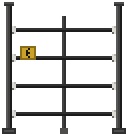 electric fence
- Type
- Production equipment
- Power
- Requires power
- Listed demand (W)
- 100
- Description
- A high-voltage fence that shocks anything touching it while powered. Friendly units are unaffected.
- Listed materials
- 16 × Iron Wire · 4 × Iron Plate · 8 × Copper Wire
 energy storage
- Type
- Production equipment
- Description
- An energy storage module. Connects to the power grid; charges from surplus power and discharges when supply falls short.
- Listed materials
- 2 × Vehicle Battery · 10 × Copper Wire · 6 × Iron Plate
 electric furnace
- Type
- Production equipment
- Power
- Requires power
- Listed demand (W)
- 800
- Description
- An electric furnace for smelting ore and metal. Needs grid power instead of fuel and smelts 3x faster than the stone furnace.
- Listed materials
- 10 × Iron Plate · 6 × Copper Wire · 1 × Mechanical Components
 simple street light
- Type
- Production equipment
- Power
- Requires power
- Listed demand (W)
- 250
- Description
- A makeshift lamp. Lights up the night when connected to power.
- Listed materials
- 8 × Wood · 1 × Light Bulb
 fence (variant 4)
- Description
- A metal fence that keeps zombies out.
- Listed materials
- 4 × Iron Wire · 6 × Iron Scrap
 scrap fence
- Description
- A fence cobbled together from scrap iron. Better than nothing.
- Listed materials
- 4 × Iron Wire · 6 × Iron Scrap
 road fence
- Description
- A road barrier. Low enough to climb over.
- Listed materials
- 4 × Iron Plate
 spore nest
- Description
- An eerie nest formed by creeping spores.
- Listed materials
- 2 × Wood
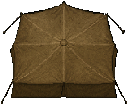 Scavenger Tent
- Description
- A tent in the style of scavenger camps.
- Listed materials
- 2 × Wood
 Sleeping Tent
- Description
- A portable tent you can sleep in.
- Listed materials
- 2 × Wood
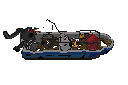 boat (repairable)
- Description
- A damaged boat. Repair it to take to the sea.
- Listed materials
- 1 × Water Jet Engine · 1 × Portable Gasoline Generator · 1 × Big Plastic Bucket · 100 × Wood · 100 × Alloy Sheet · 20 × Mechanical Components · 100 × Copper Wire · 20 × Iron Tube
 ware house door (variant 2)
English description is a wiki translation of the game’s Chinese text.
- Description
- A large, sturdy warehouse door.
- Listed materials
- 8 × Iron Tube · 2 × Iron Scrap
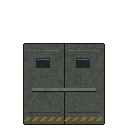 armory steel door
English description is a wiki translation of the game’s Chinese text.
- Description
- Reinforced steel double doors for the armory warehouse and guard room.
- Listed materials
- 8 × Iron Tube · 2 × Iron Scrap
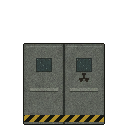 plant door
- Description
- The plant's heavy steel double door.
- Listed materials
- 8 × Iron Tube · 2 × Iron Scrap
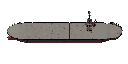 cargo ship base
- Description
- The main structure of the cargo ship base.
- Listed materials
- 1 × Water Jet Engine · 1 × Portable Gasoline Generator · 1 × Big Plastic Bucket · 100 × Wood · 100 × Alloy Sheet · 20 × Mechanical Components · 100 × Copper Wire · 20 × Iron Tube
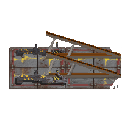 lifeboat stand
- Description
- A stand that holds the lifeboat.
- Listed materials
- 1 × Water Jet Engine · 1 × Portable Gasoline Generator · 1 × Big Plastic Bucket · 100 × Wood · 100 × Alloy Sheet · 20 × Mechanical Components · 100 × Copper Wire · 20 × Iron Tube
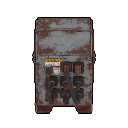 departure console
- Description
- The lifeboat console, used to set off.
- Listed materials
- 1 × Water Jet Engine · 1 × Portable Gasoline Generator · 1 × Big Plastic Bucket · 100 × Wood · 100 × Alloy Sheet · 20 × Mechanical Components · 100 × Copper Wire · 20 × Iron Tube
 broken glider
- Description
- A broken glider. With some repairs it might fly again.
- Listed materials
- 1 × Propeller Engine · 1 × Flight Sensor Module · 1 × Flight Control Module · 1 × Radar Module
No matching entries.
Sources
The Camp Fire barbecue links are pinned to the 1.0.14 terrain-110 prefab and its BBQItem selector. They show possible choices only; they do not establish item availability, a cooking result, duration, temperature, or food safety.
Object names and properties come from the Windows / Steam 1.0.14 world definitions. Listed power demand comes from the 1.0.14 power-grid extraction and runtime data. Container candidates come from specified inventory-prefab item lists, cross-checked with the separate runtime snapshot for four list-bearing containers; they are not guarantees. The Oil Tank has a separate first-open liquid-generation list: it may contain Fuel, Biodiesel, Sulfuric Acid or Nitric Acid, and it can be empty. These links do not guarantee a fill, location or access. The Ammo Case and Ammo Crates also show categories in their configured random pool; first-open generation can skip rolls, and these categories do not guarantee any item or occurrence. Their spawn locations and player access are unverified. The combined links are selector-filtered candidates, not guaranteed drops; a type roll, selection, weighting or inventory insertion can prevent a result. They do not establish final contents, spawn locations, player access, odds or quantities. For flag-1 pools, ranged-weapon candidate weights also use the map gun-rarity setting. The three flag-0 pools bypass the GunPart filter. Ten flag-1 pools admit GunPart candidates under the new-map default; settings 2/3 can reduce or filter them. These remain conditional candidates, not guaranteed contents. Lockers 82 and 583 and Clothes Rack 615 use category alternatives; each generation chooses one category. Shelf links are conditional. OneTypeOnly lists show the union of category alternatives, but each generation chooses one category. Type-4 rates on 44/59 use per-shelf factors, and other rates depend on the caller. Flag-one GunPart candidates depend on map settings; result, location, access and odds are not established. English descriptions use matching game text; Chinese descriptions use the game’s Simplified Chinese text where present. For 51 terrain entries, pictures show one base Sprite directly referenced by the prefab. Five further images show one representative Sprite from the canonical resource family named by each terrain definition, not a serialized prefab Sprite; the game can show another orientation. The electric heater, electric stove, electric fence, energy storage module, and simple street light images omit separate glow and spark effects; the Corn image shows one growth stage. Permission to reuse the images is unconfirmed.
The three corpse-profile links show configured 1.0.14 possible contents, including a separate ammo-count path; they do not establish where a corpse appears, whether you can access it, or what it finally contains. Possible ore finds come from the pinned ore-node snapshot. The pinned vegetation snapshot links Bush/Tree to configured hit-based lists; those outputs are conditional, can be intercepted by terrain networking, and player-built objects may use another list. Ramie’s Plant Fibre link is separate: its registered interaction prompt calls PickPlant (RVA 0x5F1450), which processes the configured list and tries inventory addition with drop-on-fail enabled before reporting plant removal through NetTerrainSync. Ore-item selection also passes through GameController.DropItem, with client-interception and host-authority gates. These paths do not establish exact yields, a guaranteed pickup, location, access, or availability. Five entries show the source-matched base Sprite frame from the corresponding prefab. The locker image shows one locker variant, not every variant. The sports-field image omits its separately rendered gate Sprite; the two corpse entries use identical Sprite artwork, which does not distinguish their profiles. Permission to reuse these images is unconfirmed.
Safe candidates must pass an internal item-value check that can depend on generated quantity; this value is not a player sell price. Its explicit list and later quality fallback are separate paths, so the generic list is not exhaustive. These links do not guarantee contents, spawns, access or odds.
- ZED ZONE native world and skill definitions — Extracted data · 1.0.14
- ZED ZONE 1.0.14 local game text — Extracted data · 1.0.14
- ZED ZONE native power-grid definitions and runtime — Extracted data · 1.0.14
- ZED ZONE native container first-open loot and safe filtering runtime evidence — Extracted data · 1.0.14
- ZED ZONE container inventory prefab and generation runtime evidence — Extracted data · 1.0.14
- ZED ZONE Oil Tank possible liquid contents and first-open runtime evidence — Extracted data · 1.0.14
- ZED ZONE Camp Fire barbecue selector and cook-progress runtime evidence — Extracted data · 1.0.14
- ZED ZONE exact terrain-prefab Sprite frames — Extracted data · 1.0.14
- ZED ZONE canonical terrain ResourceManager Sprite views — Extracted data · 1.0.14
- ZED ZONE corpse-profile item and separate ammunition-list source links — Extracted data · 1.0.14
- ZED ZONE additional direct terrain-prefab Sprite views — Extracted data · 1.0.14
- ZED ZONE ore-node possible item candidates and drop runtime evidence — Extracted data · 1.0.14
- ZED ZONE Bush, Tree and Ramie possible resource runtime evidence — Extracted data · 1.0.14
- ZED ZONE Ammo Case and Ammo Crates conditional item candidates and runtime selector evidence — Extracted data · 1.0.14
- ZED ZONE standard container conditional item candidates and runtime selector evidence — Extracted data · 1.0.14
- ZED ZONE shelf and glass-shelf conditional item candidates and runtime evidence — Extracted data · 1.0.14
- ZED ZONE Safe 83 generic-pool candidates and value-filter evidence — Extracted data · 1.0.14
Unofficial fan wiki, not affiliated with Leven Liu / INDIECN. Game content belongs to its owners.
Comments & feedback
Share a tip or suggest a correction. Comments are public. Guest names are unverified; verified accounts show their public name. All language pages share this discussion. Please keep personal information private.