

Power: generators, solar, storage and circuits

To power equipment, connect a generator or solar panel, nearby 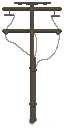 electric poles, optional storage, and the devices you want to run. A
 Stirling generator burns fuel; a solar panel generates power during the day and works poorly indoors or in rain. Poles join nearby equipment into an electric grid. Keep the source, poles, storage, and consumers close enough for their circuits to connect, then check the device panel for its power status.
Set up a power grid
Section titled “Set up a power grid”- Place a Stirling generator and add fuel, or place a solar panel outdoors where it can receive daylight.
- Place electric poles between the source and the equipment. Poles connect to one another and to nearby devices. If a circuit stays disconnected, add another pole or move the equipment closer.
- Add an
 energy storage module to keep surplus electricity. It charges when generation exceeds demand and discharges when supply falls short. Each module is configured for up to 6,000 Wh, with charge and discharge rates up to 1,000 W.
- Connect devices and compare their listed demands. A Stirling generator is rated at 1,500 W. A solar panel has a 600 W peak, which varies with time and weather; do not plan around that peak as steady output.
The world objects reference lists eight powered devices and their demands: fridge 50 W,  Battery Charger Bench 200 W,
 3D Printer 750 W,
 electric heater 400 W,
 electric stove 800 W,
 electric fence 100 W, electric furnace 800 W, and
 simple street light 250 W. These are listed demands, not guarantees of constant real draw. Some devices can still draw power while idle, and available supply and device state affect operation.
For a rough comparison, one solar panel’s 600 W peak is below the 3D Printer’s 750 W listed demand. Consider storage or supplemental generation, then check the device panel. These ratings do not guarantee a shortfall at every moment; actual draw and solar generation vary.
For the 3D Printer’s recipes and setup, see the 3D printing guide.
Recharge batteries
Section titled “Recharge batteries”At a base, put a compatible battery in the Battery Charger Bench and connect it to a powered grid. It recharges batteries while powered; its listed demand is 200 W. It can also charge a  Vehicle Battery used in an electric vehicle.
For flashlight battery types and how to install one, see Flashlights.
For portable charging, the Portable Charger Box uses a Vehicle Battery in its battery bay. Put compatible smaller batteries in the box’s storage and switch it on to transfer charge from the vehicle battery into them. The box cannot charge vehicle batteries.
Carry the Solar Charger Box with compatible batteries in its storage. It charges them automatically outdoors in daylight; rain makes charging weak, and it does not charge indoors, underground, or in a vehicle. No manual switch is needed.
Check the charger’s current filter and the battery type before relying on it. A new charger box accepts battery items by default, but saved filters can differ, and filter acceptance does not guarantee charging compatibility. Before a trip, check the battery’s displayed charge; portable charging transfers charge gradually, while solar charging is slow and varies with conditions. Allow time for the battery to reach the charge you need.
Diagnose an unpowered device
Section titled “Diagnose an unpowered device”Check the device’s power status and the circuit before changing the installation:
- Circuit: OPEN on a battery-slot device means its battery slots still need to be filled.
- Insufficient power supply or circuit not connected means the supply is too small for the demand, or the circuit is not connected.
- Circuit: CONNECTED reports the circuit connection. Also check the panel for an insufficient-power warning.
Add batteries to empty slots or address the supply/connection warning, then check the device again. Follow the power requirements shown on the device panel.
In 1.0.15, the electric furnace’s smelting speed scales down when power is insufficient, and its panel shows power status. This is a version-specific note; the demand values above come from 1.0.14.
Sources
Windows / Steam 1.0.14 world and item definitions, power-grid, electric-vehicle and special-storage runtime evidence, and construction, power and circuit text. The powered bench accepts Vehicle Battery item 85 for charging; the Portable Charger Box uses a Vehicle Battery to charge smaller cells and does not charge Vehicle Battery. Listed bench demand is not a measured constant draw. See developer’s 1.0.15 patch notes. Cover © Leven Liu / INDIECN.
- ZED ZONE 1.0.14 local game text — Extracted data · 1.0.14
- ZED ZONE native world and skill definitions — Extracted data · 1.0.14
- ZED ZONE native power-grid definitions and runtime — Extracted data · 1.0.14
- ZED ZONE native item definitions — Extracted data · 1.0.14
- ZED ZONE backpack and special storage inventory runtime evidence — Extracted data · 1.0.14
- ZED ZONE electric vehicle battery, charging and selector runtime evidence — Extracted data · 1.0.14
- Developer patch notes: 1.0.15 — Documentation · 1.0.15
- Official Steam cover artwork — Documentation · 2026-11-11

Unofficial fan wiki, not affiliated with Leven Liu / INDIECN. Game content belongs to its owners.
Comments & feedback
Share a tip or suggest a correction. Comments are public. Guest names are unverified; verified accounts show their public name. All language pages share this discussion. Please keep personal information private.