
 Order of the Sinking Star
Development-room layouts
Compare each room’s platforms, passages and objects. These selected views come from the video’s developer-level comparison; use the blue rings to locate the features mentioned in the hints.
Selected development layouts
Section titled “Selected development layouts”Four outer platforms
Section titled “Four outer platforms”The ring identifies a visible landmark in this selected state.
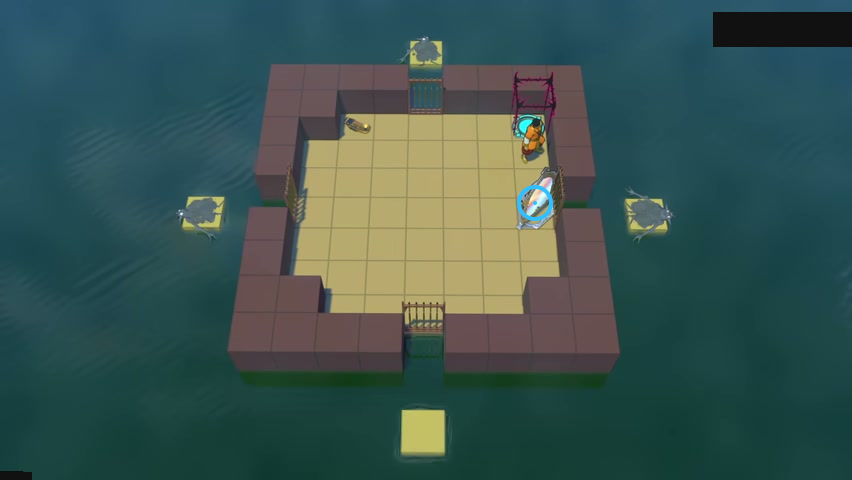
Check each of the four outer platforms.
Check: Ring marks The large mirror beside the right wall.
Open full-size image in a new tabLinked rooms A
Section titled “Linked rooms A”The ring identifies a visible landmark in this selected state.
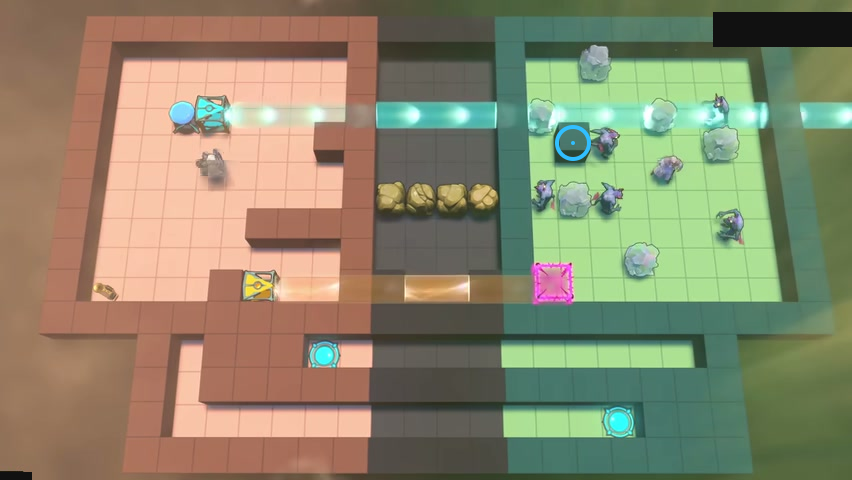
Track changes in both rooms.
Check: Ring marks The single raised block in the green room.
Open full-size image in a new tabLinked rooms B
Section titled “Linked rooms B”The ring identifies a visible landmark in this selected state.
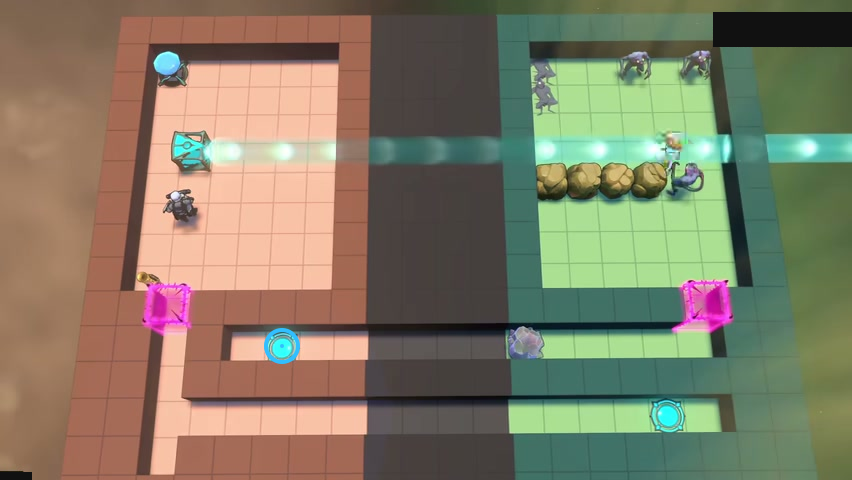
Leave the lower passage available.
Check: Ring marks The cyan floor pad in the lower left passage.
Open full-size image in a new tabLinked rooms C
Section titled “Linked rooms C”The ring identifies a visible landmark in this selected state.
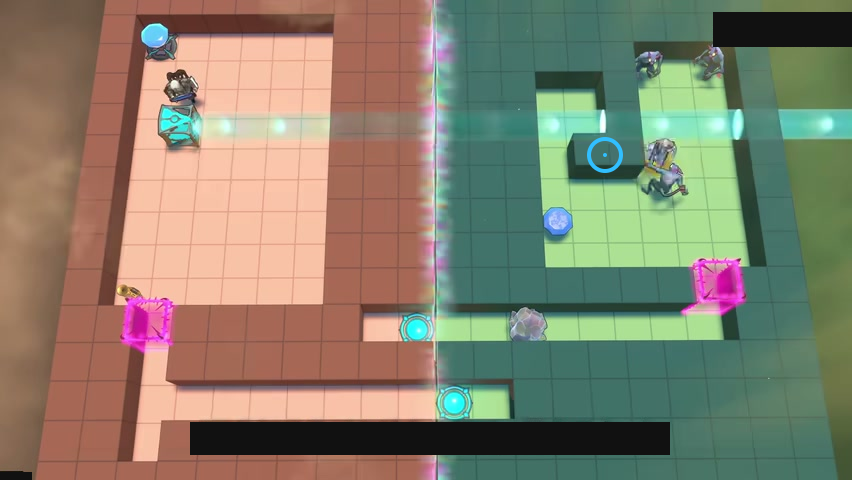
Plan around the raised block in the green room.
Check: Ring marks The raised L-shaped block in the green room.
Open full-size image in a new tabTwo floors
Section titled “Two floors”The ring identifies a visible landmark in this selected state.
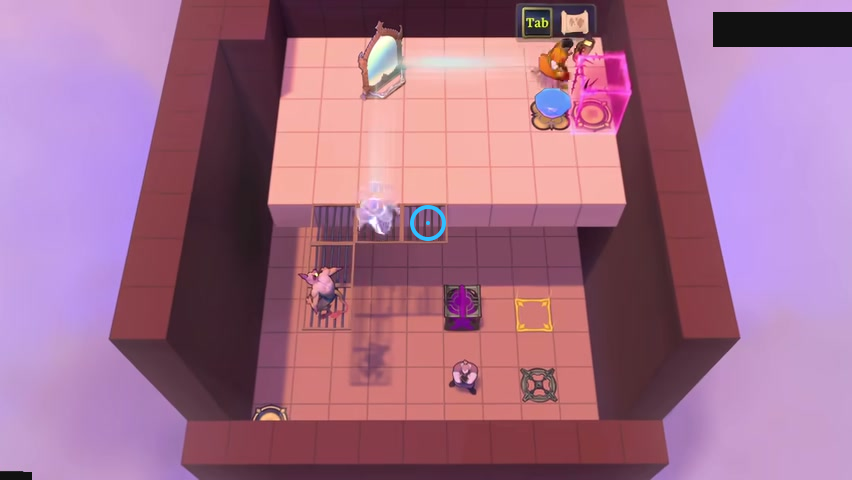
Keep both floors in mind.
Check: Ring marks The right grate beside the drop between the two floors.
Open full-size image in a new tabRaised strip
Section titled “Raised strip”The ring identifies a visible landmark in this selected state.
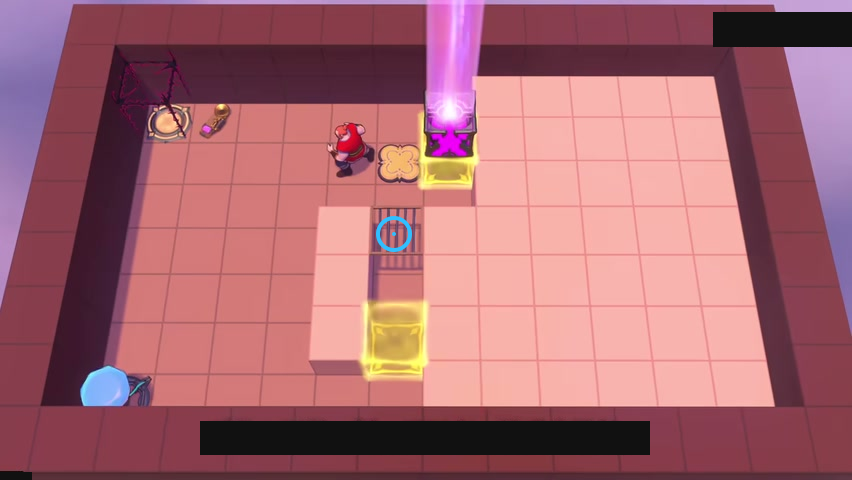
Compare access on either side of the raised strip.
Check: Ring marks The grate along the central raised strip.
Open full-size image in a new tabHeight comparison
Section titled “Height comparison”The ring identifies a visible landmark in this selected state.
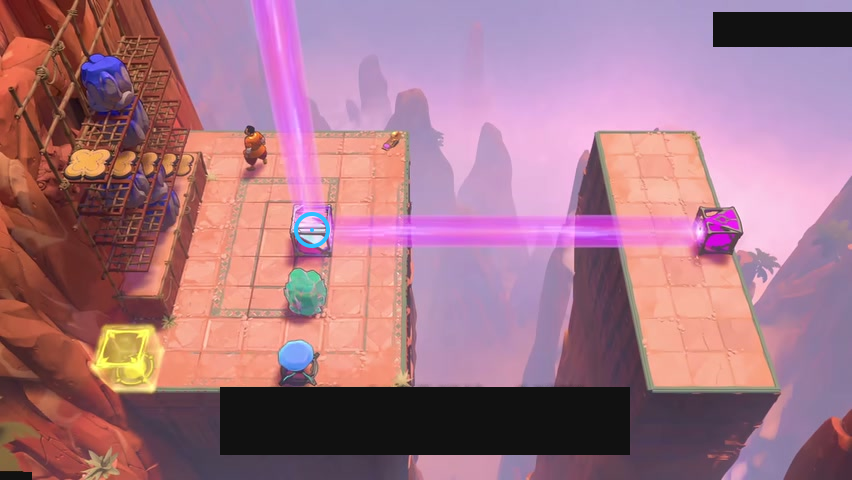
Compare the two platforms and the raised steps.
Check: Ring marks The mirror at the crossing purple beams on the left platform.
Open full-size image in a new tabLily pads on heads
Section titled “Lily pads on heads”The ring identifies a visible landmark in this selected state.
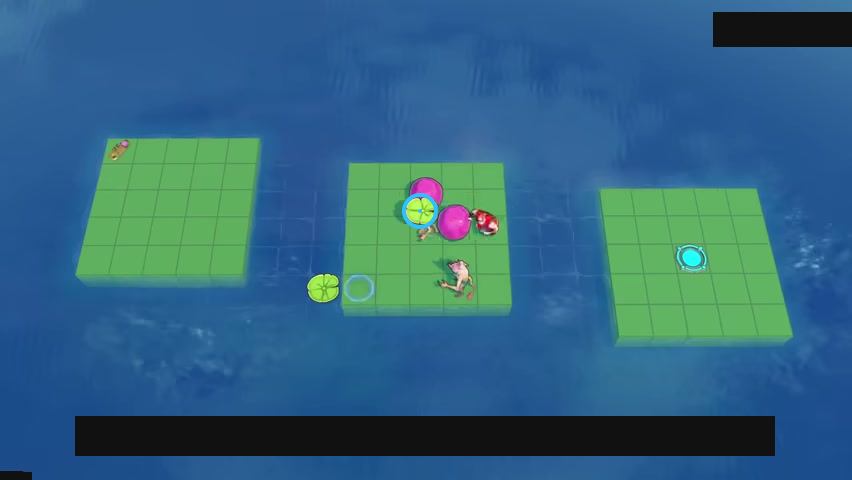
Find the lily pad carried by the creature on the middle platform.
Check: The blue ring marks a lily pad on a creature’s head.
Open full-size image in a new tabAdditional selected layouts
Section titled “Additional selected layouts”Pull the crystal through the pillars
Section titled “Pull the crystal through the pillars”Find a route that lets the Thief pull the crystal onto the button.
The blue ring marks a visible landmark in this selected view.
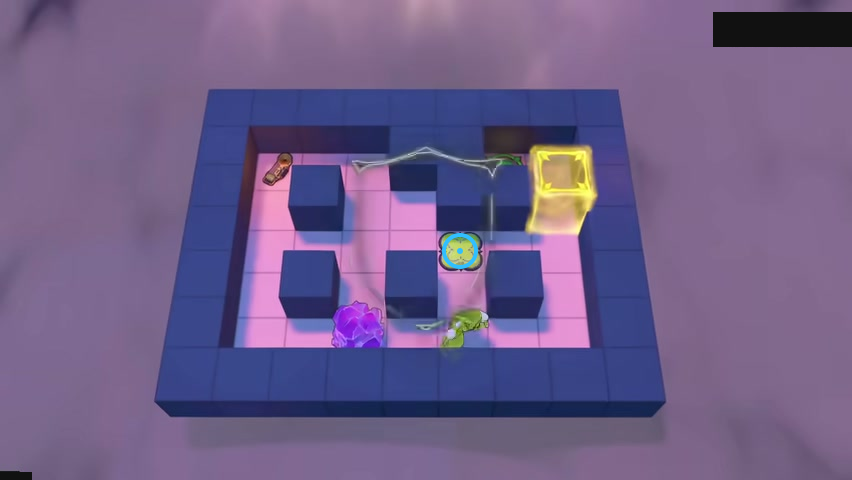
Find the button between the right-hand pillars.
Check: The blue ring marks the button between the right-hand pillars.
Open full-size image in a new tabTurn the dragon
Section titled “Turn the dragon”Use the mirror to change the dragon’s facing.
The blue ring marks a visible landmark in this selected view.
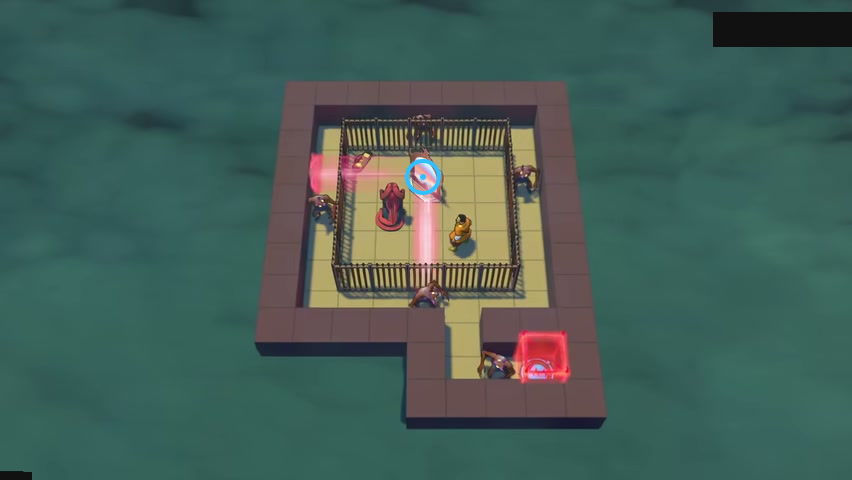
Find the mirror inside the fence.
Check: The blue ring marks the mirror inside the fence.
Open full-size image in a new tabMirrors across the fence
Section titled “Mirrors across the fence”Compare the mirror positions on both sides of the fence.
The blue ring marks a visible landmark in this selected view.
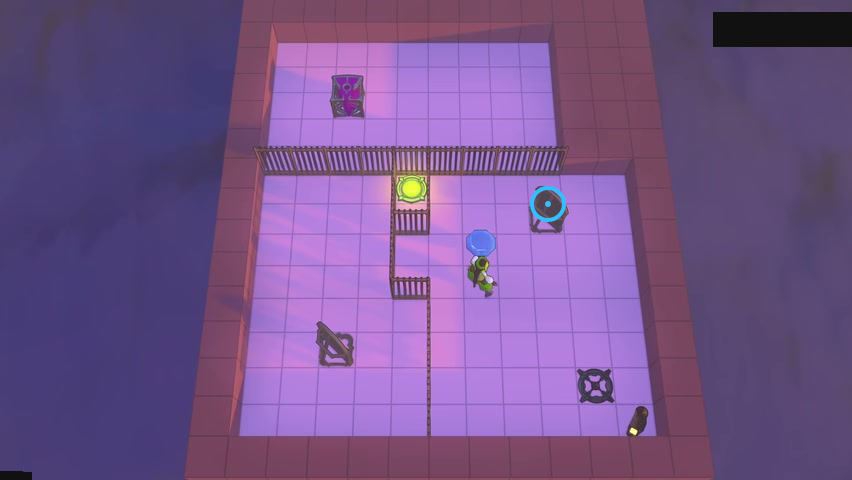
Find the upper-right mirror below the fence.
Check: The blue ring marks the upper-right mirror below the fence.
Open full-size image in a new tabPlan before dropping down
Section titled “Plan before dropping down”Plan the crystal positions before jumping down.
The blue ring marks a visible landmark in this selected view.
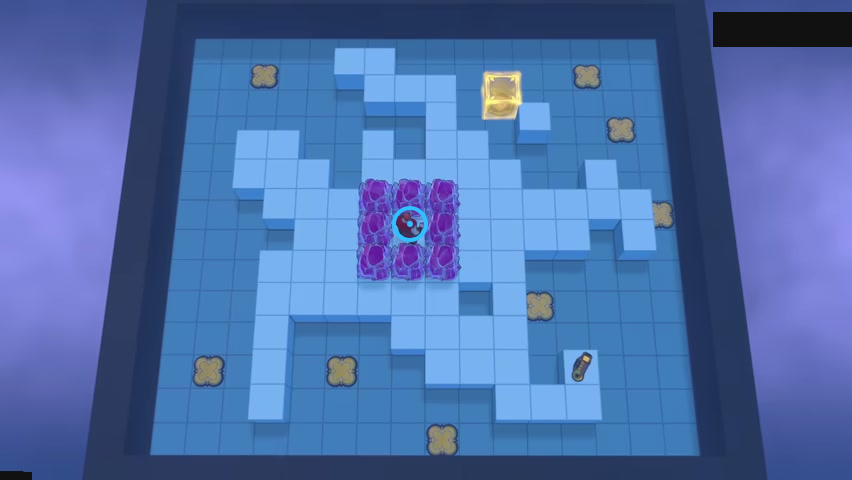
Find the Druid inside the crystal ring.
Check: The blue ring marks the Druid inside the crystal ring.
Open full-size image in a new tabThe narrow lower opening
Section titled “The narrow lower opening”Check the narrow lower opening and the exit beside it.
The blue ring marks a visible landmark in this selected view.
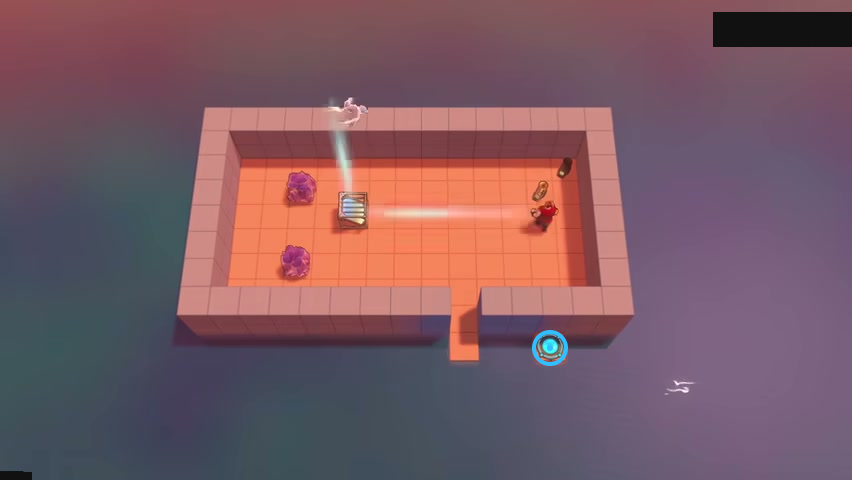
Find the cyan exit outside the lower opening.
Check: The blue ring marks the cyan exit outside the lower opening.
Open full-size image in a new tabMirrors at different heights
Section titled “Mirrors at different heights”Compare the mirrors’ heights on the different ledges.
The blue ring marks a visible landmark in this selected view.
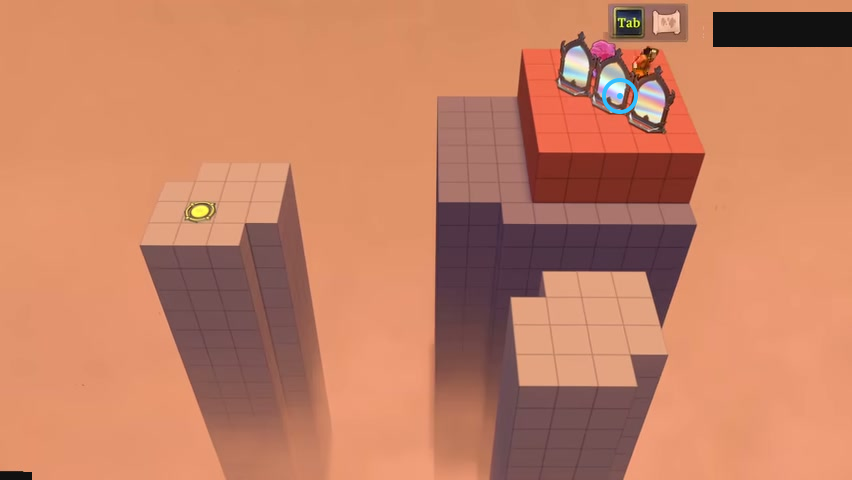
Find the middle mirror on the upper red platform.
Check: The blue ring marks the middle mirror on the upper red platform.
Open full-size image in a new tabChoose the beam height
Section titled “Choose the beam height”Use an endpoint beam and a mirror to arrange the crossing.
The blue ring marks a visible landmark in this selected view.
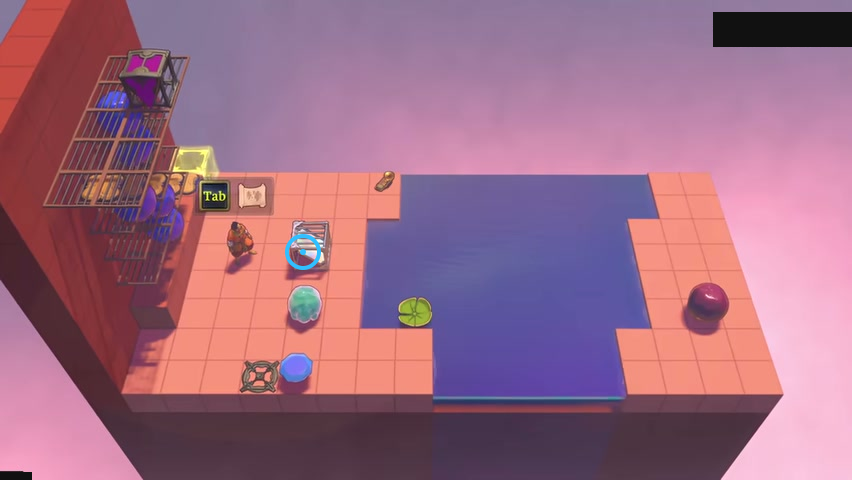
Find the mirror beside the left bank.
Check: The blue ring marks the mirror beside the left bank.
Open full-size image in a new tabVideo source
Selected frames are from 塞德莎’s public video, part 69.
- Full puzzle candidate inventory (PC r67121) — Extracted data
- Development-room p69 frame observations and identity evidence — Observed in-game · development-room-layouts-video-frame-observations-2026-10-24
- Development-room current identity and display delta — Extracted data · development-room-layouts-display-delta-2026-10-24
- Development-room bilingual selected-layout cards — Extracted data · development-room-layouts-selected-layouts-2026-10-24
- 塞德莎 developer layout comparison, playlist part69 — Observed in-game · playlist-part-69-cid-42844227237-2026-10-24
- 塞德莎 developer layout comparison, playlist part 69 (lily_wearing_intro selected state) — Observed in-game · playlist-part-69-lily-intro-selected-frame-2026-10-24
- Lily Wearing Intro p69 frame observation and identity evidence — Observed in-game · development-room-layouts-lily-intro-observation-2026-10-24
- Lily Wearing Intro current identity and display delta — Extracted data · development-room-layouts-lily-intro-display-delta-2026-10-24
- Lily Wearing Intro bilingual selected-layout card — Extracted data · development-room-layouts-lily-wearing-intro-selected-layouts-2026-10-24
- Additional selected video layout cards — Extracted data · additional-source-layouts-selected-layouts-2026-10-25
- Additional selected source video frame observations — Observed in-game · additional-source-layouts-video-observations-2026-10-25
- Additional selected-layout display coverage delta — Observed in-game · additional-source-layouts-display-coverage-delta-2026-10-25
- 塞德莎 public walkthrough, playlist part 69 — Observed in-game · bilibili-additional-source-layouts-part-69-2026-10-25
Unofficial fan wiki, not affiliated with Thekla, Inc. / Arc Games / Gamirror Games. Game content belongs to its owners.
Comments & feedback
Share a tip or suggest a correction. Comments are public. Guest names are unverified; verified accounts show their account username. All language pages share this discussion. Please keep personal information private.