
 Order of the Sinking Star
When you get stuck
Recover one decision at a time
Section titled “Recover one decision at a time”- Stop before making another move and identify the space, object, or route you still need.
- Use Undo to reverse the move that closed it off. If needed, hold Undo to reverse a reset and return to the previous state.
- Test one candidate move at a time. After each move, check what changed and whether the needed space remains reachable; undo if the move closes it off.
- If you want to start over, use Restart. When a checkpoint is active, a reset returns to that checkpoint; confirm the resulting state before continuing.
Pick the move that fits
Section titled “Pick the move that fits”If a push sends a crystal the wrong way, the 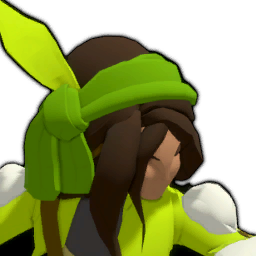 Thief can move away from an adjacent crystal so it follows into the tile she left. The
  Wizard can move toward the first visible block or crystal in clear line of sight and swap with it; when nothing is ahead, he walks normally. See the character reference and the opening
 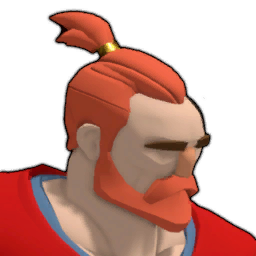 Warrior, Thief and Wizard boards for examples.
Use views to describe the problem
Section titled “Use views to describe the problem”The action list includes Overhead View and Local Area View. Find their current assigned inputs in the Controls or remapping menu, then use the view that helps you inspect the scene. Look up the displayed name in the area reference and note the name together with the move that caused trouble. That gives you a clear point to return to when you continue.
If another challenge is available, try it and return later; the official store says players can revisit puzzles freely. For input labels, see controls; for recovery details, see undo and checkpoints.
Sources and credits
Action labels and recovery descriptions: PC r67121 game text. Revisiting puzzles: official English store page. Cover art: Thekla, Inc.; published by Arc Games and Gamirror Games. Creator footage: SeniorsLord, October 10, 2026.
- Game controls, tutorial signs and area names (r67121) — Extracted data
- Opening hero puzzle boards and ability flags (PC r67121) — Extracted data
- Joric's PuzzleScript movement-rule port — Documentation · commit-4e6e0784727d95c7337d50f6d5b3ef912aa0e8ae
- PlayStation Blog hands-on report — Documentation · published-2026-07-21
- SeniorsLord's opening hero-puzzle playthrough — Observed in-game
- Official Order of the Sinking Star Steam store page (English) — Documentation · accessed-2026-10-15
Unofficial fan wiki, not affiliated with Thekla, Inc. / Arc Games / Gamirror Games. Game content belongs to its owners.
Comments & feedback
Share a tip or suggest a correction. Comments are public. Guest names are unverified; verified accounts show their account username. All language pages share this discussion. Please keep personal information private.