
 Order of the Sinking Star
Heroes and Mirrors: Part 1 starting layouts
These selected P1 frames show starting layouts matched against corresponding local room textures. Colored markers identify visible objects only. The cards do not provide an input sequence, complete route, or finish, and they do not establish a Steam depot or game build.
Detachment (detachment)
Section titled “Detachment (detachment)”Images show selected video checkpoints; the first frame is the starting position.
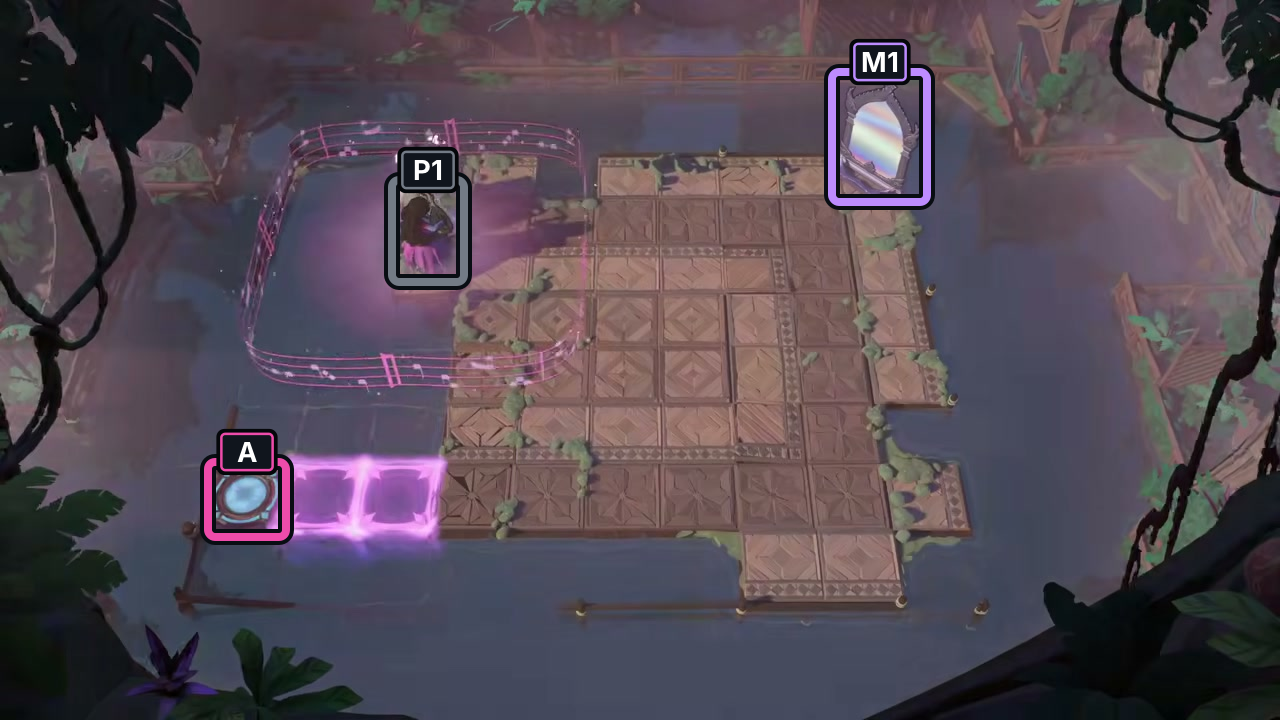
The start frame places P1 by the left rail, with mirror M1 across the board and switch A at lower left.
Check: Starting layout only; no input sequence or finish is shown.
Open full-size image in a new tabReattachment (reattachment)
Section titled “Reattachment (reattachment)”Images show selected video checkpoints; the first frame is the starting position.
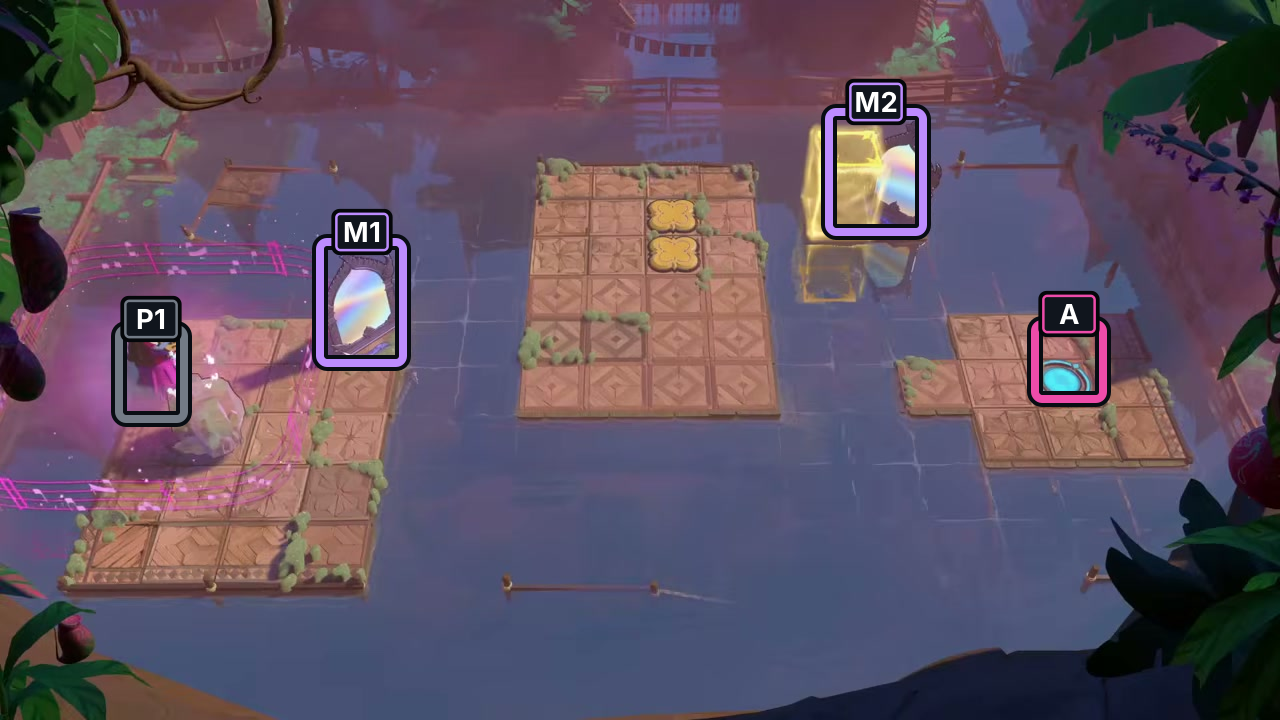
The selected start shows P1 on the left, two mirrors, and a cyan switch on the right.
Check: Starting layout only; no input sequence or finish is shown.
Open full-size image in a new tabBlocking Issue (blocking_issue)
Section titled “Blocking Issue (blocking_issue)”Images show selected video checkpoints; the first frame is the starting position.
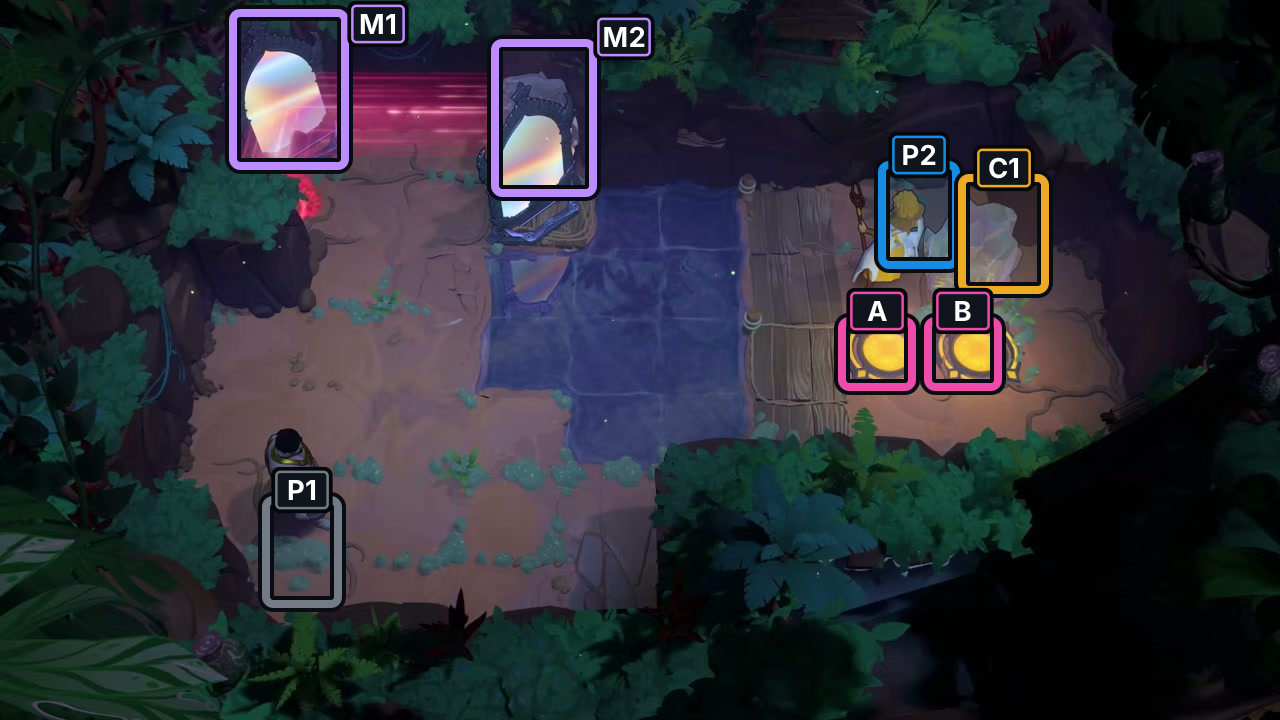
Two figures, two mirrors, two yellow switches, and crystal C1 are visible in this start frame.
Check: Starting layout only; no input sequence or finish is shown.
Open full-size image in a new tabHoles (holes)
Section titled “Holes (holes)”Images show selected video checkpoints; the first frame is the starting position.
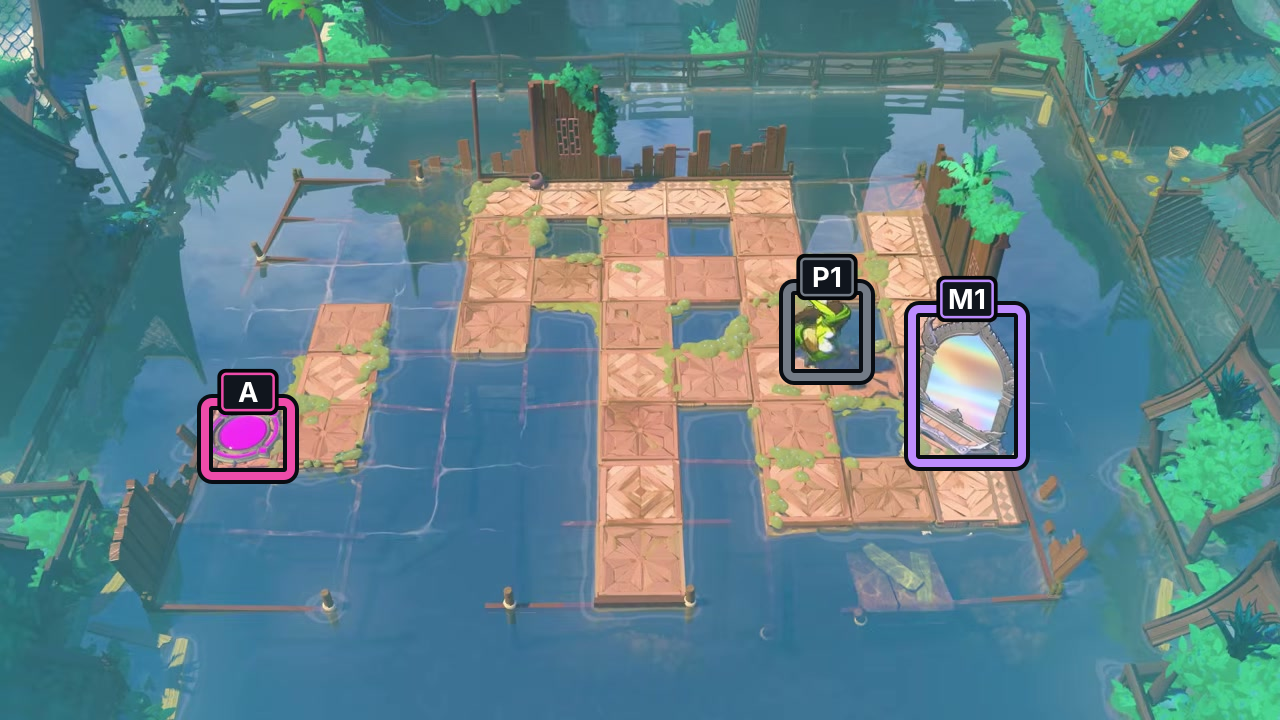
The start frame marks hero P1, mirror M1, and switch A.
Check: Starting layout only; no input sequence or finish is shown.
Open full-size image in a new tabDouble Break (double_break)
Section titled “Double Break (double_break)”Images show selected video checkpoints; the first frame is the starting position.
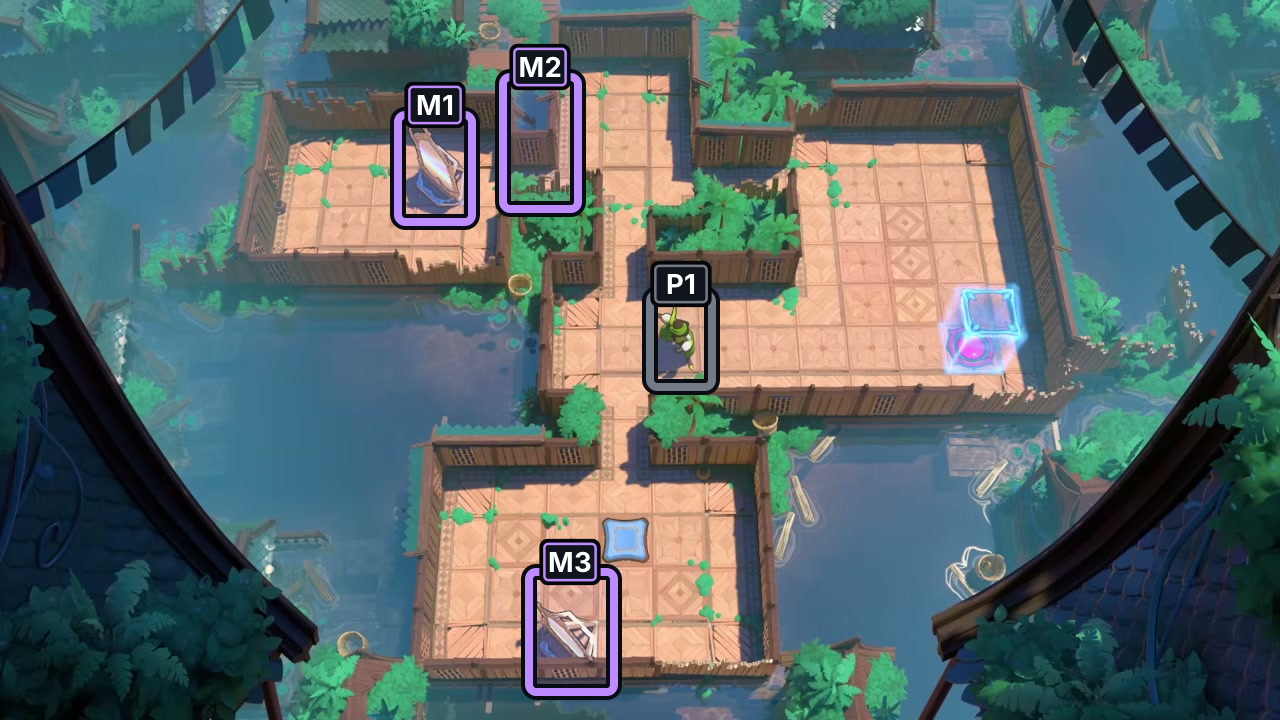
The start frame shows P1 and three visible mirrors, labeled only to distinguish their positions.
Check: Starting layout only; no input sequence or finish is shown.
Open full-size image in a new tabClose To Button (close_to_button)
Section titled “Close To Button (close_to_button)”Images show selected video checkpoints; the first frame is the starting position.
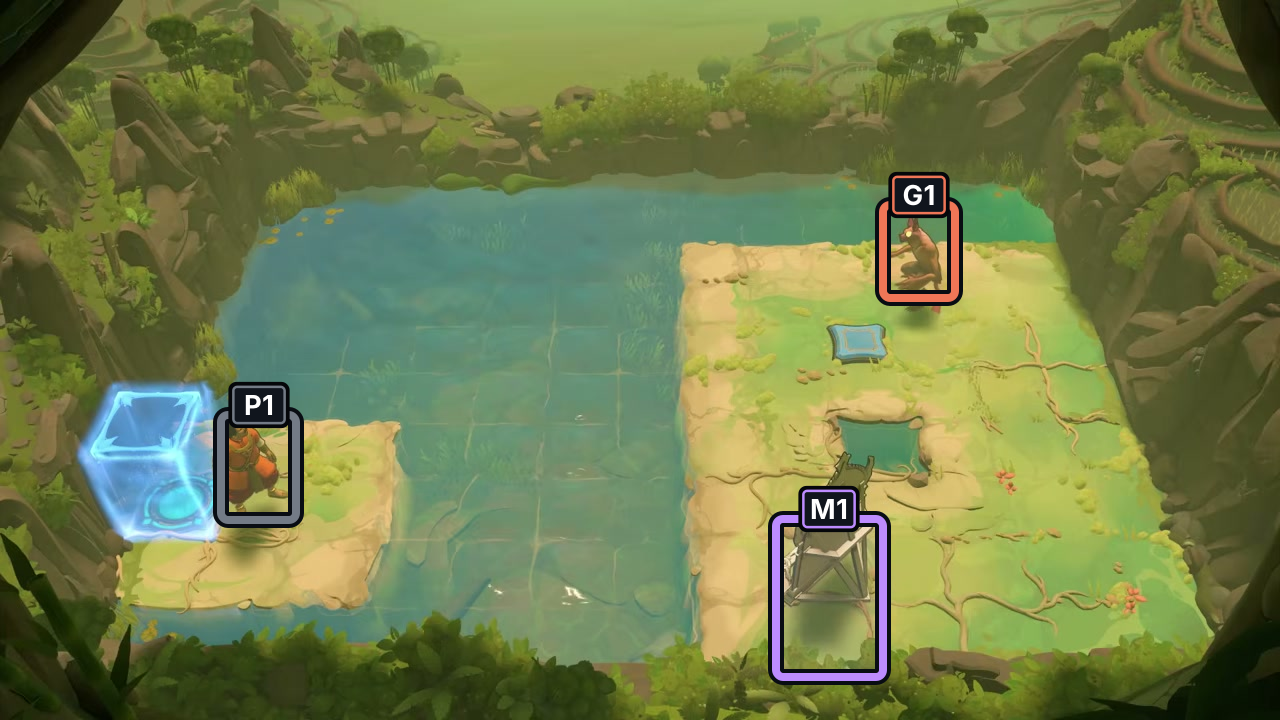
The frame shows P1 on the left island, goblin G1 across the gap, and mirror M1 at lower right.
Check: Starting layout only; no input sequence or finish is shown.
Open full-size image in a new tabGreenhouse (greenhouse)
Section titled “Greenhouse (greenhouse)”Images show selected video checkpoints; the first frame is the starting position.
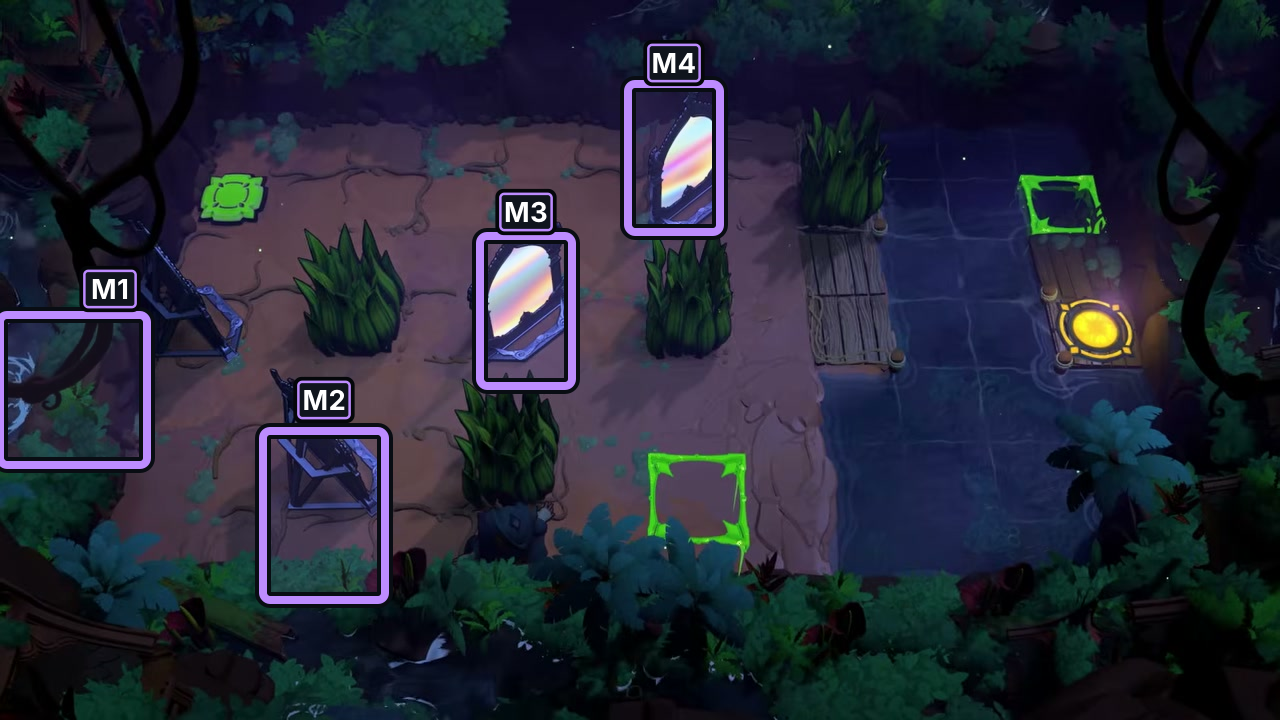
Four distinct mirror frames are visible among the plants; M1–M4 label those positions.
Check: Starting layout only; no input sequence or finish is shown.
Open full-size image in a new tabBitstring Small (bitstring_small)
Section titled “Bitstring Small (bitstring_small)”Images show selected video checkpoints; the first frame is the starting position.
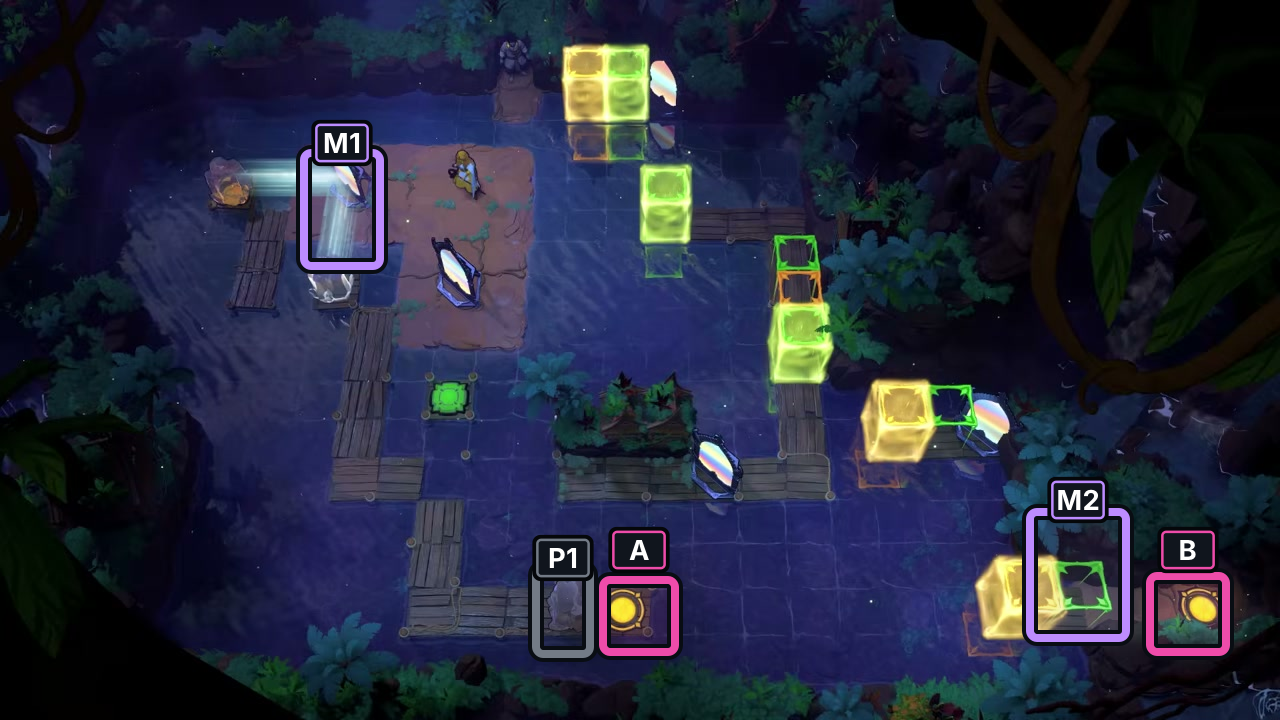
P1 is near the bottom of this layout; mirrors M1 and M2 and the two yellow switches are also marked.
Check: Starting layout only; no input sequence or finish is shown.
Open full-size image in a new tabSources and credits
Each card records a selected P1 starting frame and its visual match to a local room texture; the native textures are comparison provenance and are not published here. The selected frames do not establish a complete route, input sequence, or finish.
Video: The Flying Chungus, Order of the Sinking Star, Part 1.
- The Flying Chungus Heroes and Mirrors Part 1 gameplay video — Observed in-game · public-video-reviewed-2026-10-22
- Heroes and Mirrors detachment P1 starting-layout screenshot — Observed in-game · p1-start-screenshots-reviewed-2026-10-22
- Heroes and Mirrors reattachment P1 starting-layout screenshot — Observed in-game · p1-start-screenshots-reviewed-2026-10-22
- Heroes and Mirrors blocking_issue P1 starting-layout screenshot — Observed in-game · p1-start-screenshots-reviewed-2026-10-22
- Heroes and Mirrors double_break P1 starting-layout screenshot — Observed in-game · p1-start-screenshots-reviewed-2026-10-22
- Heroes and Mirrors close_to_button P1 starting-layout screenshot — Observed in-game · p1-start-screenshots-reviewed-2026-10-22
- Heroes and Mirrors greenhouse P1 starting-layout screenshot — Observed in-game · p1-start-screenshots-reviewed-2026-10-22
- Heroes and Mirrors bitstring_small P1 starting-layout screenshot — Observed in-game · p1-start-screenshots-reviewed-2026-10-22
- Heroes and Mirrors holes P1 starting-layout screenshot — Observed in-game · p1-start-screenshots-reviewed-2026-10-22
Unofficial fan wiki, not affiliated with Thekla, Inc. / Arc Games / Gamirror Games. Game content belongs to its owners.
Comments & feedback
Share a tip or suggest a correction. Comments are public. Guest names are unverified; verified accounts show their account username. All language pages share this discussion. Please keep personal information private.